

Feedivo
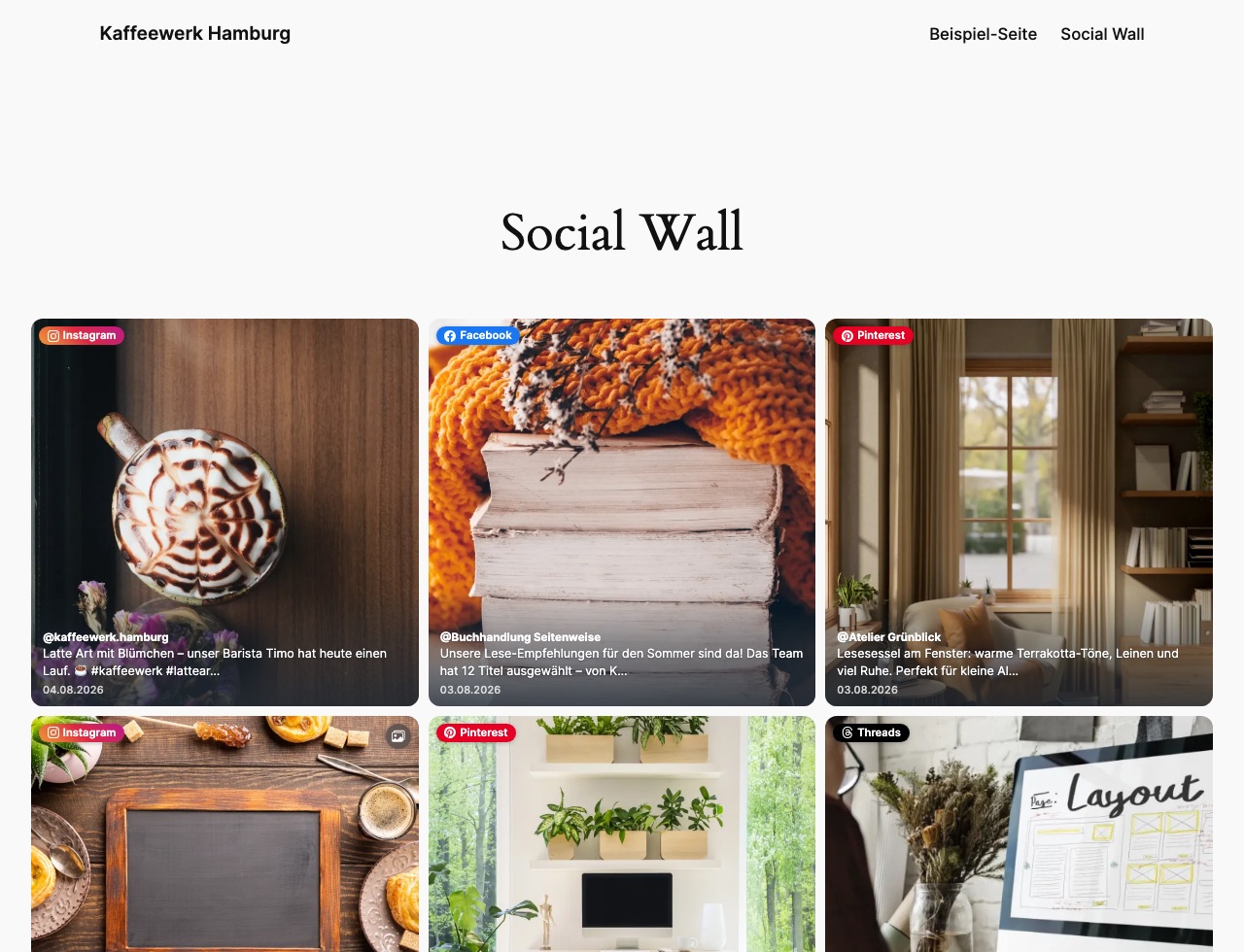
A feed on the front end: posts from Instagram, Facebook, Pinterest and Threads side by side, served from your own site.
Turn your social media posts into a polished WordPress feed that feels at home on your website.
Feedivo brings together Instagram, Facebook, Threads, Pinterest and YouTube in one flexible social media feed. Choose the content you want, match the design to your brand and publish it without API keys or complicated setup.
Add your feed anywhere
Use the Feedivo Feed block in Gutenberg, the Feedivo Feed widget in Elementor or a ready-made shortcode for any other theme or page builder. Pick a feed and it is ready to go.
Five networks, one feed
Instagram, Facebook, Threads, Pinterest and YouTube — mixed into a single feed or kept apart. Filter by network, hashtag, media type or date. Reels, Shorts and Stories are recognised as what they are, so you can include or exclude them on purpose.
Made to match your brand
Choose a grid, masonry layout, list or social media carousel. Fine-tune columns, spacing, aspect ratios, corners and your accent colour once, and Feedivo keeps the design consistent everywhere.
Fast, private and reliable
- Posts and media are delivered from your own WordPress website.
- Feedivo adds no visitor tracking.
- Local media keeps your feeds fast and dependable.
- YouTube’s privacy-enhanced player loads only after a visitor clicks play.
Simple setup
Create your feeds in a Feedivo account, paste one connection ID into WordPress and start publishing. No social network API keys are needed in WordPress.
External services
This plugin connects your site to Feedivo (https://feedivo.de), a social media feed service. The plugin requires a Feedivo account and does not work without one. All communication happens from your server — never from your visitors’ browsers — and no data about your visitors is ever sent.
Your site contacts the Feedivo API at https://feedivo.de in these situations:
- When you connect your site (pressing “Connect” on the settings page): your site sends the connection ID you entered, your site address and the plugin version. This binds the connection to your site and returns an access token. Feedivo stores the site address and plugin version so you can tell in your account which site a connection belongs to.
- When feeds are updated (every five minutes in the background, and when you press “Update now”): your site sends the access token and the plugin version, and receives your feed settings and posts — captions, dates, links and media addresses — which are then stored locally on your site. Feedivo stores the plugin version so your account shows the version your site is actually running.
- When media is downloaded (during an update): your site downloads the images and videos belonging to those posts into your own media library. From then on, visitors load them from your site only.
- When the settings page is opened (at most once per minute): your site sends the access token and the plugin version to check whether each connection is still valid, so a connection removed or paused in Feedivo shows up here immediately.
- When you disconnect (pressing “Disconnect”): your site sends the access token of that connection and the plugin version so the binding is released in your Feedivo account.
Use of the service is subject to its terms and privacy policy:
Terms of Service: https://feedivo.de/agb
Privacy Policy: https://feedivo.de/datenschutz