

Fast Backups – Site Backup, Restore & Migration
Fast Backups helps you protect, restore, and move a WordPress website. Create a complete backup in the dashboard, download it, restore it on the same site, or import it into another WordPress installation.
Visit the WPBackup.dev homepage for product information and backup guidance. Local backup, download, import, and restore do not require a Fast Backups account or registration.
A backup packages the database, media, themes, plugins, and supported site files into one portable .wpbackup file. The interface is made for site owners and developers who want a straightforward workflow without database tools or server commands.
Complete WordPress Backups
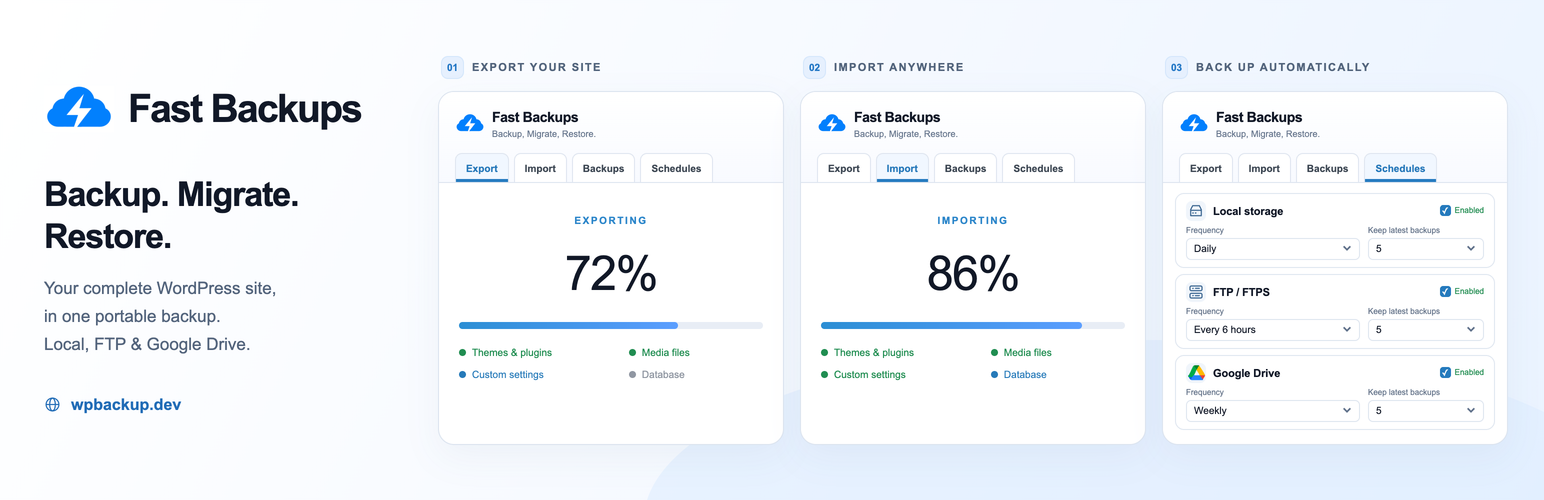
Fast Backups processes data in stages, displays live progress, and saves the completed archive in tokenized local storage. A complete backup can contain:
- The WordPress database, including plugin and theme settings.
- Media files from the uploads directory.
- Installed themes and plugins.
- WordPress content and supported files from the site root.
Restore or Migrate a Website
Restore a server backup or upload a .wpbackup file. Fast Backups validates and stages the incoming content, protects the current site’s files and affected database tables, and then applies the restore. On a different domain, it updates source-site references to the destination URL and processes serialized WordPress data.
During protected replacement, visitors see a temporary maintenance page rather than a partially restored WordPress page. If the restore fails or is cancelled after replacement begins, Fast Backups attempts to recover the original site from its private recovery copies. An independent recovery loader can retry recovery on the next request if the restore worker stops unexpectedly. A restore is marked complete only after its final verification checks pass.
Keep the progress page open until the operation finishes. Recovery needs additional disk space, database permissions, and a writable must-use plugin directory. It is not a substitute for an independent hosting or off-site backup, and it cannot repair lost disks, a lost database, or deleted recovery copies.
Imported backup archives remain available on the Backups screen after a successful import, so they can be downloaded or restored again without another upload.
Common uses include:
- Moving a site to a new hosting provider.
- Moving a local or staging site to production.
- Creating a restore point before an update or redesign.
- Recovering a site from an earlier backup.
Optional Password Encryption
Protect a backup with a password. Encryption uses AES-256-CBC when OpenSSL is available. The password is required for import and cannot be recovered by Fast Backups.
Scheduled Backups
Create independent local, FTP/FTPS, and Google Drive schedules. Run them hourly, every six hours, daily, weekly, or monthly.
For each destination you can:
- Enable or disable its schedule separately.
- Select how often backups should run.
- Choose how many recent backups to keep.
- View the last and next scheduled run.
- Review the latest status or error.
FTP settings support protocol, host, port, username, password, remote path, passive mode, and connection testing. Google Drive supports account connection, storage information, backup runs, retention, and disconnection.
Schedules use WP-Cron and may start late on low-traffic sites. Use a real server cron job when exact timing matters.
Security and Validation
Backup work is divided into stages, and large browser uploads can use chunks when supported. Practical size limits still depend on disk space, PHP, the web server, and the host.
Security safeguards include:
- Backup, restore, download, delete, and schedule actions require administrator capability checks.
- Administrative requests use WordPress nonces.
- Completed backup files use unlisted, tokenized storage paths; anyone who has a complete direct download URL can access that file.
- Imported archives are checked for the expected Fast Backups structure.
- Archive paths are validated to prevent files from escaping the restore directory.
- PHP-like executable files are blocked from writable upload and cache locations during restore.
- Backup manifests are checked before site data is replaced.
Keep at least one recent backup outside the WordPress server and test restores before an emergency.
External Services
Optional operational reporting to WPBackup.dev
A one-time modal on plugin screens offers Enable reporting or Continue without reporting. The preference checkbox is preselected, but opening the modal never enables reporting. Explicit approval sends the first snapshot immediately; later updates are daily. An existing opt-out is respected, and failed requests can be retried from Statistics.
Reporting is disabled by default. An administrator can explicitly enable it under Fast Backups > Statistics. Once enabled, a daily HTTPS request to https://wpbackup.dev/admin/report.php sends the site URL, plugin version, available local backup count, successful export/import/restore counts, destination schedule status, successful delivery counts and Google Drive connection status. A random installation identifier and reporting key authenticate updates. No backup contents, filenames, account emails, FTP credentials or Google tokens are sent.
Local counters remain available without reporting. Reporting can be stopped at any time; the Statistics page also offers remote deletion. Reports expire after 90 days without an update. Statistics are self-reported and may reset following database restoration. WPBackup.dev uses these optional reports for product operations and usage insights, not advertising.
- Service: https://wpbackup.dev/
- Reporting privacy: https://wpbackup.dev/privacy-insights.html
- Terms: https://wpbackup.dev/terms
Fast Backups can connect to Google Drive when an administrator chooses Google Drive as a backup destination and authorizes a Google account.
When Google Drive is used, the plugin may send the following data to Google:
- OAuth authorization requests so the administrator can grant access.
- OAuth token exchange and refresh requests required to maintain the connection.
- Folder lookup and creation requests for the backup destination.
- Backup archive data when a Google Drive backup runs.
- File list and deletion requests used for remote retention cleanup.
- Account and storage metadata shown on the schedules screen.
Fast Backups uses the service at https://wpbackup.dev to complete Google OAuth token exchanges and refresh an expired Google access token. During these requests, authorization data required to maintain the administrator’s Google Drive connection is transmitted between the WordPress site, the callback service, and Google. The OAuth client secret remains on the callback service and is not distributed inside the plugin. The service is not contacted for local or FTP backups.
Google Drive data is sent only when an administrator connects or disconnects Google Drive, views connected account information, runs a Google Drive backup, or enables a Google Drive schedule.
Service terms and privacy information:
- Google APIs Terms of Service: https://developers.google.com/terms
- Google Privacy Policy: https://policies.google.com/privacy
- Google Terms of Service: https://policies.google.com/terms
- WPBackup.dev homepage
FTP and FTPS backups send the backup archive and the configured connection credentials to the server specified by the administrator. Fast Backups does not choose or operate that server. The terms and privacy policy of the selected hosting or storage provider apply.
Privacy
Local backup operations do not require external reporting. Optional daily operational reporting is off by default and only runs after explicit administrator consent in Fast Backups > Statistics. See the reporting service disclosure above.
If you configure an external destination, backup archives can contain the complete WordPress database and files, including personal or confidential information stored by the site. Make sure you are authorized to copy that data and that the destination meets your security, privacy, and retention requirements.