


Fabrixa – Print on Demand for WooCommerce
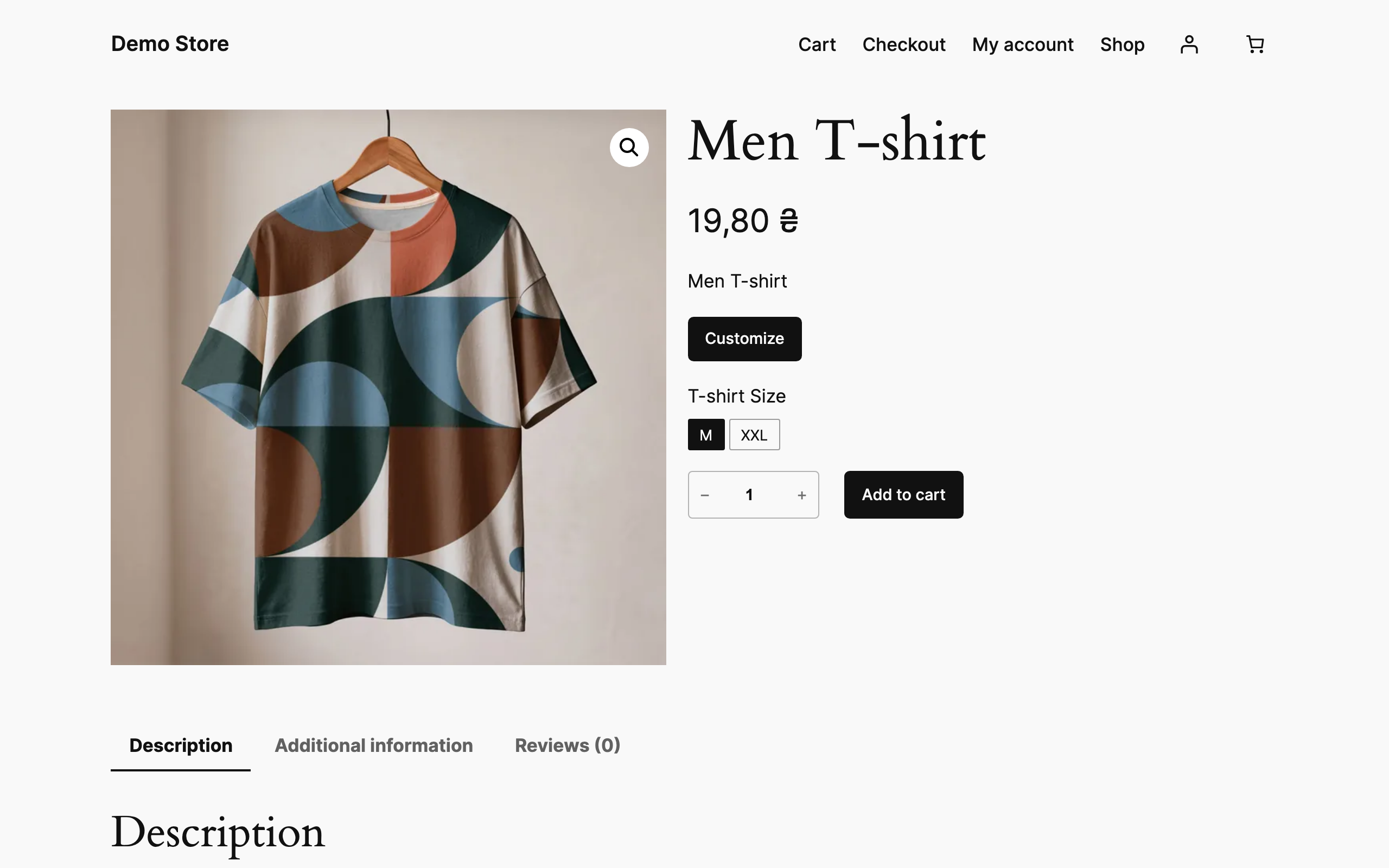
The Customize button on a product page, next to the shop's own Add to cart.
Connect your WooCommerce store to Fabrixa, Europe’s reactive textile print platform. Design your products, publish them to your store, and every order is printed, packed and shipped for you under your own brand.
Free design editor with 3D preview
Fabrixa Studio is included at no cost. Upload your artwork, place it on the product, and check the result in a 3D preview before you publish. No design software needed.
What you can sell
Reactive-printed apparel, home textiles and fabric by the metre, made on demand in Portugal, Spain and the Netherlands.
How it works
- Register a free Fabrixa account and connect your store.
- Design a product in Studio and publish it to WooCommerce.
- A customer orders; the order goes to production automatically.
- We print, pack and ship white-label, and tracking syncs back to the order.
Why merchants choose Fabrixa
- No minimums: order from 1 piece or 1 metre.
- No subscription and no monthly fee; you pay per order.
- Your price shows instantly, with volume discounts built in.
- White-label shipping across Europe.
- OEKO-TEX certified textiles; GOTS-certified organic cotton apparel.
What the plugin adds to your shop
- A Customize button on the products you enable, opening the Fabrixa Studio editor in a modal.
- Per-variation SKUs, so a design is made against the right garment and colour.
- The design preview replaces the product photo in the cart, and shoppers can reopen the editor to change it.
- Works in the classic cart, the Cart block and the Mini Cart.
- The shopper’s design travels with the order line, so the item Fabrixa produces carries it — through the Fabrixa channel connection your shop already has.
- When Fabrixa reports back over its webhook, tracking details land on the order and the order can complete itself.
- Compatible with High Performance Order Storage and with the Cart and Checkout blocks.
Requirements
WooCommerce and a Fabrixa account with your shop connected as a channel. The plugin does nothing until you enter your Application Key.
External services
This plugin connects your shop to Fabrixa, a print-on-demand service operated by Fabrixa B.V. in the Netherlands. The connection is the point of the plugin: Fabrixa hosts the design editor and produces the orders. Nothing leaves your shop through this plugin until you enter your Application Key under WooCommerce Fabrixa Studio.
There are three exchanges.
The design editor, from the shopper’s browser. Clicking Customize opens studio.fabrixa.com in an iframe. Only your public Application Key and the product’s Fabrixa SKU are passed to it. The plugin sends no shopper data here.
Design previews, from the shopper’s browser. The cart shows the design in place of the product photo, loaded from api.fabrixa.com using your Application Key and the identifier of the design.
Order data is not sent by this plugin. Orders reach Fabrixa through the channel connection between your Fabrixa account and your shop, which reads them over the WooCommerce REST API under the terms of your Fabrixa agreement. The plugin only stores the identifier of the shopper’s design and the SKU on each customized order line, where that connection can read them.
Fulfilment updates, to your server. Fabrixa calls a REST endpoint this plugin registers to report production and shipping status. Every request must carry a valid signature generated with the webhook secret from your Fabrixa dashboard, and requests that do not are rejected.
Fabrixa’s terms of service: https://www.fabrixa.com/terms/
Fabrixa’s privacy policy: https://www.fabrixa.com/privacy/