

External Links Overview
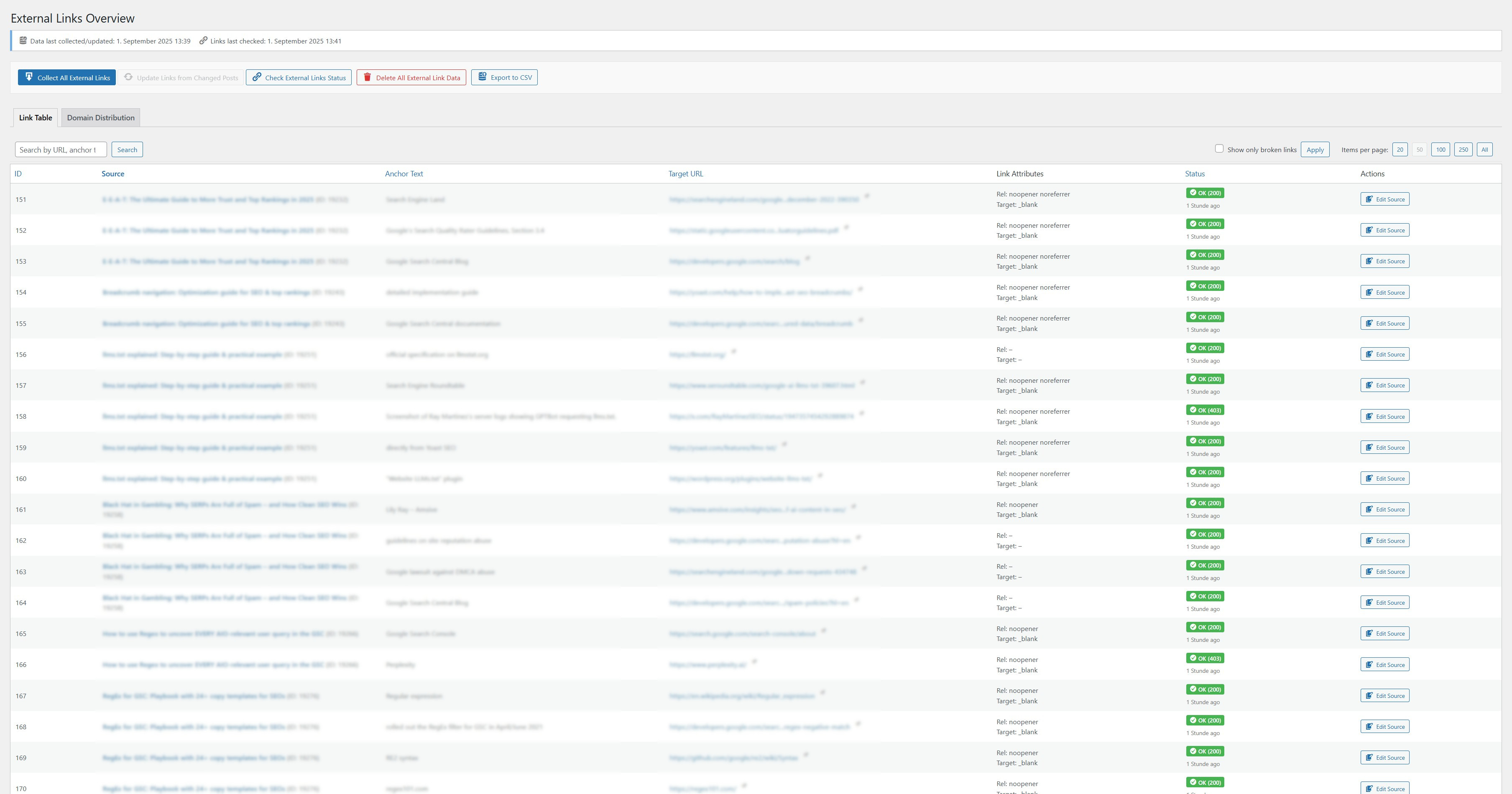
<strong>Link Table:</strong> Overview of all collected external links with status, attributes, and actions
The “External Links Overview” plugin scans your WordPress posts and pages for outgoing external links and presents them in a searchable, filterable, and sortable table. It helps you optimize your outbound link profile and identify broken or potentially harmful links.
All plugin functions, options, and database entries use the prefix seokelo_ to prevent conflicts with other plugins.
👉 External Links Overview Plugin Homepage on seo-kreativ.de
💬 Get Support on WordPress.org
Features
✅ Collects and analyzes external links from posts and pages
✅ Displays a detailed link table with sorting, filtering (e.g. broken links), and search
✅ Verifies the HTTP status of external links (e.g. 404, 301, timeout)
✅ Shows rel and target attributes of each link
✅ Tracks domain distribution: see which domains you link to most frequently
✅ CSV export of all link data
✅ Dashboard widget showing a summary of broken links
✅ Uses prefix seokelo_ / SEOKELO_ for all functions, options, and database entries
✅ Rescans posts after updates for up-to-date link data
✅ Clean uninstall: removes plugin data when deleted via WordPress admin
Usage
- Go to External Links Collect All External Links to start the initial scan.
- Use the Link Table tab to view, filter, and sort all collected links.
- Click Check External Links Status to validate HTTP status codes.
- Visit the Domain Distribution tab to analyze your outbound domain profile.
- Export your data using the Export CSV button.
License
This plugin is licensed under the GPLv2 or later.
See https://www.gnu.org/licenses/gpl-2.0.html
Developer Notes
Hooks and filters will be documented in future releases.
The plugin uses seokelo_ as a unique function prefix throughout.