
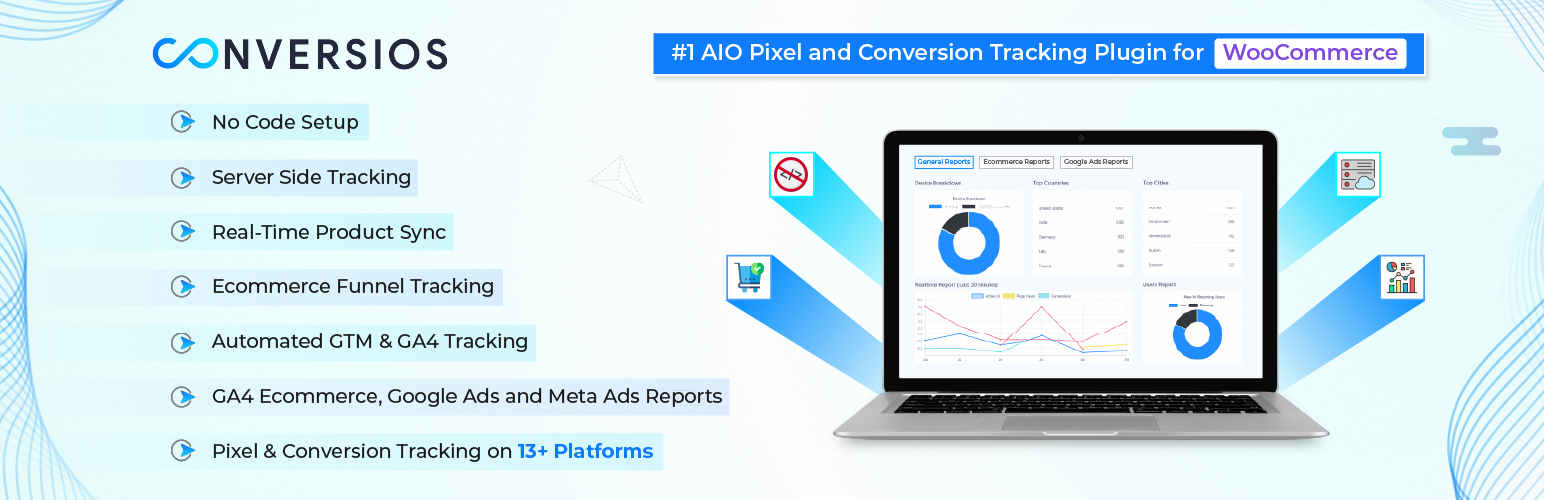

Conversios – GA4, Google Ads & Meta Conversion Tracking with Product Feed for WooCommerce
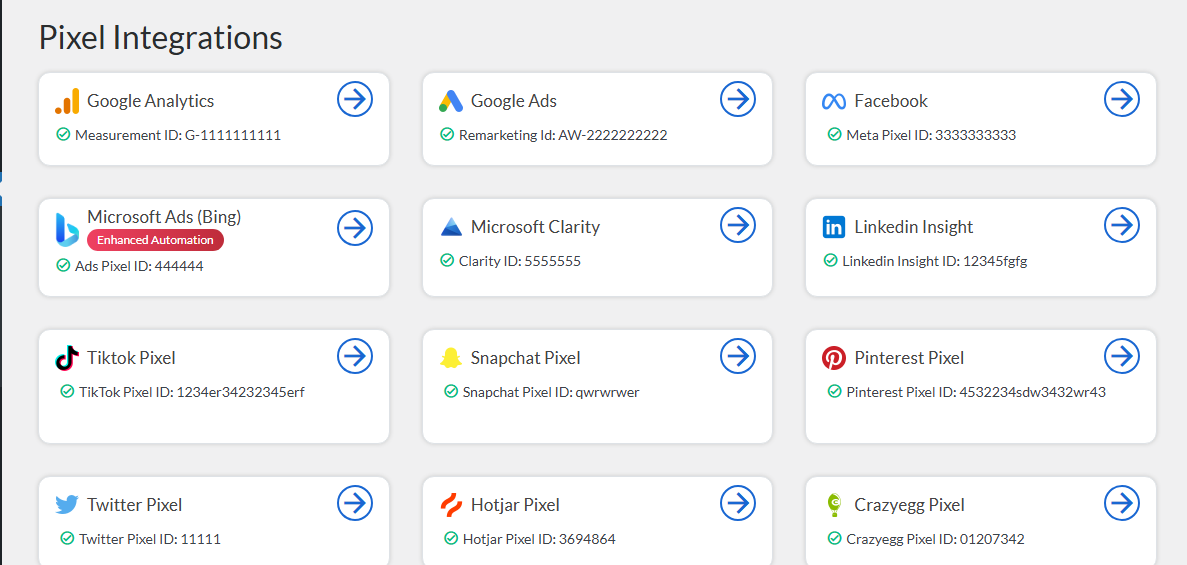
Integration screen showing connected Pixel and Analytics accounts.
Conversios is an all-in-one conversion tracking and product feed plugin for WooCommerce. It tracks purchases and the full shopping journey in Google Analytics 4 (GA4), Google Ads, Microsoft Ads, Meta (Facebook & Instagram), TikTok, and Snapchat, and syncs your product feed to 4 channels — Google Merchant Center, Microsoft Merchant Center, Meta Catalog, and TikTok Catalog — from a single dashboard.
Instead of running separate plugins for pixels, Conversion API (CAPI) events, product feeds, and reporting, Conversios replaces them with one no-code setup that takes about 15 minutes. It tracks 15+ GA4 ecommerce and engagement events, includes free TikTok Pixel purchase conversion tracking, is trusted by 60,000+ stores, and is fully compatible with WooCommerce HPOS (High-Performance Order Storage).
Universal Commerce Protocol (UCP) (Pro) makes your WooCommerce products discoverable and purchasable inside Google Gemini shopping experiences, synced through Google Merchant Center with server-side purchase tracking. (Requires an approved Google Merchant Center account.)
Order Recovery Engine (Pro) recovers untracked conversions in GA4, Google Ads, and Meta to close the gap between WooCommerce orders and ad platform reports.
In a published WooCommerce case study, a global paint brand reported a 90% increase in Meta Ads conversions and a 50% uplift in Google Ads conversions after implementing Conversios, along with a smaller GA4 vs WooCommerce reporting gap. Read it here:
Global paint brand sees 90% lift in Meta Ads with Conversios
Walkthrough Video
Watch the full Conversios setup walkthrough covering GA4 tracking, Google Ads conversions, Meta Pixel + CAPI, Microsoft Ads UET, and product feed syncing.
Why is my WooCommerce data inconsistent across GA4 and ad platforms?
Most WooCommerce stores lose conversion data to browser restrictions, ad blockers, and fragmented tracking set up across multiple plugins. The result: GA4, Google Ads, and Meta each report different revenue than WooCommerce, and product feeds for Google, Meta, Microsoft, and TikTok fall out of date and get disapproved.
Conversios fixes this by unifying pixel tracking, server-side tracking, product feed sync, and reporting in one plugin. You manage everything from a single dashboard — no developer required — and validate platform numbers against real WooCommerce orders.
Customer Feedback
“Outstanding support. Setup was quick and issues were resolved efficiently.”
@sajava
“Essential for e-commerce at scale; helped us move to managed first-party tracking and keep revenue reporting in sync across platforms and POS.”
@boomstudio
GA4 Tracking for WooCommerce (Free)
Conversios connects Google Analytics 4 to WooCommerce and tracks 15+ ecommerce and engagement events automatically — purchase, refund, add to cart, checkout steps, product views, plus scroll depth, form submissions, sign-ups, logins, and file downloads. No code, no Google Tag Manager expertise needed (though you can use your own GTM container if you prefer).
Google Ads & Microsoft Ads Conversion Tracking
- Google Ads remarketing tag to build audiences (Pro)
- Google Ads purchase conversion tracking with Enhanced Conversions (Pro)
- Google Ads Dynamic Remarketing for personalized product ads (Pro)
- Microsoft UET (Universal Event Tracking) for Microsoft Ads reporting and remarketing (Free)
- Microsoft Ads purchase conversion tracking — included (Free), rare in this category
Meta Pixel, TikTok, CAPI & More Pixels
- Meta (Facebook & Instagram) Pixel for ad tracking and conversion optimization (Free)
- Meta Conversions API (CAPI) — server-side events that survive iOS restrictions and ad blockers (Pro)
- TikTok Pixel with automated setup, ecommerce events, and purchase conversion tracking (Free)
- TikTok Conversions API (CAPI) for server-side event accuracy (Pro)
- Snapchat Pixel for ad tracking and audience building (Free)
- Snapchat Conversions API (CAPI) for server-side event accuracy (Pro)(https://www.conversios.io/pricing/?plugin_name=aio&utm_source=wpaioreadme&utm_medium=profeature&utm_campaign=wpaioreadme)
- Pinterest Tag, LinkedIn Insight Tag, X (Twitter) Pixel (Free)
In total, Conversios offers 12+ pixel and marketing tool integrations in one plugin.
Server-Side Tracking (Pro)
Server-side tracking sends conversion events from your server instead of the visitor’s browser, so purchases are still recorded when browser tracking is blocked. Conversios server-side tracking improves accuracy on Safari and iOS and on ad-blocked traffic, and supports GA4 server events, Google Ads Enhanced Conversions, Meta CAPI, TikTok CAPI, and Snapchat CAPI. The Order Recovery Engine then recovers conversions that were still missed.
See Pro plans
WooCommerce Product Feed for Google Shopping and More (Free)
A product feed is the structured product data (title, price, availability, images) that shopping channels need to show your products. Conversios syncs your WooCommerce catalog in real time to:
- Google Merchant Center for Google Shopping ads
- Microsoft Merchant Center (Bing Shopping)
- Meta Catalog (Facebook & Instagram Shops)
- TikTok Catalog for ecommerce ads
Real-time updates for price, availability, and variants reduce feed disapprovals and keep listings accurate — no separate feed plugin needed.
Reports & Insights Inside WordPress
Stop checking GA4, Google Ads, Meta, and WooCommerce separately. Conversios centralizes key reports inside your WordPress admin:
- GA4 general reports for events and conversions (Free)
- GA4 Ecommerce Funnel reporting (Pro)
- Google Ads conversion reporting (Pro)
- Meta Ads conversion reporting (Pro)
- White-label PDF reports for clients and stakeholders (Pro)
Heatmap and Session Recording Integrations (Free)
- Microsoft Clarity for session recordings and heatmaps
- Hotjar for session replays, heatmaps, and feedback polls
- Crazy Egg for heatmaps and scrollmaps
Full feature list: Conversios features
Supported Payment Methods
Purchase conversions work with common WooCommerce payment gateways, including Stripe, PayPal, WooCommerce Payments, Authorize.Net, and Razorpay.
Important: Purchase tracking works when the payment flow redirects customers to the WooCommerce Order Received / Thank You page. Any gateway that returns users to this page after successful payment will be tracked correctly. Server-side tracking (Pro) can help recover some offsite gateway cases.
Supported WooCommerce Events
Conversios tracks the complete WooCommerce shopping journey using standard GA4 ecommerce and engagement events.
Store and product browsing
– page_view (page visit)
– view_item_list (category or product list view)
– select_item (product click)
– view_item (product detail page)
Cart actions
– add_to_cart (add product to cart)
– remove_from_cart (remove product from cart)
– view_cart (cart page view)
Checkout steps
– begin_checkout (checkout started)
– add_shipping_info (shipping method selected)
– add_payment_info (payment method selected)
Orders and purchase
– purchase (order completed)
– refund (order refunded)
Other GA4 engagement events
– scroll (scroll depth tracking)
– form_submit (Contact Form 7, Ninja Forms, Formidable Forms, WPForms, Gravity Forms)
– signup (user sign-up)
– login (user login)
– email_click, phone_click, address_click
– file_download (file download tracking)
– article_load (content or article load events)
Add to Cart works out of the box for standard WooCommerce themes. Stores using drawer carts, AJAX carts, or custom flows may require customization — contact [email protected].
Consent Mode v2 Support (Free)
Google Consent Mode v2 lets you keep measuring conversions in a privacy-compliant way by adjusting tracking based on visitor consent. Conversios supports Basic and Advanced Google Consent Mode v2 plus Microsoft Consent Mode for GDPR and CCPA compliance.
Conversios does not provide a consent banner. It sends or blocks tracking based on your existing Consent Management Platform (CMP). Compatible CMPs include CookieYes, GDPR Cookie Compliance, Real Cookie Banner, and Cookiebot. For Consent Mode setup help, email [email protected] — configuration is handled by the Conversios team.
Best Fit for Which Stores
- WooCommerce DTC brands running paid ads that need consistent purchase conversion reporting in GA4 and ad platforms
- Stores selling physical or digital products where purchase and checkout data drives ROAS decisions
- Stores using multiple ad platforms that want pixels, feeds, and conversions managed in one place
- Stores that want to validate GA4 and ad platform conversions against WooCommerce orders
- Agencies managing client stores (white-label reports and priority support in Pro)
- Merchants who prefer a no-code setup without developer dependency
Setup in Minutes
Get started in about 15 minutes with a no-code setup wizard. One plugin replaces separate tools for tracking, feeds, and reporting.
Support
Need help with setup, event validation, custom cart/checkout, payment gateways, or Consent Mode? Email [email protected] or chat on WhatsApp.
Step-by-step guides: Setup Documentation
Check whether tracking is working on your site with our free tool:
Website Tracking Checker Tool
Pro users get priority support and dedicated onboarding assistance; most tickets are resolved within 24 hours.
Privacy Policy
View our detailed privacy policy here.
Compatibility
Conversios is compatible with the following major plugins and setups:
- Perfect Brands for WooCommerce, YITH WooCommerce Brands, WooCommerce Brands (for Product Feed)
- YITH Multi-Currency Switcher for WooCommerce
- YITH Custom Thank You Page for WooCommerce
- Multi-currency plugins like WOOCS, CURCY, and WBW Currency Switcher
- CMPs like CookieYes, GDPR Cookie Compliance, Real Cookie Banner, and Cookiebot (for Consent Mode v2)
- Lead generation plugins: Contact Form 7, Ninja Forms, Formidable Forms, WPForms, Gravity Forms
- WooCommerce High-Performance Order Storage (HPOS)
- WordPress Multisite
- WPML and Polylang for multilingual stores