
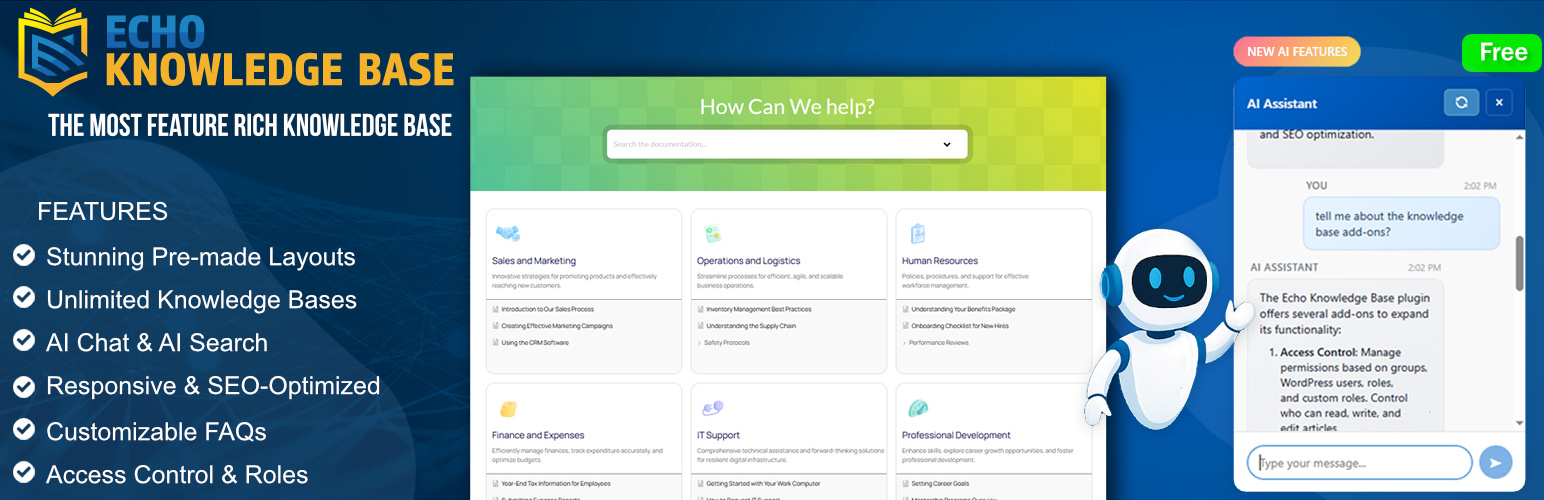

Echo Knowledge Base – Documentation, FAQs, Chat & Smart Search
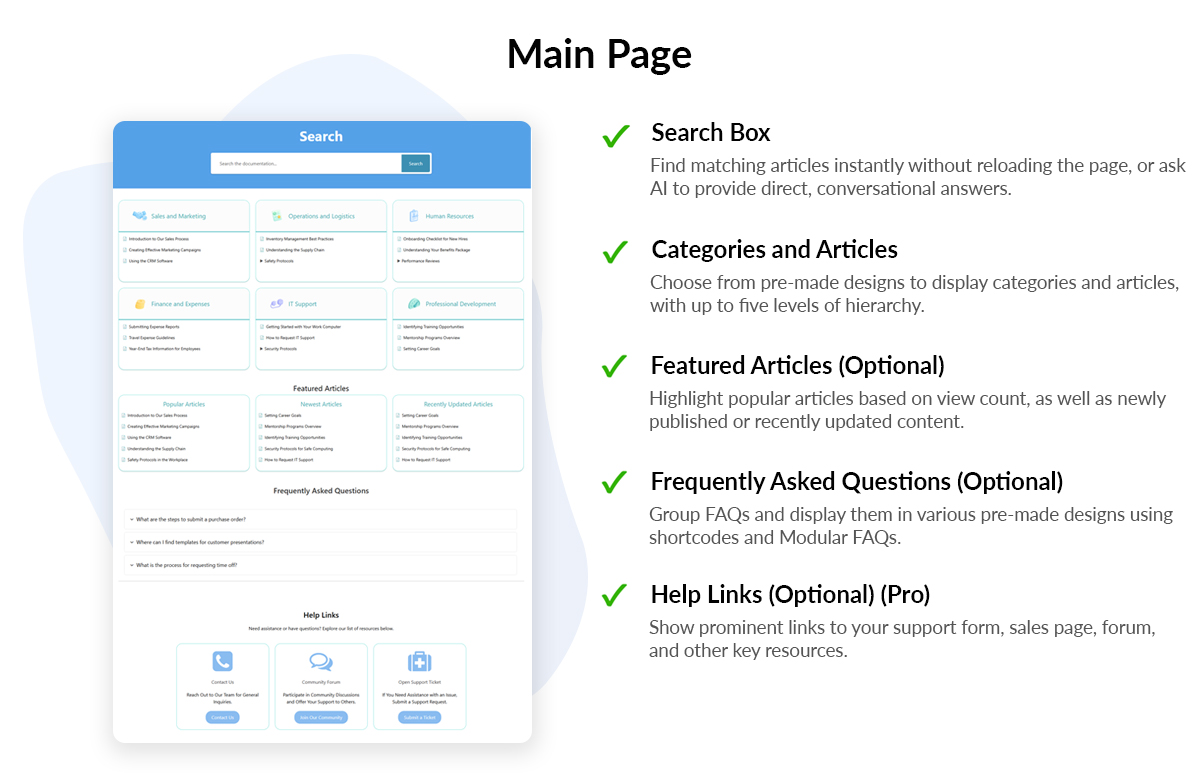
<p>KB Main Page setup example</p>
Echo Knowledge Base is a powerful documentation tool that helps you create and organize documentation, FAQs, quizzes, and articles. It includes built-in AI search and AI chatbot features and includes comprehensive features to help you build a visually appealing knowledge base.
Designed with a modern and professional appearance by default, the plugin offers extensive customization options to align perfectly with your brand identity.
FREE KB FEATURES
-
Fast Search Bar: Enable users to find articles quickly with an AJAX-powered search bar.
-
Deep Content Organization: Organize articles into categories and subcategories up to five levels deep. Display articles and categories across tabs or in an intuitive drill-down format.
-
FAQs Layout and Shortcode: Deploy FAQs anywhere on your site with various eye-catching designs. Group questions logically and control their behavior for optimal user engagement.
-
Article Enhancement Tools: Improve user experience with breadcrumbs, next/previous article navigation, print and PDF export options, and more.
-
Table of Contents (TOC): Enhance navigation with a customizable table of contents on article pages for better user experience.
-
Frontend Visual Editor: Customize your Knowledge Base pages live on the front-end with our intuitive visual editor or drag-and-drop Gutenberg blocks.
-
Pre-made Layout Designs: Choose from many beautiful designs and layouts to make your knowledge base both stunning and functional. With dozens of combinations available, you’ll find the perfect look for your site.
-
Most Popular and Recent Articles: Display lists of articles by popularity and recent publication to guide readers to trending and new content.
-
Glossary: Build a centralized dictionary of terms and definitions for your knowledge base.
- Glossary Terms – Create and manage glossary entries. Published terms are automatically highlighted in your articles with interactive tooltips, helping readers understand key terminology without leaving the page.
- Glossary Index Shortcode and Block – Display an alphabetical index of all glossary terms on any page using the
[epkb-glossary-index]shortcode or the Glossary Index Gutenberg block, with letter navigation and customizable accent color. - AI-Generated Glossary Terms (PRO) – Automatically generate glossary terms and definitions from your knowledge base content using AI, saving time and ensuring comprehensive coverage of key terminology.
-
Article Quizzes: Add interactive quizzes to KB articles to reinforce learning and increase engagement. Create custom multiple-choice or true/false questions, add answer explanations, and show published quizzes below the article content.
-
Article Views Counter: Track views with the built-in counter and analyze your most and least popular content to optimize your knowledge base.
-
Customizable Category Archive Page: Customize the category archive page with a custom header, description, and image.
FREE AI FEATURES (Optional)
All AI features are completely optional and disabled by default. You can enable them at any time if you choose to use AI-powered capabilities.
-
AI Chat (Chatbot): Add a frontend chat dialog where users and visitors can ask questions and get instant AI-powered answers based on on your Knowledge Base, FAQs, internal documentation, notes, and any other source of information.
-
AI Search: When users search, results show relevant KB articles plus an ‘Ask AI’ button to dive deeper with the same query.
-
AI Content Analysis: Automatically analyze your knowledge base articles for quality and optimization. Get AI-powered insights including:
- Tags Analysis – Optimize article tags and categories for better organization and SEO
- Readability Score – Evaluate content clarity and structure with AI assistance
Learn more.
PRO KB FEATURES
-
Advanced Search: Highlight search keywords on article pages, filter search by category, adjust search box styling, and add helper text or links below the search bar. Use advanced search analytics to discover popular queries and identify searches with no results.
-
Granular Content Protection: Control access to documentation based on user groups, WordPress roles, or custom permissions. Seamlessly manage public and private knowledge base content.
-
Unlimited Knowledge Bases: Create unlimited separate knowledge bases, each with its own articles, categories, and tags (great for managing multiple products or departments).
-
Articles Import and Export: Import or export articles and categories using CSV or XML formats for easy migration or backup.
-
AI Smart Search: Display intelligent search results with optional multi-panel sections
-
User Feedback System: Gather valuable insights with article upvote/downvote and feedback forms.
-
Article Links: Turn any article into a link that points to PDFs, external documentation, videos, or other resources.
-
AI Features:
- Content Gap Analysis
- AI Quiz Generation – generate quiz drafts from KB articles, then review and edit the title, intro, questions, answers, and explanations before publishing
- Expand training to include notes, posts, pages, and custom post types
- Email Notifications for AI insights
- Human Agent Handoff – lets users escalate from AI to your support team
- Feedback Buttons – collect thumbs-up/down ratings on AI responses
- PDF to Articles – upload PDF files and convert them into KB articles with optional AI formatting that organizes content into headings, lists, and paragraphs
- PDF to Notes – upload PDF files via drag-and-drop or the Media Library and convert them into AI training notes to expand your AI’s knowledge beyond KB articles
- AI Chat Access Control – restrict who can use AI Chat: everyone, logged-in users only, or specific WordPress roles. Set different access rules for each chat location
See the official website for more details on Pro features.
⭐ WALK-THROUGH OF ECHO KNOWLEDGE BASE
Watch a quick introduction to Echo Knowledge Base and see it in action:
https://www.youtube.com/watch?v=sLwj8FpfBWc
⭐ PROFESSIONAL LAYOUTS INCLUDED
Echo Knowledge Base comes with multiple layout options to suit your style:
- Basic Layout – Clean and simple design
- Tabs Layout – Organized content in tabbed interface
- Drill Down Layout – Intuitive navigation through categories
- Classic Layout – Traditional documentation style
- Category Focused Layout – Highlight your main categories
See our comprehensive documentation here
⭐ ADDITIONAL FEATURES
- Gutenberg Blocks: Seamlessly integrate knowledge base elements using the WordPress block editor.
- Flexible Ordering: Order articles and categories alphabetically, by date, or manually with drag-and-drop.
- SEO Optimization: Built with SEO best practices to help your documentation rank well in search engines.
- Usage Analytics: Monitor knowledge base traffic and search queries to understand what users need.
- Interactive Learning: Turn knowledge base articles into quizzes with answer explanations to help readers retain information.
- Multilingual & RTL Support: Fully compatible with WPML, Polylang, GTranslate, and supports right-to-left languages.
- Responsive Design: Mobile-friendly and works with any WordPress theme, so your docs look great on all devices.
- Directory Shortcode: Use a shortcode to display an index of all articles (great for an A-Z index page).
- Multi-site Compatible: Perfect for WordPress multisite networks – manage documentation across multiple sites.
- Custom URL Structure: Customize category, tag, and article URLs for a clean and branded structure.
- Mobile Optimization: Ensures a smooth reading experience on smartphones and tablets.
- Content Migration: Easily convert existing posts or custom post types into Knowledge Base articles.
⭐ SEO & ACCESSIBILITY OPTIMIZED
Echo Knowledge Base is optimized for search engines and adheres to accessibility standards. It supports multiple languages (including RTL scripts) and meets WCAG guidelines, making your documentation usable for a global audience. All layouts are fully responsive and retina-ready, so your knowledge base looks sharp on every device.
⭐ EASY TO STYLE WITH PRE-MADE DESIGNS
No coding needed – make it your knowledge base with just a few clicks:
- 26 Pre-Made Designs: Choose from a variety of professional color schemes and styles.
- One-Click Theme Switching: Swap layouts (Basic, Tabs, Category-Focused, Classic, Drill Down, Sidebar, Grid, etc.) instantly to find the perfect look.
- Endless Customization: Further tweak colors, fonts, and styles to match your brand.
⭐ BUILDER COMPATIBILITY
Echo Knowledge Base works great with popular page builders:
- Elementor & Gutenberg: Comes with native blocks and widgets for seamless integration.
- Other Builders: Fully compatible with Beaver Builder, Divi, Visual Composer, and more.
✅ WHY CHOOSE ECHO KNOWLEDGE BASE?
- User-Friendly: Designed for ease of use – no coding required and a gentle learning curve.
- All-in-One Support Hub: Manage documentation, FAQs, quizzes, AI chat, and smart search in one plugin.
- Professional Design: 26 beautiful, ready-to-use layouts give your docs a polished look out of the box.
- Highly Customizable: Extensive configuration options to tailor the knowledge base to your needs.
- Reliable Support: Our friendly, Canadian-based support team is ready to help with any questions.
- Regular Updates: Continuously improved with new features (our roadmap is packed with upcoming enhancements!).
- Global Ready: Translate your documentation and serve users in any language with full multilingual support.
About Us: We are a Canadian company with over a decade of experience in WordPress and web technologies. We’re passionate about helping you provide better support to your customers.