

Easy Social Icons
Use a different icon shape for sidebar widgets
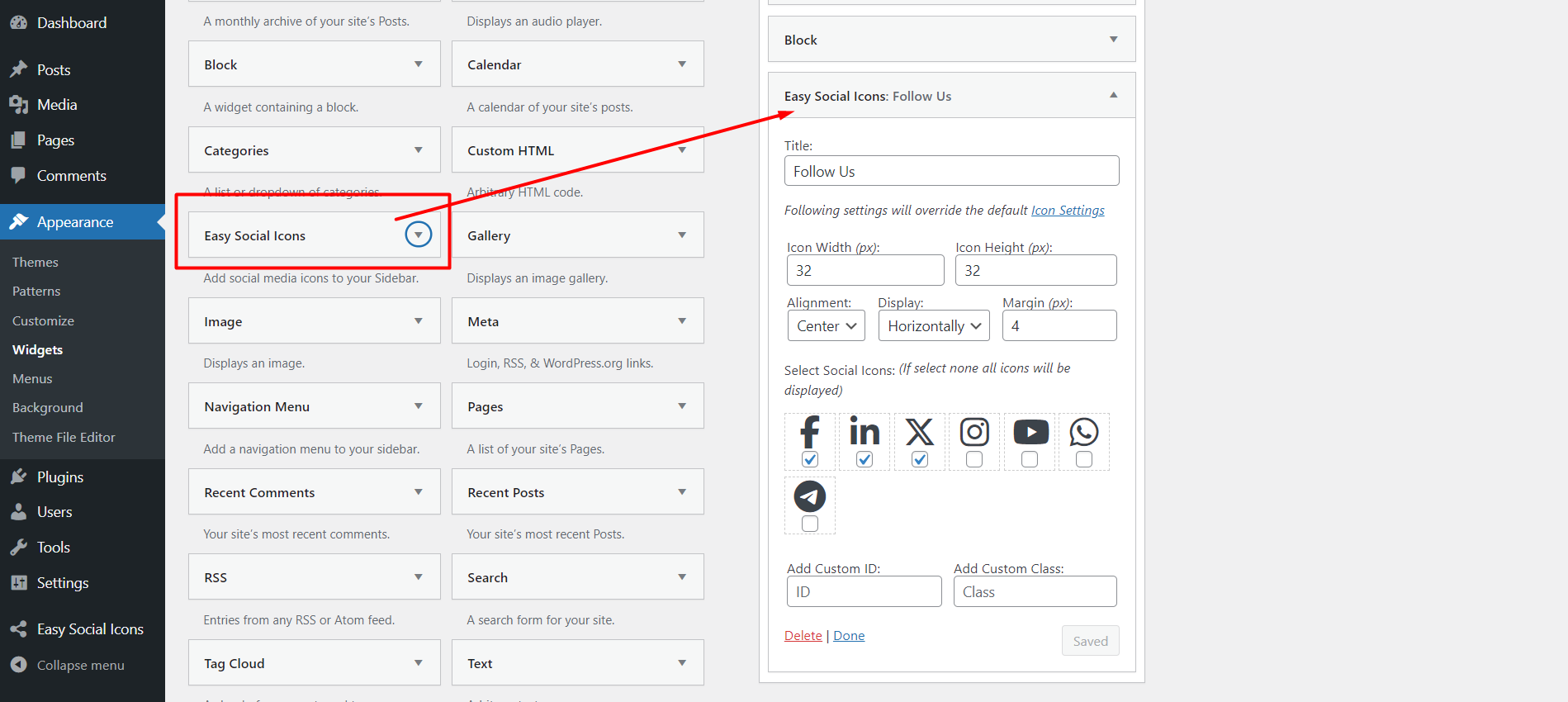
You can upload your own social icon or font-awesome social icons, set your social URL, choose whether you want to display vertically or horizontally, left or right or center aligned, icon width height or margins.
Easy Social Icons: THE #1 WordPress Social Icons Plugin
Boost your social presence with the most user-friendly and customizable social icons plugin for WordPress.
Easy Social Icons is the ultimate solution for adding beautiful, fully customizable social media icons to your WordPress site—no coding required. Whether you’re a blogger, business owner, or developer, this lightweight plugin makes it easy to connect your audience with your social media platforms in just a few clicks.
Easy Social Icons Free gives you everything you need to manage and display your social icons, while the Easy Social Icons Premium version unlocks advanced features, tools, and extended functionality.
You can use the shortcode [cn-social-icon] in page/post, template tag for PHP file, <?php if ( function_exists(‘cn_social_icon’) ) echo cn_social_icon(); ?> also you can use the widget “Easy Social Icons” for the sidebar.
If you are using wordpress version lower than 3.5 please use “Easy Social Icons” version
1.1
Cover original color for 100+ font-awesome brand icons
FREE FEATURES
- You can upload your own social icons, set URL for that icon with sort order, target windows etc.
- Or select font icons from font-awesome (Cover original color for 100+ font-awesome brand icons)
- Create multiple icons set using widget with different settings
- Use multiple shortcode in page/post with different settings
- Use multiple PHP template tag in PHP themes files with different settings
- Works with responsive website
- You will get add/edit/delete option for icons
- You can set the icon width and height to fit in your template/design perfectly
- You can display your social share icons vertically or horizontally to match perfectly with your template/design.
- You can put your social icon set in the sidebar using the widget
- You can insert your social icon set in pages/posts using shortcode
- Sort social media icons using drag drop
- Also if you are familiar with PHP code then you can use the template tag to place the social icon set anywhere in the PHP template file
- Google Social Profile Links feature added, so if someone search your website/blog in google it will show your social icons also.
PREMIUM FEATURES
Unlock even more power and customization with the Premium version of Easy Social Icons!
Advanced Customization Options
Icon Customization:
* Custom icon styles (shadow, gradient, 3D effect).
* Advanced hover effects (animations, color transitions).
* Entrance and hover animations (bounce, fade, zoom).
* Different icon shapes (hexagonal, triangle, etc.).
Icon Size Variability:
* Responsive scaling options for different screen sizes. ( Add pixel size for Tab and Mobile )
* Custom pixel-based size selection.
Premium Icon Sets
- Access to exclusive high-quality icon libraries.
- Custom-designed icons that match different website themes.
- Regular updates with new social media platform icons.
- Add SVG icon
Performance Optimization
- Lightweight and optimized icons to improve page speed.
- Lazy loading for social icons to enhance performance.
Multiple Icon Placement Options
- Sticky floating social icons (left, right, bottom, etc.).
- Inline placement within content with shortcodes.
- Widget-specific placement with enhanced control.
Additional Social Icon
- Added all social font awesome icon in the list.
Social Icon show with Text
- Display social media icons alongside their corresponding text labels for better clarity and accessibility.
Multi-site support with social icon
- Social icons supported across all networked sites.
- Centralized social sharing control for WordPress networks.
Social Sharing Enhancements
- One-click social sharing buttons for posts and pages.
- Social share count display.
- Predefined sharing templates with customizable styles.
Plus, enjoy priority support and regular updates for enhanced security and compatibility.
Get Easy Social Icons Premium
Please visit our site www.cybernetikz.com/