


Dynamic Blog Grid & Filters for Elementor
0/5 (0 ratings) 10 active installs Updated Feb 3, 2026
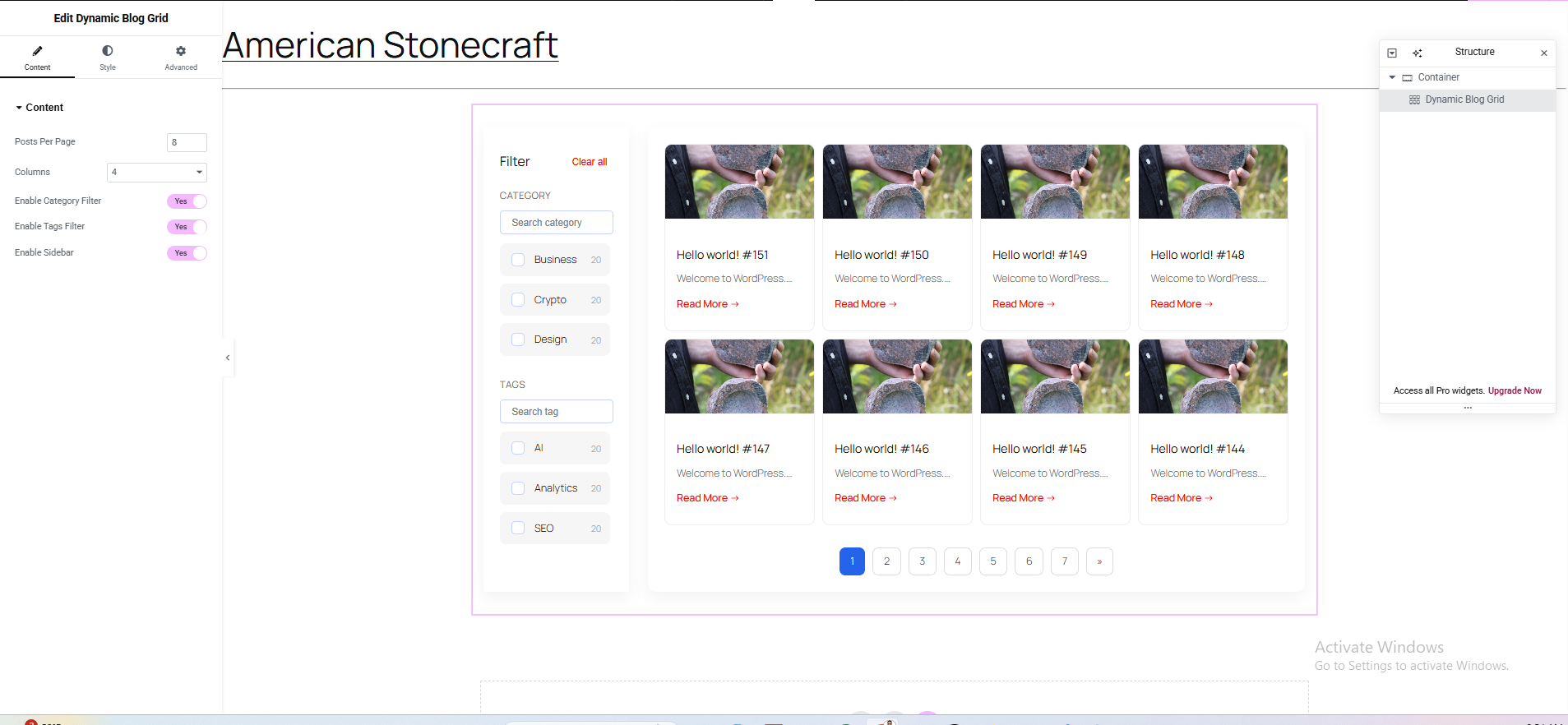
Elementor Widget Settings – Configure the Dynamic Blog Grid & Filters widget, adjust layout, enable/disable category and tag filters, and set pagination options.
Dynamic Blog Grid & Filters for Elementor lets you build modern, responsive, and highly customizable blog/post grids directly inside Elementor.
Designed for performance and UX, this plugin provides:
- Live category & tag filters
- Clean grid-based blog layouts
- Mobile off-canvas filter panel
- Pagination support
- Skeleton preloader
- Touch-friendly UI
Perfect for blogs, magazines, news portals, and content-heavy websites.
Features
- Elementor native widget
- Filter posts by category and tag
- Responsive grid layout (desktop, tablet, mobile)
- Mobile-only off-canvas filter panel
- Search inside filters
- Filter item counters
- Pagination support
- Lightweight & performance optimized
- Developer-friendly structure
How It Works
- Install and activate Elementor
- Install and activate this plugin
- Open a page with Elementor
- Drag Dynamic Blog Grid & Filters widget
- Configure grid layout, filters, pagination, and styles
Roadmap
- Custom post type support
- Advanced pagination
- URL-based filters
- Elementor Loop Builder integration