


Dresium – AI Virtual Try-On & Fitting Room for WooCommerce
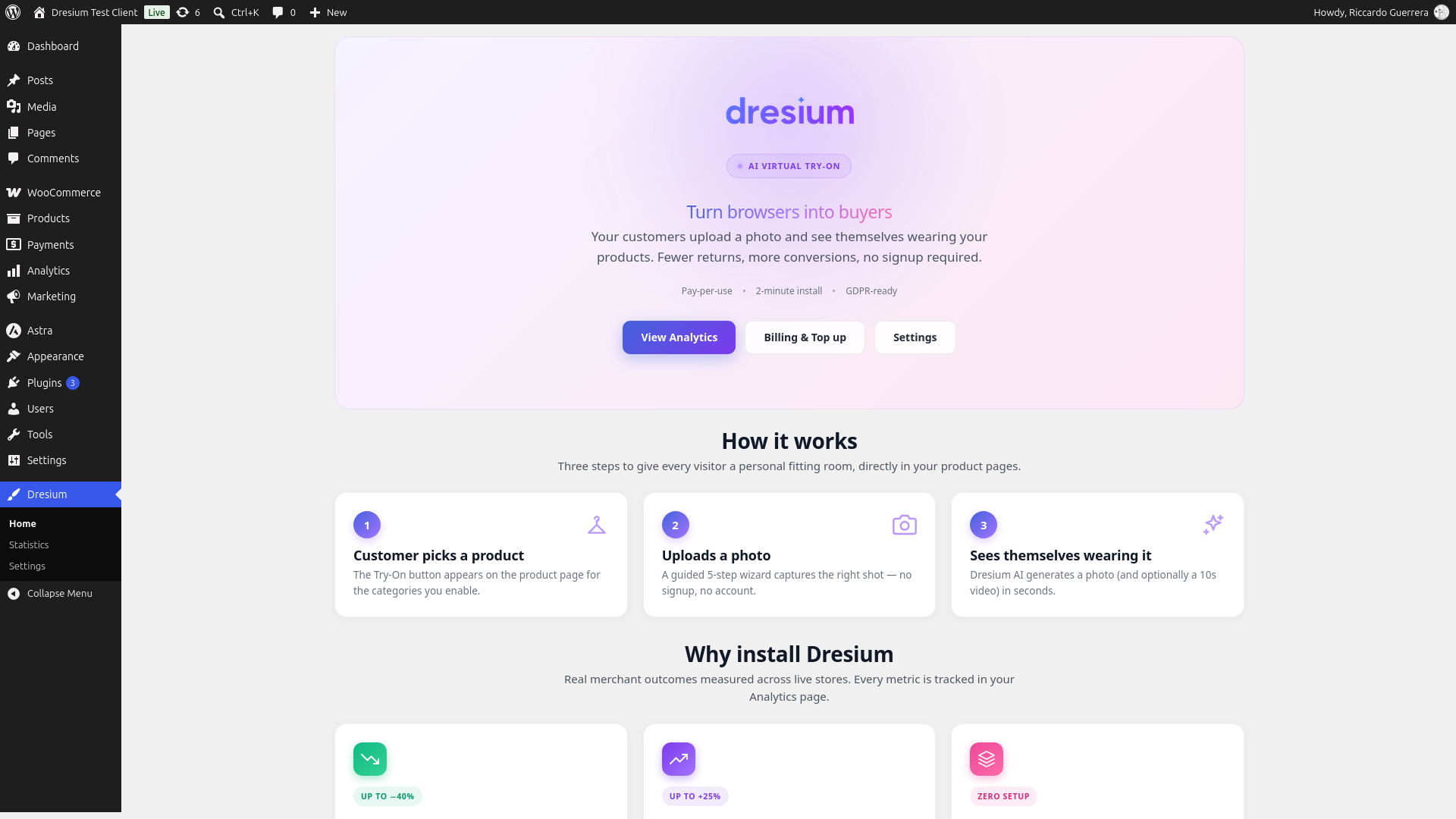
Dresium admin home — overview of your AI virtual try-on with key metrics and quick actions.
Dresium is an AI virtual try-on and virtual fitting room for WooCommerce fashion stores. Shoppers upload one photo and instantly see themselves wearing your clothes, dresses and outfits, right on the product page. No app, no account, no setup for your customers.
Try the full plugin for free. Install, click one button and you get 1,000 welcome credits instantly — enough to test every feature on your real store without entering a credit card. Credits are consumed only when a real shopper generates a virtual try-on; nothing is charged for failed generations or for your own testing clicks that don’t produce an image.
Let your customers try before they buy: more confidence at checkout, higher conversion rates and fewer returns caused by “it didn’t look like that on me”.
Why fashion stores use Dresium
- Boost conversions — shoppers see the product on their own body, not just on a model
- Cut returns — fewer surprises on fit and look means fewer returned orders
- Free for your customers — the Try-On button works for guest visitors and logged-in users alike, no signup required
- Measure real impact — built-in analytics show try-ons, purchases, conversion rate and revenue attributed to the virtual try-on
- Pay only for results — you (the merchant) pay per successful try-on generation; failed generations are refunded automatically
How the AI virtual try-on works
- The shopper clicks “Try it on” on a product page
- They upload a photo, take one with the camera or pick a sample model
- Dresium’s AI generates a realistic image of the shopper wearing that product in seconds
- They can zoom, save the result to their gallery or share it on WhatsApp, then add to cart
Key features
- Zero-setup virtual fitting room — the Try-On button is injected automatically into WooCommerce product pages
- Three integration methods — automatic hook (default), Gutenberg block
Dresium Try-On CTA, or shortcode[dresium_tryon] - Analytics dashboard — real-time views, try-ons, purchases, conversion rate and attributed revenue with 7/30/90-day filters
- Order attribution — automatic tracking of purchases and refunds within a 7-day attribution window from the try-on
- Full appearance customization — button size, color palette presets, custom colors, typography, border radius, CTA text override
- Category gating — show the virtual try-on only on the categories you choose (dresses, shirts, jackets, etc.)
- Whitelabel branding and AI video try-on — unlocked when your credit balance reaches the whitelabel threshold (€100 by default)
- Auto-topup — keeps the service always available with no interruptions
- GDPR-ready — Privacy Policy, Data Processing Agreement (GDPR Article 28) and Terms of Service signature flow inside the WooCommerce settings
- Multi-language storefront — Italian, English, French, German and Spanish out of the box
- Works with your builder and theme — Elementor, Divi, WPBakery, Oxygen, Bricks and themes such as Storefront, Astra, Kadence, Woodmart and Flatsome
- HPOS compatible — full support for WooCommerce High-Performance Order Storage
Pricing
Dresium is free to install. You pay only for the AI generations your customers actually produce (pay-per-use), with credits deposited from the Billing tab. At the current pricing a try-on generation costs €0.10 (10 credits × €0.01 per credit). Pricing is configured server-side and the Billing screen always shows the up-to-date value before you top up. See the FAQ for details on pricing and currency.
Getting started
- Install and activate the plugin (WooCommerce must also be active)
- Complete the B2B onboarding form in WooCommerce > Settings > Dresium (registers your store on Dresium and provisions an HMAC-secured API key)
- Sign the legal documents (Privacy, DPA, Terms) from the Legal tab — required before the Try-On button becomes visible to your customers
- Configure appearance, categories and advanced settings
- Deposit credits from the Billing tab (optional auto-topup)
- The virtual try-on button automatically appears on product pages within the enabled categories
Requirements
- WordPress 6.6 or higher
- WooCommerce 9.9 or higher
- PHP 7.4 or higher
- SSL/HTTPS required (Dresium API is HTTPS-only)
Third-Party Services
This plugin relies on the following external services:
Dresium API (Virtual Try-On Service)
- Service Provider: Dresium / EasyAdv S.r.l.
- Purpose: AI-powered virtual try-on image generation
- When data is sent: Each time a customer clicks “Try it on” and uploads a photo
- Data transmitted: Customer photo (for AI processing), product images (for overlay generation), your store domain and merchant ID (for HMAC authentication)
- Data handling: Photos are processed in real-time and not permanently stored unless the customer explicitly saves them to their personal gallery. Photos are never shared with third parties or used for AI training. Dresium acts as data processor and uses the AI services listed below as sub-processors.
- Data Processing Agreement: Merchants must accept a DPA before the Try-On button is exposed to customers, establishing Dresium as data processor under GDPR Article 28. The signature flow is inside the plugin (Legal tab).
- Terms of Service
- Privacy Policy
- Data Processing Agreement
Gemini AI by Google (AI Sub-Processor)
- Service Provider: Google LLC
- Purpose: AI image generation for virtual try-on processing
- When data is sent: When Dresium API processes a virtual try-on request, it may route image generation to Gemini AI
- Data transmitted: Customer photos and product images are transmitted via Dresium servers to Google for AI processing
- Data handling: Data is processed by Google solely for image generation. Dresium maintains data processor responsibilities.
- Gemini API Terms of Service
- Google Privacy Policy
Grok AI by xAI (AI Sub-Processor)
- Service Provider: xAI Corp.
- Purpose: AI image and video generation for virtual try-on processing
- When data is sent: When Dresium API processes a virtual try-on request, it may route image or video generation to Grok AI
- Data transmitted: Customer photos and product images are transmitted via Dresium servers to xAI for AI processing
- Data handling: Data is processed by xAI solely for image and video generation. Dresium maintains data processor responsibilities.
- Terms of Service
- Privacy Policy
Claude AI by Anthropic (AI Sub-Processor)
- Service Provider: Anthropic PBC
- Purpose: AI-powered customer support agent
- When data is sent: When a user interacts with the Dresium support chatbot
- Data transmitted: Chat messages and conversation context are transmitted to Anthropic for response generation
- Data handling: Data is processed by Anthropic solely for customer support purposes. No customer photos are sent to this service.
- Terms of Service
- Privacy Policy
WhatsApp Sharing (Social Sharing Feature)
- Service Provider: WhatsApp LLC (Meta Platforms, Inc.)
- Purpose: Allow users to share their virtual try-on results via WhatsApp
- When data is sent: Only when a user explicitly clicks the “Share on WhatsApp” button
- Data transmitted: A sharing URL is opened via the WhatsApp API (api.whatsapp.com) – no image data is sent directly, only a link to the shared page
- WhatsApp Terms of Service
- WhatsApp Privacy Policy