

Downloads for logged in users
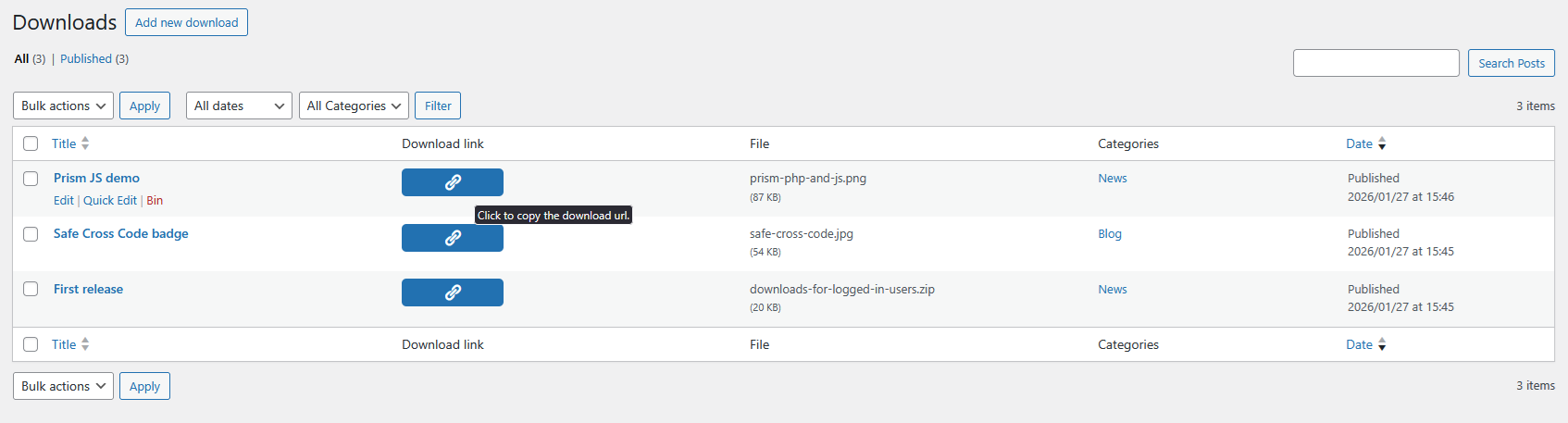
The Downloads admin page allows you click to copy the custom download url.
Limit access to specified media files to logged in users. Very simple interface with no unnecessary features.
Create a new ‘Download’ post, give it a title and upload a file for it. Files are stored in a protected directory under wp-content/uploads. This prevents anyone from accessing a file, even if they have the url.
Access is via a custom download url that can be copied from the plugin’s admin screen.
Downloads can be assigned categories though these are for site admin organisation use and are not used in the custom url.
The download url is not the url of the file; it is a custom url with the post ID. This allows you update the downloadable file without having to change the download url.
The plugin is enabled for translation.
If you find a bug, have a feature request or want to translate the plugin, please create an issue via the plugin’s GitHub repository.
You can also contact me on my website.
ToDo
- Add a feature to move items from Media Library to private downloads CPT – possible ‘Pro’ option.
- Have a clear UX for when the post does not exist.
Developer information
The access can be changed with the ‘liudownload_check_perms‘ filter, returning true to allow the download.
For example:
<?php
// If the download ID is 1 then allow the download.
add_filter( 'liudownload_check_perms', 'my_download_perms_check', 10, 2 );
function my_download_perms_check( $user_logged_in, $download_id ) {
    if ( 1 == $download_id ) { return true; }

    return $user_logged_in;
}
After a file has been downloaded the ‘liudownload_after_download‘ action runs. This could allow tracking of downloads.
For example:
<?php
add_action( 'liudownload_after_download', 'note_downloads' );
function note_downloads( $download_id ) {
    $download_count = get_post_meta( $download_id, 'dl_count', true );
    if ( $download_count ) {
        $download_count++;
    } else {
        $download_count = 1;
    }
    update_post_meta( $download_id, 'dl_count', $download_count );
}