
Disable WP Notification
![<strong>Dashboard Panel</strong>: A clean dashboard overview displaying active rules, unread notifications count, and status checklist. [screenshot-1.png]](https://ps.w.org/disable-wp-notification/assets/screenshot-1.jpg?rev=3587149)
<strong>Dashboard Panel</strong>: A clean dashboard overview displaying active rules, unread notifications count, and status checklist. [screenshot-1.png]
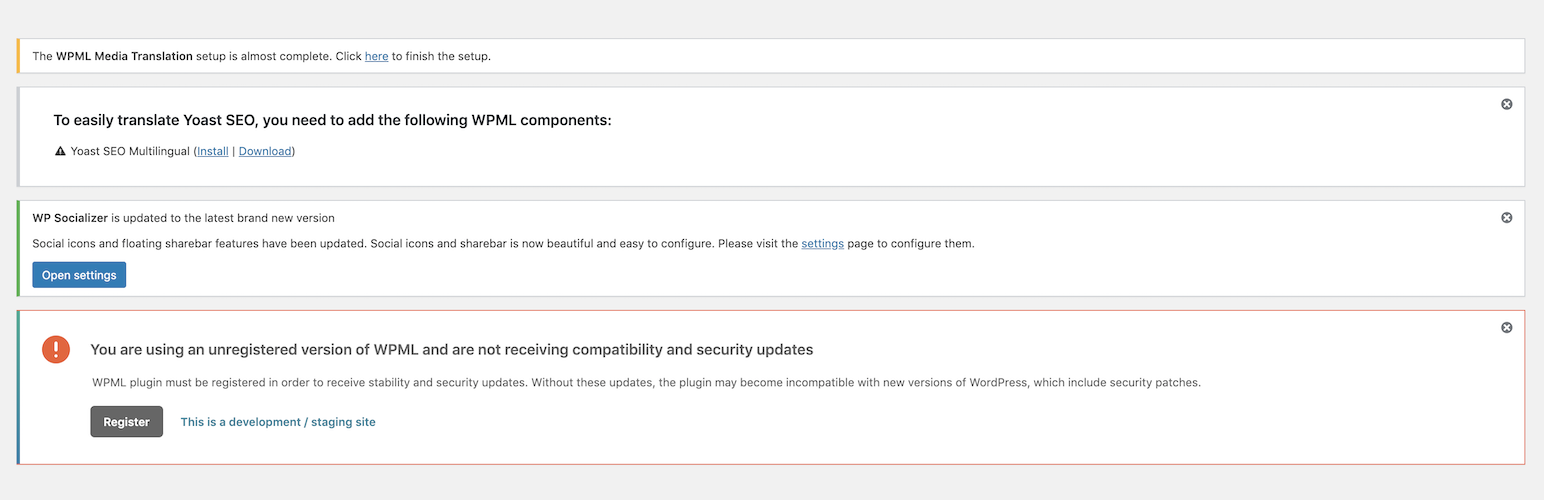
Is your WordPress admin screen cluttered with third-party plugin advertisements, core updates, and localized banner notices?
Disable WP Notification is the ultimate dashboard cleaner for freelance developers, global digital agencies, and local businesses. It intercepts messy administrative notices and relocates them to a quiet, professional, European/US-compliance-friendly Notification Center (Bell Icon).
Whether you manage an e-commerce store in the UK, a corporate site in Germany, or local business blogs in the US, keep your client dashboards 100% white-label, fast, and distraction-free globally.
Why Global Agencies & Developers Choose Us:
- Zero Local Distractions: Block region-targeted plugin sales banners instantly.
- Smart Notification Center: Stores hidden notices safely in a top-bar drawer without breaking site core functionalities.
- Role-Based Localization: Disable notices for localized roles (Editors, Shop Managers) while keeping them active for primary Administrators.
- International Standards: Works seamlessly with multi-language setups, WPML, and localized translation networks.
- No Configuration Hassles: Upgrading from older versions automatically imports and updates your settings.
- One-Click Clean: Dismiss notices permanently or clear the entire notification center tray in one click.
- Notification Center: Instead of deleting notices forever, the plugin collects them in an off-screen drawer. Click the bell icon in the top bar to read them whenever you want.
- Simple Control Modes:
- Show All: Keep notices visible normally.
- Disable for All Users: Block notices for everyone on your site.
- Disable for All Except Admins: Hide notices for editors, authors, and other roles, but keep them visible for administrators.