

DimDul One Page Product Checkout for WooCommerce

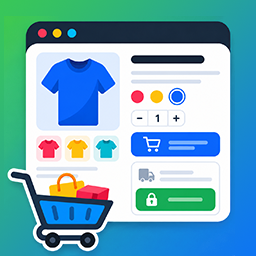
Classic template — product summary beside quantity controls and the embedded WooCommerce checkout.
DimDul One Page Product Checkout for WooCommerce is a one-page checkout plugin for WooCommerce stores. It places the product, quantity controls, and checkout form on one landing page so a shopper can choose options and pay without visiting a separate cart or checkout URL.
A WooCommerce one-page product checkout is a dedicated page for a single SKU. The product, add-to-cart step, and payment form share the same permalink. That is the layout this plugin builds with one shortcode.
Why use a one-page product checkout
Standard WooCommerce sends people through catalog product cart checkout. Each extra page is a place to leave, especially on phones and paid traffic.
A one-page product landing keeps the offer and the order form together:
- Fewer steps to pay. The shopper does not hunt for Cart or Checkout after adding the product.
- One URL for campaigns. Ads, email, and social posts can point at a single product checkout page instead of a catalog.
- Focus on one SKU. Optional cart-clear keeps the page selling the featured product, not leftover items.
- Options stay on the page. Variable products keep WooCommerce’s native form, including variation swatches.
- Layout matches the offer. Five templates cover compact funnels, long-form sales pages, and sticky checkout beside product details.
- Reuse one pattern. Duplicate the page, change
product_id, and publish another product checkout URL.
Who it is for
- Store owners running ads to a single product
- Direct-response and sales-funnel pages that skip the shop
- Simple or variable products that need options, quantity, and payment on one screen
- Teams publishing many product landers from the same shortcode
It is not a replacement for a multi-product catalog or cart. Grouped, bundled, and external/affiliate products are not supported.
One-page checkout vs standard WooCommerce checkout
- Standard checkout — Shoppers browse, add items, open the cart, then pay on the checkout page. Best when people compare several products.
- One-page product checkout — One product, one landing URL, checkout on the same page. Best when traffic already chose the SKU (ads, email, influencer links, landing-page funnels).
Your shop, cart, and checkout pages keep working. This plugin adds an optional lander; it does not remove the default WooCommerce flow.
Features
- Shortcode:
[one_page_product_checkout product_id="123"] - Five templates: Classic, Stacked, Detail First, Express, Sticky Sidebar
- Per-page
template="…"override; site-wide default in settings - Optional long Description and Reviews (display only)
- AJAX add-to-cart and live quantity updates
- Simple and variable products, including Variation Swatches for WooCommerce
- Server-side variation matching and stock checks
- Cart-merge so the same line is updated instead of duplicated
- Optional cart-clear and auto-add for simple products
- Accent colours, button text, and checkout heading in settings
- WooCommerce HPOS compatible; translation ready
Shortcode
Place on any page. Replace 123 with the product ID (Products hover or edit; the ID is post=123 in the URL).
[one_page_product_checkout product_id="123"]
Omitted attributes use WooCommerce One Page Checkout.
Required
product_id(integer) — Published simple or variable product ID.
Optional
Boolean attributes accept yes / no, plus true / 1 / on and false / 0 / off.
template—classic|stacked|detail-first|express|sidebar. Default: settings (classic). Legacy:two-columnclassic,singlestacked.clear_cart— Empty the cart before render. Default:no. Useyeson dedicated funnels.auto_add_simple— Simple products only: add qty1on first load if not in cart. Default:yes.-
show_product_summary— Show image, title, price, and short description. Default:yes.[one_page_product_checkout product_id=”123″ template=”sidebar” clear_cart=”yes” auto_add_simple=”yes” show_product_summary=”yes”]
Ad landing (this SKU only, compact):
[one_page_product_checkout product_id="456" clear_cart="yes" template="express"]
Variable product with details and sticky checkout:
[one_page_product_checkout product_id="789" template="sidebar"]
Simple product; shopper chooses quantity first:
[one_page_product_checkout product_id="321" auto_add_simple="no"]
Landing templates
classic(default) — Two columns: product summary beside purchase and checkout.stacked— Single column: summary, purchase, checkout, description, reviews.detail-first— Summary and purchase on top, then description, reviews, checkout.express— Narrow funnel: summary, purchase, and checkout only.sidebar— Scrolling details with a sticky checkout card on desktop.
Use Express for short paid-traffic landers, Classic for a side-by-side offer, Stacked or Detail First when copy and reviews belong in the flow, and Sticky Sidebar when checkout should stay visible while the shopper reads.
Product landing pages at scale
The shortcode is the template; product_id is unique per page. Duplicate a page, change only the product ID, and give each URL its own title and slug. Point each campaign at that permalink. Use clear_cart="yes" when the page must sell only that SKU.