
D
Diigo Bookmarks Widget
0/5 (0 ratings) 10 active installs Updated Jan 25, 2013
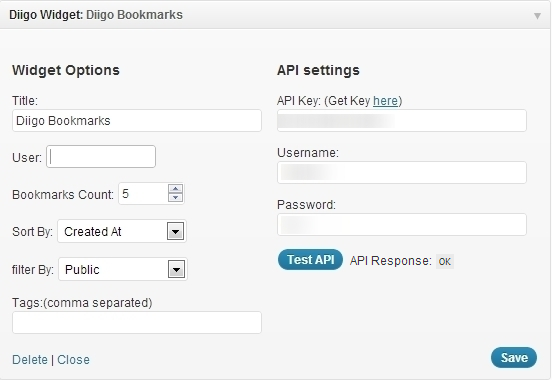
Diigo Widget Settings
Diigo Online Bookmarking Widget
Display bookmarks from Diigo in your sidebar. Uses Diigo API to fetch the bookmarks.
- First get an API key from here
- Use this key along with your username and password in the widget settings.
- Then click the “Test API” button to test the api response.
- Set widget options. You can mention the ‘User’ input to fetch bookmarks from a particular user or leave it empty to fetch any public bookmark.