

DigaChat – AI Chatbot for Websites and WooCommerce

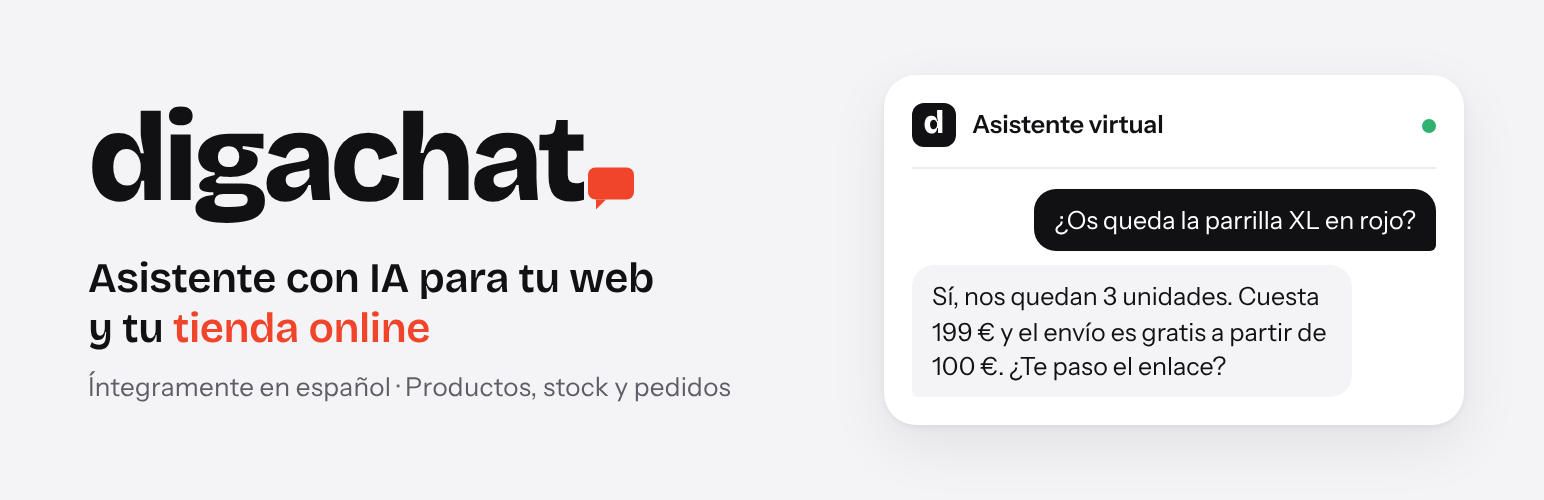
The chat on a WooCommerce store: the assistant recommends products with live prices and links.
DigaChat adds an AI chatbot to your website: a chat bubble answered day and night by an AI assistant that knows your products and your business. It works as a WooCommerce chatbot for online stores and as a customer service chatbot for service websites (clinics, workshops, agencies, professional services…), without anyone having to be on a live chat.
It is built for small businesses in Spain and Latin America: the settings are in Spanish, the chat texts follow the language of the website (Spanish, Catalan, Galician, Basque, English, French, Portuguese, Italian or German), and the assistant replies to each visitor in their own language.
- Searches your catalogue in real time: products, prices, sales and stock.
- Answers questions about shipping, payment, returns and warranty using the information you give it.
- Replies in each visitor’s language and addresses customers formally or informally, as you prefer. The chat texts follow the language of the page (or of the visitor’s browser for Catalan, Galician and Basque on Spanish websites).
- Works on service websites without a shop too: it answers with the information about your business.
- Reads your website: one click on «Leer la web» drafts the business information from the text of your published pages and the footer (services, shipping, returns, contact details, opening hours, FAQs…), for you to review before the assistant uses it.
- Does not make things up: if it does not know something, it refers the visitor to your contact email.
- Order lookup and shipment tracking on paid plans: with the order number and the purchase email, the assistant explains the order status, dates, products and tracking link.
- Return, exchange and order change requests on paid plans: the assistant checks the order, collects what the customer wants and sends the request to the store by email, with a copy to the customer and a private note on the order. The store decides; the assistant never confirms that a request has been accepted.
- Optional link in the chat to continue on WhatsApp, with a message already written that sums up what the visitor asked, so whoever answers knows what they need. The visitor sees it and can change it before sending. Also the option to email the conversation to the visitor.
- Sales after a conversation, on every plan: the «Uso y planes» tab shows how many paid orders (and their amount) came from customers who wrote in the chat in the 7 days before buying, including those who left and came back later. Counted on your own website.
- Set up in minutes, no technical knowledge needed: no code and no chatbot flows to design. The virtual assistant learns from your website and the information you give it.
Plans
- Free: 50 conversations in total, to try the assistant on your website.
- Básico (12 € per month + VAT): 50 conversations per month, with order lookup, shipment tracking and return, exchange and order change requests.
- Plus (29 € per month + VAT): 150 conversations per month.
- Pro (45 € per month + VAT): 250 conversations per month.
- Business (85 € per month + VAT): 500 conversations per month.
- DigaChat Sales (+29 € per month + VAT, with Pro or Business): abandoned cart recovery with the DigaChat Sales add-on, available from digachat.com, and the assistant on the store’s WhatsApp (set up together with the DigaChat team).
Annual payment: two months free. No commitment. A conversation is everything a visitor says to the assistant from their first message until 30 minutes go by without writing. When the limit is reached, the chat stays visible and shows your contact details. Prices and plans are shown in the «Uso y planes» tab with the data sent by the DigaChat service.
External service
This plugin connects to the DigaChat service (https://api.digachat.com), operated by Compas 1010 S.L., which generates the assistant’s answers with artificial intelligence. Without this service the plugin does not answer. The connection is only made after the site administrator enters an email address, accepts the terms of service and clicks «Conectar la web» (Connect the website).
What data is sent and when:
- When connecting the website: the site URL, the platform (WordPress or WooCommerce), the email address entered and the address of the site’s admin-ajax.php. To check that the website is yours, the service then sends a one-time code back to the website (REST API or, if blocked, admin-ajax.php).
- When the administrator clicks «Leer la web» (Read the website) in the «Asistente» tab: the title, address and text of up to 40 published pages of the website without a password (cart, checkout, account, shop, blog, privacy, cookies and legal notice pages are left out), the text of the footer (the plugin reads the website’s own home page for it, from the website’s server), the site name and URL, the shop details generated from WooCommerce (shipping zones and costs, payment methods, contact email) and the current business information, so that the instructions written for the assistant are kept. The service writes with AI a draft of the business information and returns it to the plugin, which shows it in the «Asistente» tab for review, together with the contact email published on the website, used as the contact email only if that field is empty. The assistant does not use it until the administrator saves the settings. The service does not keep the text of the pages.
- When saving the assistant settings: the assistant’s name, the welcome message, the business information written by the administrator (shipping, payment, returns…), the form of address, the usual delivery time and the notification email.
- With each chat message: the text written by the visitor and an anonymous session identifier. To search products, the service reads the public part of the catalogue (WooCommerce Store API).
- If a customer asks about an order: the service asks the store for that order using the order number and email given by the customer, and only receives its status, dates, products, shipment tracking and the notes sent to the customer when both match.
- If a customer asks for a return, an exchange or a change to an order: the service checks the order as above, sends the request (type, details, order number and purchase email) to the store’s notification email with a copy to the customer, and asks the store to add a private note to that order. The note is only added when the order number and the email match.
- If a visitor asks the business to contact them personally: their name, email and, if given, phone number, which the service sends to the business by email.
- If a visitor asks to receive the conversation by email: their email address, used only for that email.
- If a visitor who has written in the chat clicks the WhatsApp link: the site key and the anonymous session identifier. The service writes, from that conversation, a short message for the visitor to send on WhatsApp, leaving out health, payment and identity data, and returns it to the chat. It does not count as a conversation.
- To show usage in the dashboard: the site key.
- Sales after a conversation (WooCommerce stores, on by default, can be switched off in «Uso y planes»): the count is made on your website. When a visitor writes in the chat, their browser keeps an anonymous conversation identifier for 7 days; if they place an order in that time, it is stored in the order. Once a day the plugin sends the service only the totals for the month and the last 7 days (number of orders and amount, with the currency) and the plugin version. No order, customer or conversation data is sent.
Conversations are kept for a maximum of 12 months. The service uses the following data processors: n8n GmbH (automation), Anthropic PBC and Google (AI models; Google translates the answers when the visitor writes in a language other than Spanish) and Axarnet (hosting).
- Terms of service: https://digachat.com/condiciones/
- Privacy policy: https://digachat.com/privacidad/
Paid plans are purchased on Stripe (Stripe, Inc.). When the administrator clicks «Contratar», «Cambiar a…», «Volver al plan Gratis», «Mantener la suscripción» or «Facturas, tarjeta y datos de facturación» in the «Uso y planes» tab, the plugin sends the site key, the requested action (subscribe, change plan, cancel or open the customer portal), the chosen plan and billing period and the address of that tab to the DigaChat service, which creates the Stripe payment page or the Stripe customer portal session with the account reference, and the browser is taken there. Nothing is sent to Stripe or to the DigaChat service until the administrator clicks one of these buttons. When the administrator clicks «Darme de baja de DigaChat», the plugin sends the site key and the chosen option (end of the paid period or now) to the DigaChat service, which cancels the Stripe subscription and deletes the account and the website’s conversations, contacts and statistics, at once or at the end of the paid period. Card details go directly to Stripe and never pass through the plugin or the DigaChat service. Customers with a subscription manage it (invoices, card, plan changes, cancellation) in the Stripe customer portal. Stripe terms: https://stripe.com/legal/ssa · Stripe privacy policy: https://stripe.com/privacy
The WhatsApp link in the chat opens wa.me (WhatsApp, by Meta) only when the visitor clicks it, with the message already written in the visitor’s WhatsApp; nothing is sent until the visitor sends it. Shipment tracking links go to each carrier’s website (Correos, DHL, UPS, 17TRACK…) only when the customer opens them.