
DevDome Country Blocker: Geo Blocking, GeoIP Block

Overview: blocked totals, Your Connection, top blocked countries and recent hits.
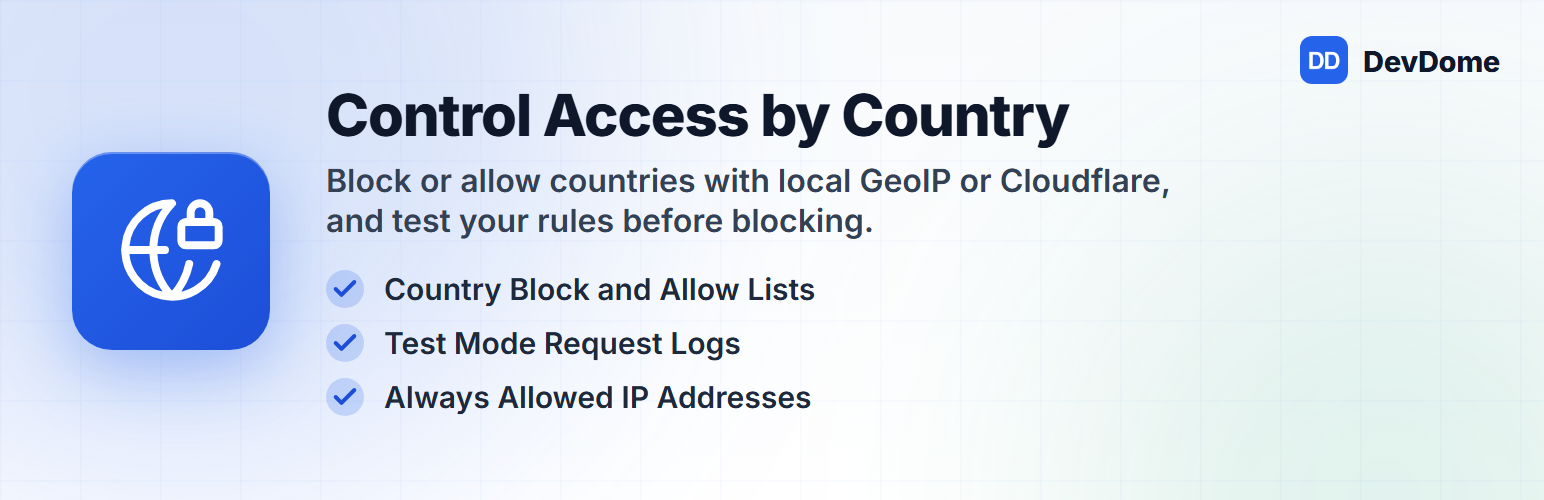
DevDome Country Blocker is a geo blocker for WordPress with country block and allow lists. Block visitors by country or allow only listed countries, subject to your safety exemptions. Blocked visitors get a 403 page with your text or a redirect to another website.
Geo blocking uses verified Cloudflare country headers or the free local DB-IP country database for GeoIP detection. The local database supports IPv4 and IPv6, with automatic monthly refresh. Country detection runs on your server without external lookup requests during visits.
Before you geoblock visitors, use Test Mode to let everyone through and log requests that would be blocked. You can restrict by country while keeping individual IPv4 and IPv6 addresses or CIDR ranges exempt through Always Allowed Addresses. wp-admin is never blocked, and visitors whose country is unknown are always allowed.
How It Knows the Country
- Cloudflare: reads the country header only after checking that the connecting address belongs to a Cloudflare edge range.
- Local database: download the free DB-IP country database with one click in Settings. It supports IPv4 and IPv6. Lookups run on your server, with automatic monthly refresh through a daily scheduled check.
- CloudFront or Vercel: reads their country header only after you turn on Proxy Headers. Use it only when the site really runs behind one of them.
- Your own proxy or load balancer: enter its addresses under Trusted Proxies. The plugin reads X-Forwarded-For only when the connection comes from a listed proxy.
Try Before You Block
Turn on Test Mode to let everyone through and log requests that would be blocked. Test hits are marked “Test” and do not increase blocked totals.
Your Connection on the Overview shows your country, detection source, installed database month and address.
Keep Access to Your Site
- wp-admin is never blocked.
- Login blocking is optional. A settings save is refused if it would block the saving visitor’s detected country from the login page without an allowed address.
- Logged-in users are exempt from front-end blocking by default.
- Always Allowed Addresses accepts individual addresses and CIDR ranges, for IPv4 and IPv6.
- Unknown countries are always allowed.
- Add
define('DEVDCOUN_DISABLE', true);to wp-config.php to switch all blocking off.
Optional Login, XML-RPC, REST API and admin-ajax.php Blocking
Apply your country rules to wp-login.php, xmlrpc.php, the REST API and admin-ajax.php with separate settings. All four are off by default. Always Allowed Addresses still applies. On the login page and xmlrpc.php the logged-in and crawler exemptions do not apply; REST API and admin-ajax.php requests are judged only when the visitor is not logged in, so the editor, apps that sign in and logged-in users keep working.
Block Addresses and Networks
Always Blocked Addresses blocks single addresses and ranges whatever their country, in every mode, even while country blocking is off. Blocked Networks does the same for whole networks by their number (ASN), and one switch blocks every known data-center, hosting and VPN network from the shared DevDome list. Network rules ask the DevDome geo service which network a new visitor address belongs to (see External services); nothing is sent while no network rule is on.
Push to Cloudflare
With a Cloudflare API token the plugin pushes your country rule to the zone’s WAF as one custom rule, so blocked visitors are stopped at the edge, before the cache and before they reach your server. Nothing is sent until you press Push; Remove deletes that one rule again. Other rules in your zone are never touched.
Search Engines and Health Checks
One checkbox exempts Google, Bing, DuckDuckGo and Apple crawlers, plus the DevDome health monitor, from front-end blocking. A crawler is exempt only when its user agent matches and its address is confirmed by reverse DNS (cached per address), so a visitor pretending to be Googlebot is still blocked.
Review Blocked Visits
Overview tiles show blocked requests today, over 7 and 30 days, and the number of listed countries. Top Blocked Countries shows counts over 30 days.
The log keeps about the last 200 hits, including Test Mode hits. It shows time, country, result, anonymized address, path without its query string, and user agent.
Use Refresh Now to recalculate the totals. Clear Statistics removes every counter and logged hit after you type CLEAR.
Limits
Blocking applies only to requests that reach WordPress. A full-page cache or CDN can serve a cached page before the plugin runs.
admin-ajax.php and REST API requests are blocked only when their switches are on, and only for visitors who are not logged in. An unknown network, like an unknown country, is always allowed. On multisite, each site has separate settings, country lists and statistics, so set up each site separately.
AI Agents and MCP
On WordPress 6.9+, the plugin registers 8 abilities: get-status, get-settings, update-settings, get-statistics, lookup-country, update-database, refresh-summary and clear-statistics. Compatible agents and MCP clients can use them through the WordPress MCP Adapter. Every ability requires the plugin capability, manage_options by default. Older WordPress versions register none.
Agents must pass confirm: true after the owner agrees to:
- Download or update the database, or clear statistics.
- Enable login or XML-RPC blocking.
- Change who is blocked when either the current or proposed mode is not Off and its country list is nonempty. This includes mode, active country list, Test Mode, login/XML-RPC settings, logged-in or crawler exemptions, proxy settings and allowed addresses. Changes that reduce blocking also need confirmation.
This settings rule applies even in Test Mode. Changing only the message, redirect or response action does not require confirmation. Agent output never carries full visitor addresses, email addresses or server paths.
External services
IP database download (db-ip.com), only when you press “Download Database” in Settings (or “Update Database Now”, shown there after a failed monthly update), when an agent runs update-database, and afterwards by a daily check that downloads again only when a newer monthly dataset is due (or the last attempt failed). The plugin downloads the free “IP to Country Lite” file from https://download.db-ip.com/free/ (about 10 MB, server-to-server). It is a plain file download: no visitor data, site data or personal data is sent. If you never install the database (for example because your site is behind Cloudflare), nothing is ever downloaded. Service provider: DB-IP. Licence: Creative Commons Attribution 4.0. Terms: https://db-ip.com/db/lite.php Privacy policy: https://db-ip.com/privacy.php
Error reports (devdome.com), only when you press “Report this error” on an error message. The plugin sends the error text, the plugin, bundled library, WordPress and PHP versions, whether the site is a multisite, the site locale, the screen you were on, its own state (mode, counts and flags, never a visitor address), your site address, the generated site ID, your DevDome account ID if the site is connected, and your admin e-mail (so support can reply) to https://devdome.com/api/plugin/error-report. Nothing is sent unless you press the button. Service provider: DevDome. Terms: https://devdome.com/terms-of-service Privacy policy: https://devdome.com/privacy-policy
Plugin catalog (devdome.com). The DevDome Dashboard inside wp-admin fetches the list of DevDome plugins (names, descriptions, logos, links) from https://devdome.com/wp-plugins/catalog.json at most once every 12 hours (one hour after a failed fetch), so the list stays current. Only the bundled core version is sent in the request; no site or visitor data. Service provider: DevDome. Terms: https://devdome.com/terms-of-service Privacy policy: https://devdome.com/privacy-policy
Network lookup (api.devdome.com), only while a network rule is on (Blocked Networks or Data Centers and VPNs). For a visitor address not seen in the last 24 hours the plugin sends that one public address to https://api.devdome.com/geo-resolve/classify and receives its network number; the answer is cached for a day, at most 60 lookups a minute are made, a 2-second limit applies and when the service does not answer the visitor is let in. Nothing else about the site or the visitor is sent. With no network rule on, no address is ever sent.
Network list download (api.devdome.com), only while Data Centers and VPNs is on. The shared list of data-center, hosting and VPN network numbers is downloaded from https://api.devdome.com/bot-protection/asns once when you turn the switch on and then once a day (a plain download, nothing about your site is sent); it is removed when you turn the switch off.
Cloudflare API (api.cloudflare.com), only when you press Push to Cloudflare or Remove from Cloudflare. The plugin sends your Cloudflare API token, your site’s host name (to find the zone) and the rule (your blocking mode, country codes and Always Allowed Addresses) to Cloudflare’s API, and creates, updates or deletes the one WAF custom rule named DevDome Country Blocker. Cloudflare’s terms: https://www.cloudflare.com/terms/ and privacy policy: https://www.cloudflare.com/privacypolicy/. DevDome’s terms: https://devdome.com/terms/ and privacy policy: https://devdome.com/privacy/.
Country detection, country blocking and statistics run entirely on your own server and make no network requests during a visit; the three services above are used only for the optional features that need them.
The plugin bundles the shared DevDome suite library that powers the DevDome Tools dashboard. What that library may contact depends on the edition you are running; on the WordPress.org edition nothing is contacted before you act; the self-hosted edition also checks for updates as described below.
WordPress.org edition
The WordPress.org package carries a build marker that keeps the library’s bot-detection feed download permanently off and contains no self-hosted updater; updates come only from WordPress.org. Besides the requests above (the database download you start, error reports you send, the plugin catalog), the only other request the shared library can make is the optional account connection below.
Connecting a DevDome account (optional, both editions)
The DevDome Tools dashboard offers connecting a free DevDome account (used by other DevDome plugins for optional email alerts; Country Blocker’s own features stay local; the shared library performs only the checks described here). Nothing is sent until you press the Connect button. If you do connect: the shared library sends your site address, a generated site ID and a generated secret site token to analytics.devdome.com/api/plugin/connect/start and /api/plugin/connect/claim to link this site to your account; afterwards it confirms the connection with api.devdome.com/plugin/account (site address plus the site token in a request header) normally at most once every fifteen minutes while a DevDome screen is open (sooner right after connecting, and after ten minutes when a check failed), and tells api.devdome.com/plugin/disconnect when you disconnect. When you connect from the DevDome Tools dashboard, whose Connect card states this before you press the button, those account checks also carry the slug and version of each active DevDome plugin on the site plus the bundled DevDome library, WordPress and PHP versions, so your DevDome account can show your sites and their DevDome plugins for support and update notices. Nothing about other plugins, users, email addresses, content or visitors is included. Sites connected before this was introduced, and sites connected from a button that does not show that text, do not send the list. Disconnecting stops the checks and the plugin list. Terms: https://devdome.com/terms-of-service. Privacy: https://devdome.com/privacy-policy
Self-hosted edition only
https://api.devdome.com/plugin-updates/devdome-country-blocker.json: the self-hosted update manifest, checked from wp-admin and cron (never on front-end requests), cached six hours, ten-second timeout. The request sends no site data; it is a plain download. The updater validates the manifest and, when it publishes a checksum, verifies the downloaded package before installation; on any failure the installed version keeps working.https://api.devdome.com/bot-protection/*: the shared once-daily bot-detection reference lists used by other DevDome plugins. A one-way download; no data about your site or visitors is sent.
Privacy
- Your data stays local. Settings, counters, the hit log and the downloaded database are stored only on your own site and are removed on uninstall.
- Addresses are anonymized before storage. The address field of the log keeps the first three numbers of an IPv4 address and the first 48 bits of an IPv6 address, never the full address. The requested path (without its query string) and the user agent of a blocked request are stored as sent.
- Retention is bounded. About 200 logged hits are kept (trimmed as new hits arrive and exactly once a day); daily counters older than 13 months are removed automatically.
- You can delete everything. “Clear Statistics” removes every counter and every logged hit on demand.
- No cookies are set by this plugin. No visitor data leaves your site unless you turn a network rule on; then one public address per new visitor is looked up as described under External services.