


DeltaBreen File Requests
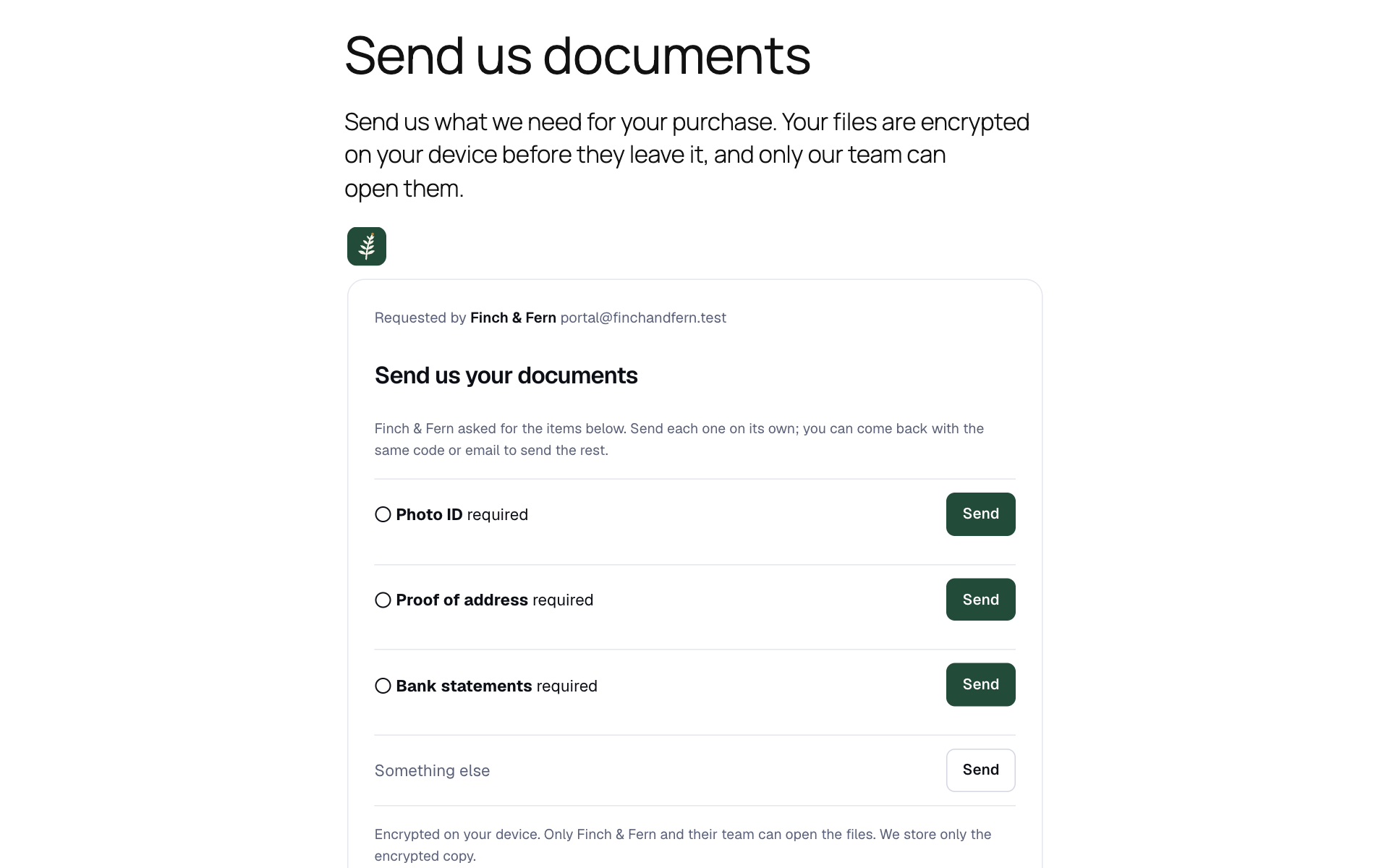
A file request on your own page: a visitor confirms their email and sees what you asked for. Their files are encrypted in their browser, and your site never receives them.
Asking clients to email passports, contracts or tax papers leaves copies in inboxes, and most upload forms keep files on your web server, where anyone who breaks into the site can read them.
This plugin puts a Share file request on any page instead. Visitors choose their files in a form served by Share by DeltaBreen; the files are encrypted in their browser before anything leaves their device, and go straight to storage. Your website never receives them, and neither Share nor this site can read them. You open them in your Share inbox.
You need a Share by DeltaBreen account. The free plan works, with one file request; paid plans add more requests, larger files, emailed requests with reminders, ID checks, your own branding and a team.
- End-to-end encrypted. Files and answers are encrypted in the visitor’s browser with a key only you and the people you give access hold.
- Nothing on your server. No files in
wp-content/uploads, no upload size limits from your host. - Large files. Up to what your Share plan allows, far beyond a typical PHP upload limit.
- Checklists. Ask for each document by name, and see what has arrived.
- Forms. Ask questions instead, such as an account number, and receive the answers encrypted.
- Senders confirm their email. Before a stranger can send anything, Share emails them a code.
- You hear when something arrives, at most every ten minutes.
- Only your website can show your request. Share tells browsers which websites may show it, so nobody can put your form on theirs.
- A place for each client. On a page your clients sign in to, the Share client’s file request block gives each of them their own access code on a file request, so they never type one and you see who sent what.
- Documents for each client. The Share documents block lists the files you sent a signed-in client, sealed to this site’s own key, so neither Share nor anyone without the site can read the links. Each opens at Share after the client confirms their email with a code.
- A thank-you page. Send visitors to a page of your own once they have sent everything you asked for, and count it as a conversion.
- ID checks for your clients. The Share ID check block lets a signed-in client check their ID (a document and a selfie, checked by Didit) through Share, and shows them where it stands. The result goes to you, encrypted; this site only learns whether it passed. Needs ID checks on your Share plan.
External services
This plugin shows a form from Share by DeltaBreen, a file sharing service run by DeltaBreen Limited, and does nothing without it.
- What the form sends, and when: the form is a frame loaded from Share (share.deltabreen.eu, or your workspace’s own Share address) when a visitor opens a page that shows it, or, if you choose, only after they click. Everything visitors do in it goes to Share, not to this site: their email address (Share emails them a code to confirm it), the files or answers they send (encrypted in their browser, so Share receives only an encrypted copy), and their IP address and browser details, as with any website. On file requests open to anyone, Cloudflare Turnstile may check the visitor is not an automated program (Cloudflare’s Turnstile privacy addendum: https://www.cloudflare.com/turnstile-privacy-policy/).
- ID checks: the Share ID check block sends a signed-in client to Share’s own page, where Didit (Didit Identity Spain, S.L.) checks their ID document and selfie for Share. This site sends Didit nothing, and learns from Share only whether the check passed, and when. Didit’s privacy notice for people who check their ID: https://didit.me/en/terms/verification-privacy-notice/
- What this site sends: nothing, unless you connect it to Share (optional, under Settings, Share). Without a connection the plugin only writes the frame’s address into your pages.
- What a connected site sends, and when: this site’s own server talks to Share (share.deltabreen.eu, or the address in
DELTABREEN_SHARE_API_URL), never a visitor’s browser. When you connect, it sends the one-time connection code you pasted and this site’s address. Once a day, and whenever its access runs out, it renews that access with the token Share gave it. When someone opens the dashboard (at most every five minutes) or the block’s list of requests, it asks Share for the workspace’s file requests, their links and how many arrivals nobody has opened yet. When an administrator presses “Allow this site” in the block, it asks Share to let this site show that request. When a signed-in person opens a page with the Share client’s file request block, it sends Share their email address, to get an access code for them alone, which it keeps in their user profile here until a few days before it expires; when their email address changes, their account is deleted or removed from a site of a network, or you erase their personal data (Tools, Erase Personal Data), it sends Share the address so that code stops working. When you open Settings, Share on a connected site, it gives Share this site’s public key (once for each connection), which the files you send to clients’ portals are sealed to; its private key never leaves this site. When a signed-in person opens a page with the Share documents block, it sends Share their email address to get the files sent to them, sealed, and opens them here. When a signed-in person opens a page with the Share ID check block, it sends Share their email address to learn where their ID check stands (whether it passed, and when), and when they press the button, to get the link to their check’s page at Share; it keeps neither. When you disconnect, it asks Share to end the connection. Once an hour while it is connected, it tells Share how many of its calls to Share got no answer or a server error, and any PHP error in the plugin’s own files, by file and line, so Share’s support can see what went wrong: never a message, an address, a page or anything a visitor sent. It never sends or receives files or answers. - Share’s terms: https://share.deltabreen.eu/legal/terms
- Share’s privacy policy: https://share.deltabreen.eu/legal/privacy
The plugin suggests a paragraph for your privacy policy under Settings, Privacy.