


Declarando – Gestión de Facturas
Integra automáticamente tu tienda online con Declarando para gestionar facturas, sincronizar pedidos y mantener tu contabilidad al día.
Descripción
Declarando – Gestión de Facturas es el plugin oficial que conecta tu tienda online con la plataforma Declarando, automatizando completamente la gestión de facturas y la contabilidad de tu ecommerce.
¿Por qué elegir este plugin?
- Sincronización automática: Todos los pedidos de tu tienda se envían automáticamente a Declarando
- Configuración sencilla: Solo necesitas tu API Key para empezar
- Gestión de reembolsos: Los reembolsos se sincronizan automáticamente
- Entorno de pruebas: Modo Sandbox para probar sin afectar datos reales
- Soporte de múltiples estados: Configura qué estados de pedido sincronizar
- Interfaz nativa: Se integra perfectamente en el área de administración de tu tienda
Características principales
- Sincronización automática de pedidos con la plataforma Declarando
- Panel de administración centralizado para gestionar todas tus facturas
- Integración nativa sin configuraciones complejas
- Gestión de reembolsos integrada y automatizada
- Columnas personalizadas en el listado de pedidos
- API REST para consultas y actualizaciones externas
- Sistema de registro completo para depuración y seguimiento
- Compatible con entornos de prueba y producción
- Multilingüe preparado para traducciones
Casos de uso
- Tiendas online que necesitan automatizar su facturación
- Ecommerce B2B con gestión de clientes empresariales
- Marketplaces que requieren control fiscal detallado
- Tiendas multi-divisa con gestión internacional
- Negocios que requieren cumplimiento fiscal automatizado
Requisitos
- WordPress 5.0 o superior
- PHP 7.4 o superior
- Cuenta activa en Declarando
- API Key válida de Declarando
Servicios Externos
Este plugin se conecta con la API de Declarando (un servicio externo de terceros) para sincronizar pedidos y gestionar facturas automáticamente. Esta conexión es esencial para la funcionalidad principal del plugin.
Qué datos se envían:
* Información del pedido (ID de pedido, artículos, cantidades, precios, fechas)
* Datos del cliente (nombre, email, dirección de facturación si se proporciona)
* Configuración de la tienda (moneda, configuración de impuestos)
* Información de reembolsos cuando se procesan
Cuándo se envían los datos:
* Cuando un pedido alcanza un estado configurado (ej., Procesando, Completado)
* Cuando se crea o procesa un reembolso
* Al sincronizar manualmente desde el panel de administración
* Durante la configuración inicial del plugin y conexión
Proveedor del servicio: Declarando (https://declarando.es)
Endpoints de API utilizados:
* Producción: https://declarando-api-ecommerce-828031991052.europe-west4.run.app
* Sandbox (pruebas): Entorno de pruebas configurable
Información legal:
* Términos de Servicio de Declarando
* Política de Privacidad de Declarando
Al usar este plugin, aceptas enviar los datos anteriores a los servidores de Declarando para fines de gestión de facturas y contabilidad. No se envían datos sin tu configuración explícita y conexión a una cuenta de Declarando.
Cómo funciona
Una vez instalado y configurado, el plugin:
- Detecta automáticamente nuevos pedidos de WooCommerce
- Valida la información del pedido y cliente
- Envía los datos a Declarando vía API segura
- Sincroniza cambios como reembolsos o cancelaciones
- Proporciona feedback visual en la administración de WooCommerce
Enlaces útiles
Instalación
Instalación automática (recomendada)
- Ve a Plugins > Añadir nuevo en tu panel de WordPress
- Busca “Declarando WooCommerce”
- Haz clic en “Instalar ahora” en el plugin de Declarando
- Una vez instalado, haz clic en “Activar”
- Ve a WooCommerce > Declarando para configurar
Instalación manual
- Descarga el archivo ZIP del plugin desde WordPress.org
- Ve a Plugins > Añadir nuevo > Subir plugin
- Selecciona el archivo ZIP descargado
- Haz clic en “Instalar ahora” y luego “Activar”
- Ve a WooCommerce > Declarando para configurar
Configuración inicial
-
Obtén tu API Key:
- Inicia sesión en tu cuenta de Declarando
- Ve a Perfil > Tienda Online
- Genera un nuevo código de conexión
-
Configura el plugin:
- Ve a WooCommerce > Declarando en WordPress
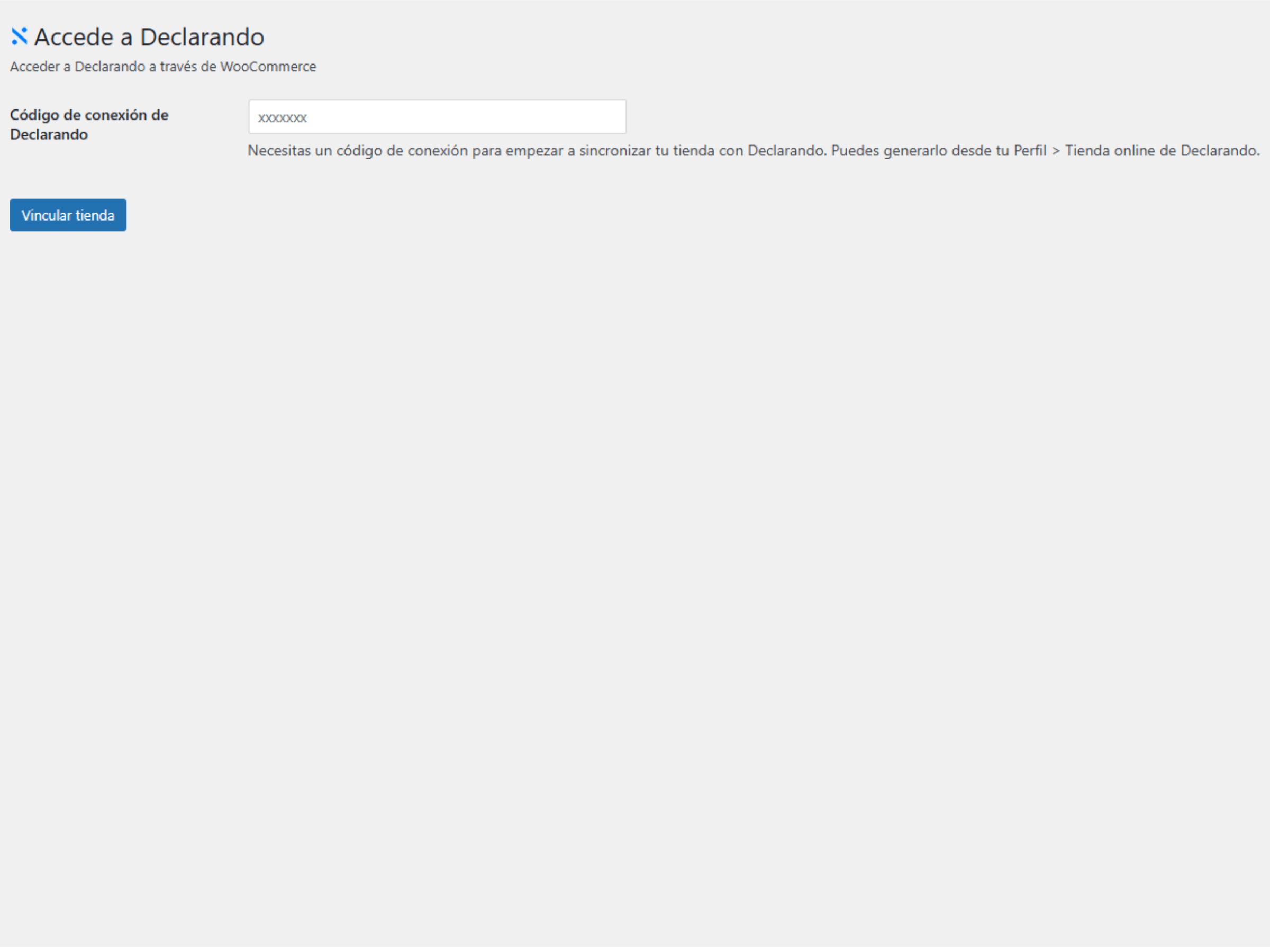
- Introduce tu código de conexión de Declarando
- Haz clic en “Vincular Tienda”
- ¡Listo! Los pedidos se sincronizarán automáticamente
Configuración avanzada
Para usuarios avanzados, el plugin permite configurar:
- Estados de pedido que se sincronizan
- Estados que generan reembolsos
- Modo de operación (Producción/Sandbox)
- Configuraciones específicas de empresa
Preguntas Frecuentes
¿Necesito una cuenta de Declarando?
Sí, necesitas una cuenta activa en Declarando y obtener tu código de conexión desde el panel Perfil > Tienda Online.
¿El plugin es gratuito?
El plugin es completamente gratuito. Sin embargo, necesitas una cuenta de Declarando para funcionar, que puede tener costes según tu plan.
¿Es compatible con otros plugins de facturación?
Sí, Declarando funciona de forma independiente y puede coexistir con otros plugins de facturación sin conflictos.
¿Puedo probar el plugin sin afectar mi producción?
Sí, el plugin incluye un modo Sandbox que te permite hacer pruebas completas sin afectar tus datos reales de producción.
¿El plugin almacena datos sensibles?
El plugin usa la API de Opciones segura de WordPress para guardar configuraciones. Los datos se almacenan cifrados y la API Key se maneja de forma segura.
¿Qué pasa con los pedidos anteriores a la instalación?
Los pedidos creados antes de la instalación del plugin no se sincronizan automáticamente. Solo los nuevos pedidos (después de la activación) se enviarán a Declarando.
¿Cómo gestiona el plugin los reembolsos?
Los reembolsos se detectan automáticamente cuando cambias el estado de un pedido a “Reembolsado” o “Cancelado” en WooCommerce, y se sincronizan con Declarando.
¿Es compatible con tiendas multi-divisa?
Sí, el plugin funciona con cualquier configuración de WooCommerce, incluyendo tiendas multi-divisa. Asegúrate de que la configuración de divisa en Declarando coincida.
¿Qué información se envía a Declarando?
Se envía información del pedido (productos, cantidades, precios), datos del cliente (si se acepta facturación), estado del pedido y metadatos relevantes para la facturación.
¿Cómo puedo obtener soporte técnico?
Puedes:
– Abrir un ticket en el foro de soporte de WordPress.org
– Contactar directamente con el soporte de Declarando
– Consultar la documentación oficial
¿El plugin afecta el rendimiento de mi tienda?
No, el plugin está optimizado y las operaciones de sincronización se realizan en segundo plano sin afectar la experiencia del usuario.
Capturas de pantalla
- Panel de configuración principal – Interfaz sencilla para vincular tu tienda con Declarando
- Vinculación exitosa – Confirmación de conexión establecida con Declarando
Registro de cambios
1.0.3 – 2026-06-10
- Actualizado WC tested up to a WooCommerce 10.8.1
1.0.2 – 2026-06-10
- Actualizado Tested up to a WordPress 6.8
1.0.1 – 2026-06-10
- Correcciones y mejoras generales
1.0.0 – 2024-11-07
- Lanzamiento inicial del plugin
- Integración completa con la API de Declarando v1
- Sincronización automática de pedidos de WooCommerce
- Gestión automatizada de reembolsos
- Panel de administración nativo
- Soporte para modos Sandbox y Producción
- Sistema de registro para depuración
- Compatibilidad con WooCommerce 3.0+
- Interfaz multilingüe preparada
- Documentación completa incluida
Aviso de actualización
1.0.3
Marcado como compatible con WooCommerce 10.8.1.
1.0.2
Marcado como compatible con WordPress 6.8.
1.0.1
Actualización de correcciones y mejoras generales.
1.0.0
Versión inicial del plugin oficial de Declarando para WooCommerce. Instálalo para automatizar completamente tu facturación y contabilidad.
Información adicional
Documentación
Para más información y documentación detallada, visita la documentación oficial de Declarando.
Privacidad
Este plugin se conecta con servicios externos de Declarando para sincronizar pedidos y generar facturas. Los datos enviados incluyen:
* Información de pedidos (productos, importes, fechas)
* Datos de clientes (nombre, email, dirección si es necesario)
* Información fiscal de tu empresa
Consulta la política de privacidad de Declarando para más información.
Contribuir
Si deseas contribuir al desarrollo de este plugin, visita nuestro repositorio en GitHub.