
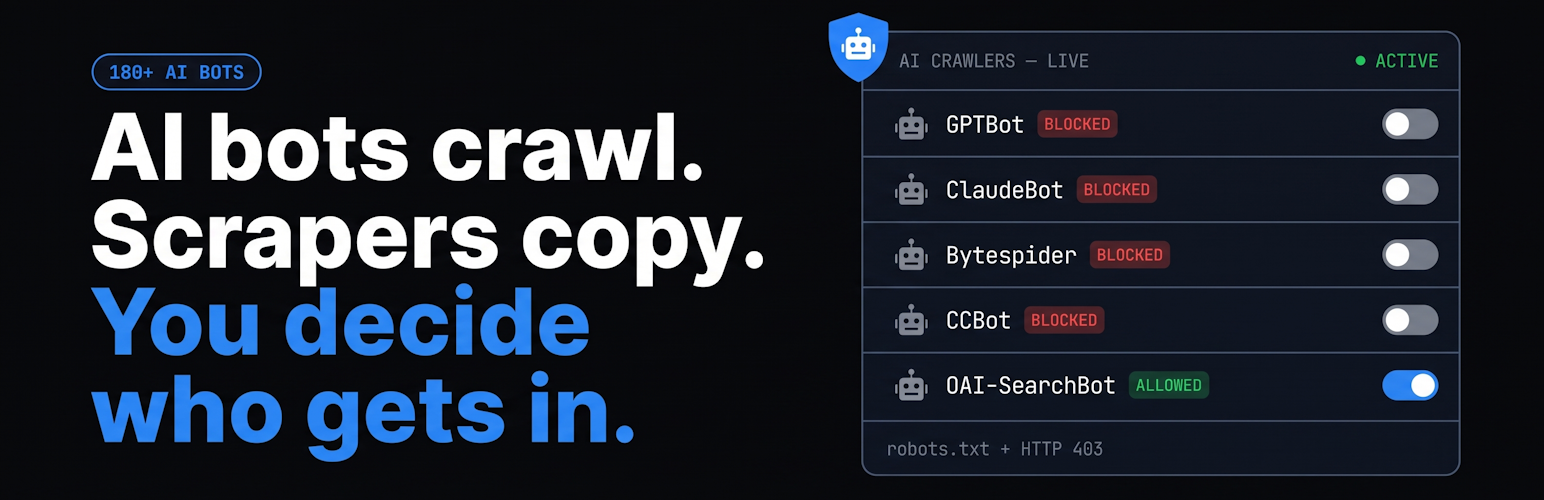

ddosNull AI Crawler & Scraper Blocker
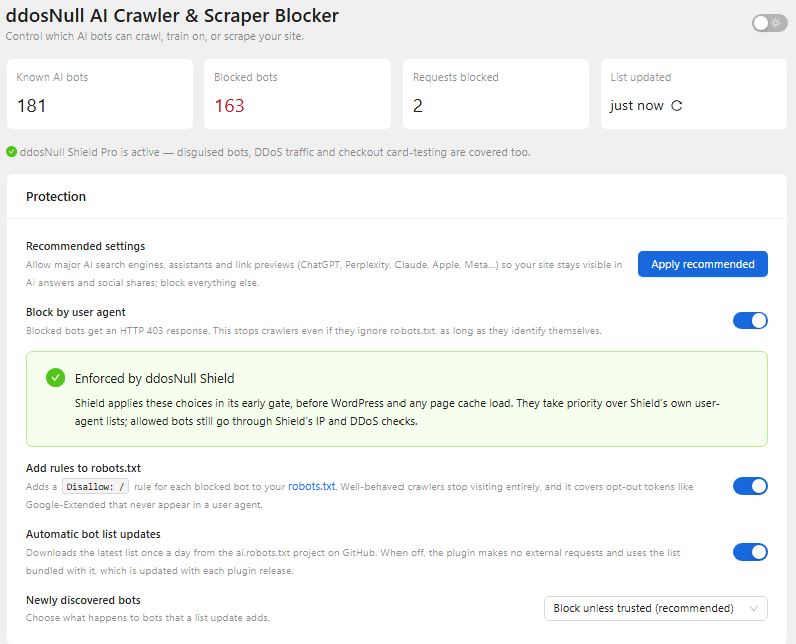
Bot overview with stats, protection settings, and one-click recommended settings.
AI companies crawl the web to train their models, and some of them crawl hard. They take your content without asking, use up your server’s resources, and can slow your store down for real customers.
ddosNull AI Crawler & Scraper Blocker lets you decide, bot by bot, which AI crawlers get into your site. Everything is set up on activation. You don’t need to edit any files.
Features
- 180+ known AI bots, each shown with its operator, purpose, crawl frequency, and whether it respects robots.txt.
- One switch per bot to block or allow it. You can also block or allow every bot that matches a search or filter in one click.
- Two layers of blocking:
Disallowrules are added to your robots.txt, so well-behaved crawlers stop visiting.- An HTTP 403 response goes to any request whose user agent matches a blocked bot. This also stops bots that ignore robots.txt.
- Safe defaults. Major AI search engines, user-triggered assistants, and link-preview fetchers stay allowed, so your site still appears in ChatGPT, Perplexity, and Claude answers and in social link previews. Everything else is blocked. One click restores the recommended settings.
- Bot list from the community-maintained ai.robots.txt project, bundled with the plugin and refreshed with each release. Optional daily updates (off by default) fetch new bots between releases. You choose what happens to newly discovered bots: block them unless they’re trusted, block them all, or allow them for manual review.
- Blocked-request counters show which bots are hitting your site and when they last tried.
- Search, filter, and sort by name, operator, category, robots.txt compliance, or number of blocked requests.
- Fast. The check on each request is a single pattern match against a cached value. It adds no database queries to normal page views.
- Light and dark mode.
Allowed by default
Blocking these services would hide your site from AI answers, shopping agents, or social shares, so they stay allowed unless you block them:
- OpenAI:
OAI-SearchBot,ChatGPT-User,ChatGPT Agent - Perplexity:
PerplexityBot,Perplexity-User - Anthropic:
Claude-SearchBot,Claude-User - Apple:
Applebot(Siri, Spotlight, Safari). The AI-training opt-out,Applebot-Extended, is blocked. - Google:
Google-Agent,GoogleAgent-URLContext. The AI-training opt-out,Google-Extended, is blocked. - DuckDuckGo:
DuckAssistBot - Mistral:
MistralAI-User - Amazon:
Amzn-User,AmazonBuyForMe - Meta:
facebookexternalhit(link previews on Facebook, WhatsApp, and Instagram),meta-externalfetcher
Search engines such as Googlebot and Bingbot are not AI crawlers and are never affected.
What user-agent blocking can’t do
This plugin stops bots that identify themselves. Many scrapers pretend to be a regular Chrome or Safari browser and rotate through thousands of IP addresses. The only way to catch those is by how they behave.
ddosNull Shield (free) detects bots by behavior and adds Layer-7 DDoS protection, without DNS changes. When both plugins are active, they work together:
- Shield enforces your block and allow choices in its own firewall. In Shield’s Auto-Prepend mode, this happens before WordPress and your page cache load.
- Your choices take priority over Shield’s built-in user-agent rules.
- Allowed bots still pass through Shield’s IP reputation and DDoS checks. A scraper that pretends to be an allowed bot gains nothing.
- Requests blocked by Shield still count toward the counters in this plugin.
External Services
This plugin can download the list of known AI crawlers from the ai.robots.txt project, which is hosted on GitHub. It only does so after an administrator turns on Automatic bot list updates in the plugin settings (off by default). Once enabled, the download runs once a day through WP-Cron, and also when you click the refresh icon on the settings page. With the setting off, the plugin makes no external requests.
- URL requested:
https://raw.githubusercontent.com/ai-robots-txt/ai.robots.txt/main/robots.json - Data sent: a plain HTTP GET request. No site data or personal data is included beyond what every HTTP request carries: your server’s IP address and WordPress’s user agent.
- Provider: GitHub, Inc. See its Terms of Service and Privacy Statement.
- The list is published under the MIT license by the ai.robots.txt contributors.
The plugin makes no other external requests.
Privacy
This plugin does not store visitors’ IP addresses or any other personal data. For each bot it keeps only a count of blocked requests and the time of the most recent one.
Source Code
The settings screen is a React app. Its uncompiled source code is included in the admin-src/ folder. To build it, run cd admin-src && npm install && npm run build.