


Datametric Login Shield
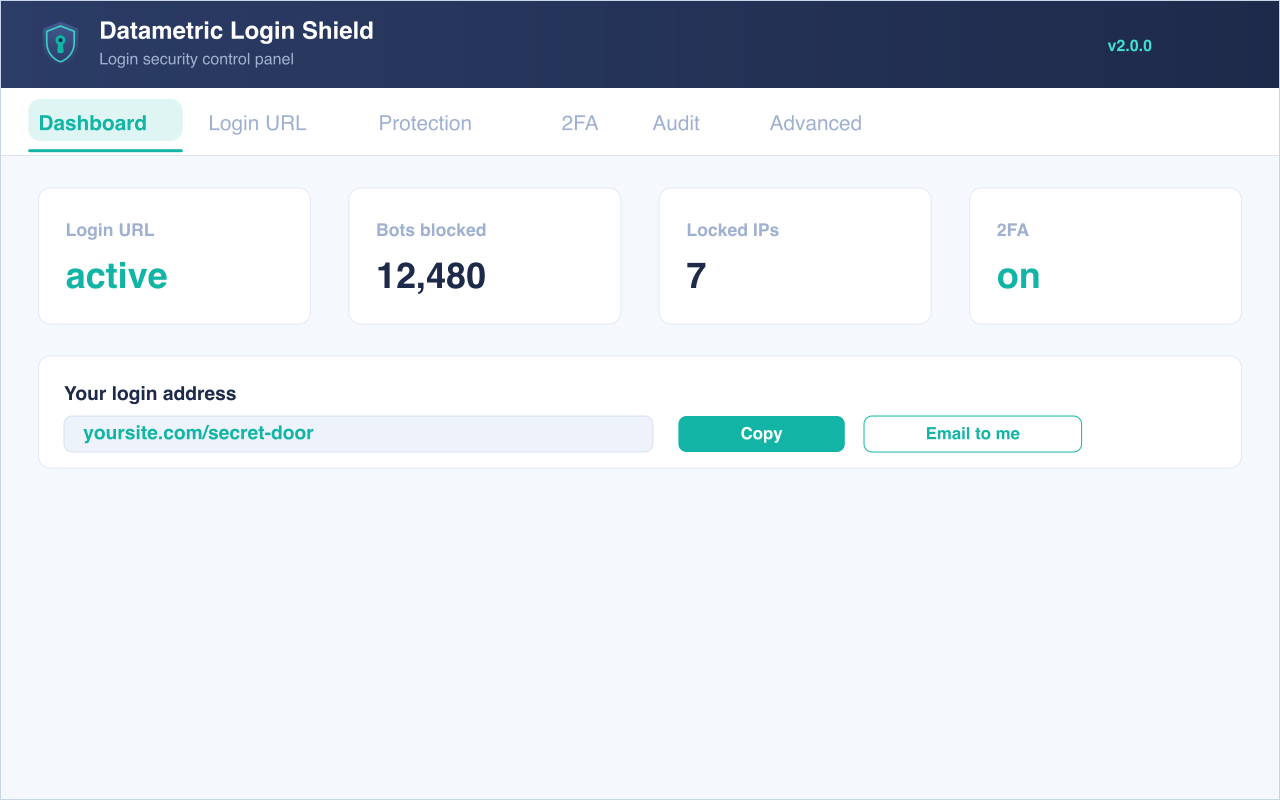
Datametric Login Shield lets you safely change the URL of your WordPress login page to anything you want. It does not rename or modify any core files and does not add rewrite rules — it simply intercepts requests, so it works on any WordPress site. Once active, wp-login.php and the wp-admin directory become inaccessible to visitors who are not logged in, cutting out the vast majority of automated bot traffic hammering the default login page.
Deactivating the plugin returns your site to exactly the state it was in before.
Features (all free)
- Change your login URL to a custom, hard-to-guess address.
- Block
wp-login.phpandwp-adminfor logged-out visitors, with a configurable redirect (default: 404). - Brute-force protection — lock out an IP after too many failed logins, with a configurable threshold, lockout window and an allowlist so you never lock yourself out.
- Two-factor authentication — optional TOTP (Google Authenticator, Authy, 1Password) with single-use backup codes and per-role enforcement.
- IP allow / deny lists — restrict login to specific IPs or CIDR ranges, or block specific ones.
- CAPTCHA on login — Google reCAPTCHA v2/v3, hCaptcha or Cloudflare Turnstile (optional).
- Access hardening — block REST API user enumeration (
/wp/v2/users), block?author=Nusername scans, show generic login errors, and optionally disable XML-RPC. - Login audit log — successful/failed logins, lockouts and logouts with date, user and IP; configurable retention, CSV export and optional email alerts on lockouts and administrator logins.
- Login-page branding — logo, colours and custom CSS.
- A modern, dedicated admin panel — no more hunting through WordPress General Settings.
- Anti-lockout onboarding: copy your new URL to the clipboard or email it to yourself in one click.
- One-click continuity for sites migrating from “WPS Hide Login” — your existing login URL is imported automatically.
- Multisite compatible. Lightweight and privacy-friendly — nothing leaves your server unless you enable CAPTCHA.
Compatibility
Requires WordPress 6.2 or higher. The registration form, lost-password form, login widget and expired sessions keep working. It is compatible with plugins that hook into the login form (BuddyPress, bbPress, WooCommerce, and similar). As with any login-URL plugin, it cannot help with themes or plugins that hardcode wp-login.php.
Privacy
Datametric Login Shield runs entirely on your own server. The only optional exception is CAPTCHA (see below).
To protect your site against brute-force attacks and to provide the audit log, the plugin stores the following in your site’s own database:
- Failed login attempts — the visitor’s IP address, the attempted username and a timestamp. Kept for up to 24 hours, then automatically deleted. Used only to enforce lockouts.
- Login activity events — the event type (login, failed login, lockout, logout), IP address, username, user ID and timestamp. Kept for 7 days, then automatically deleted.
IP addresses are personal data under the GDPR. You can:
- Turn off login-activity logging entirely (Audit Log tab “Enable logging”).
- Store masked/anonymized IP addresses instead of full ones (Audit Log tab “Anonymize IP addresses”).
- Limit brute-force tracking with the allowlist (Protection tab).
Additional data:
- Two-factor — a per-user TOTP secret and hashed backup codes are stored in user meta. No 2FA data leaves your server.
- CAPTCHA (optional) — when enabled, the visitor’s IP and challenge response are sent to your chosen provider (Google, hCaptcha or Cloudflare) for verification, subject to their privacy policies.
If you enable “Delete all data on uninstall” (Advanced tab), all settings, both database tables and stored 2FA user meta are removed when the plugin is uninstalled. The plugin also registers suggested text with the WordPress Tools Privacy policy generator.
External services
By default this plugin makes no external requests — every feature runs on your own server. The single exception is the optional CAPTCHA on login feature. It is disabled out of the box; nothing below happens unless you choose a provider on the CAPTCHA settings tab and enter that provider’s keys.
When CAPTCHA is enabled, the provider you select is used to tell human visitors apart from bots on the login page. In that case:
- The provider’s JavaScript is loaded on your login page so the challenge can be displayed (for reCAPTCHA v3 the script runs invisibly).
- When a visitor submits the login form, the challenge response token, the visitor’s IP address and your secret key are sent from your server to the provider’s verification endpoint to confirm the response is valid.
You choose exactly one of the following providers, and data is only ever sent to the one you select:
-
Google reCAPTCHA (v2 / v3) — anti-bot verification by Google.
Endpoints:https://www.google.com/recaptcha/api.js(script) andhttps://www.google.com/recaptcha/api/siteverify(verification).
Terms of Service: https://policies.google.com/terms — Privacy Policy: https://policies.google.com/privacy -
hCaptcha — anti-bot verification by Intuition Machines, Inc.
Endpoints:https://js.hcaptcha.com/1/api.js(script) andhttps://hcaptcha.com/siteverify(verification).
Terms of Service: https://www.hcaptcha.com/terms — Privacy Policy: https://www.hcaptcha.com/privacy -
Cloudflare Turnstile — anti-bot verification by Cloudflare, Inc.
Endpoints:https://challenges.cloudflare.com/turnstile/v0/api.js(script) andhttps://challenges.cloudflare.com/turnstile/v0/siteverify(verification).
Terms of Service: https://www.cloudflare.com/website-terms/ — Privacy Policy: https://www.cloudflare.com/privacypolicy/
Leave the CAPTCHA feature disabled (the default) if you do not want the plugin to contact any third-party service.
Credits
Datametric Login Shield is a fork of WPS Hide Login (GPLv2 or later), originally created by WPServeur, NicolasKulka and wpformation — https://wpserveur.net . The core login-interception logic is derived from that project, which remains under the GNU General Public License. Our thanks to the original authors.