

Dashboard: Available Disk Space
5/5 (1 ratings) 100 active installs Updated Dec 1, 2025
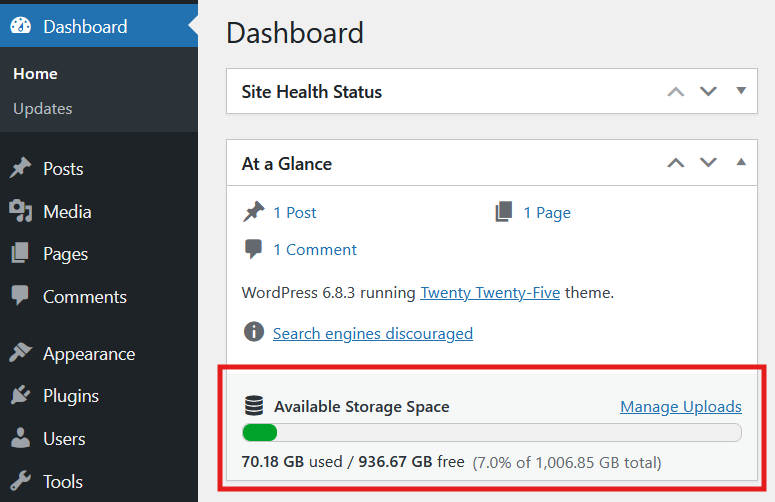
The <strong>At a Glance</strong> widget with the new <strong>“Available Storage Space”</strong> row showing a progress bar and human-readable disk usage (used, free, and total).
Dashboard: Available Disk Space extends the built-in At a Glance widget on your WordPress Dashboard with a compact “Available Storage Space” row.
When you open Dashboard Home, you’ll immediately see:
- How much disk space is used and free
- A clear progress bar that fills up as your server disk gets full
- A quick visual indication when you’re running low on storage
This is useful if:
- You’re on shared hosting and want to avoid “out of disk space” surprises
- You manage multiple client sites and need a quick disk space check right after login
- You want a lightweight alternative to full server monitoring or security suites
The plugin is intentionally small and dependency-free:
- No extra admin menus
- No tracking or data collection
- Just one clean line in At a Glance with a visual bar and readable numbers