
Custom Code

Snippets list with on/off switches, test mode and where each snippet runs.
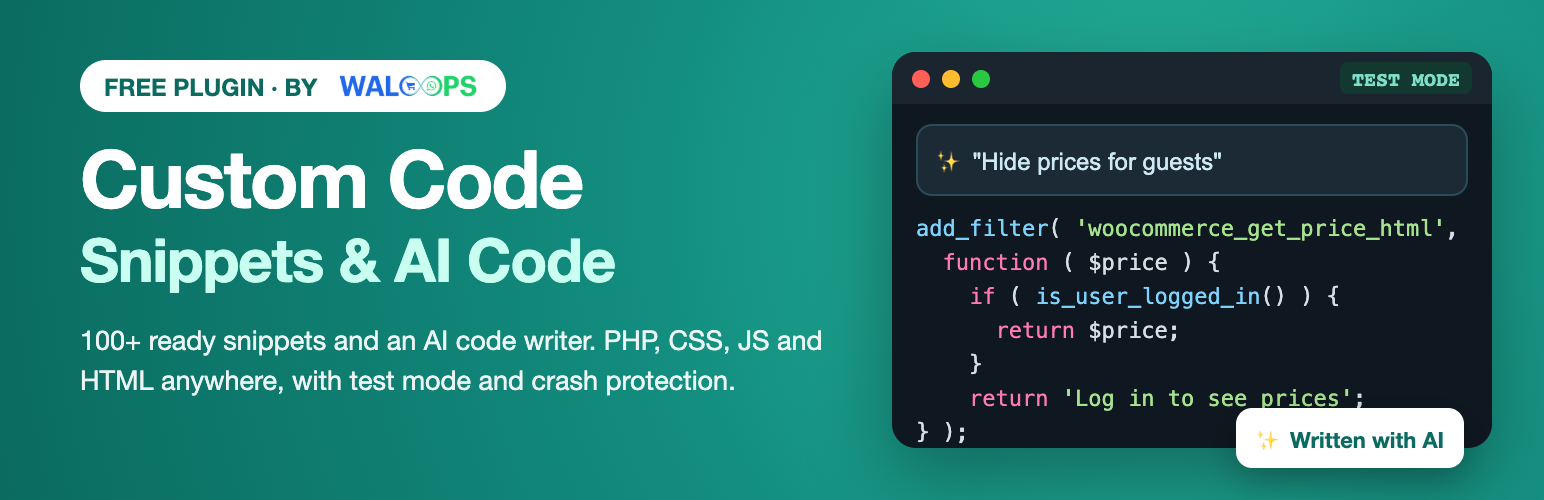
Custom Code by WALoops: Snippets & AI Code. Pick a ready-made snippet, write your own, or (with Custom Code Pro) describe what you want and the AI writes the code. It is the safe way to add code to WordPress without editing your theme. Paste a tracking script into the header, change how WooCommerce works with a PHP snippet, restyle a page with CSS, or let the Pro AI writer do it for you.
Your snippets survive theme updates, can be switched off with one click, and a broken PHP snippet switches itself off instead of taking your site down.
Crash protection that actually works
The number one fear with code snippets is a white screen and a locked-out admin. Custom Code is built so that never sticks:
- Syntax check before anything runs. PHP is checked as you type. A snippet with an error cannot be switched on, and functions that already exist on your site are caught before they cause a “cannot redeclare” crash.
- Automatic switch-off. If a snippet still throws an error or a fatal error, Custom Code switches that one snippet off and the next page load works again. The WordPress error page names the snippet, and you get an email.
- Test mode. Save a snippet in test mode and it runs only for you, while logged in. Check your site, then publish it to everyone.
- Safe mode link. A private link that runs no snippets at all for an hour, for the rare case you need it. It works even when you cannot reach the admin.
- “Is it running?” check. One click opens a page of your site in the background and tells you whether the snippet ran there, and if not, why (conditions, test mode, location).
AI snippet writer (Custom Code Pro)
The AI writer, explainer and fixer are part of Custom Code Pro. The free plugin shows where they live, so you can see what you get.
Describe what you want in plain words, in any language: “show a WhatsApp button under the price on product pages”, “redirect customers to their account after login”, “hide the coupon field on the cart”. The AI picks the right type, location and conditions for your site, writes the code, explains it and tells you how to test it. Its snippet always arrives in test mode.
- Explain this code: paste code from a tutorial and get a plain-English summary, a risk rating, and the outside services it contacts.
- Fix it with AI: when a snippet is switched off by an error, one click proposes a fix.
- Two ways to run it: WALoops AI credits (about 80–100 snippets a month, nothing to set up), or your own Anthropic API key with no limit from us.
100+ ready-made snippets
The library covers what people search for most, each one tested and filled in through a short form:
- WooCommerce: hide prices for guests, catalog mode, change the Add to cart text, skip the cart, minimum order amount, “spend X more for free shipping”, remove checkout fields, hide shipping when free shipping is available, sale badge with percentage, remove related products, rename tabs, auto-complete virtual orders, one product per cart, “Order on WhatsApp” button and more.
- Analytics and pixels: Google Analytics 4, Google Tag Manager, Meta Pixel, Microsoft Clarity, AdSense, plus WooCommerce purchase events for GA4, Meta and Google Ads.
- WordPress: classic editor, disable comments, duplicate posts, hide the admin bar, change the email sender, excerpt length, maintenance mode, 404 to home, login logo, login redirect.
- Security and speed: limit login attempts, move the login page to a secret address, security headers, a spam honeypot for comments and registrations, disable XML-RPC, stop user enumeration, disable the file editor, click-to-play YouTube embeds, preload the main image and fonts, remove emojis and jQuery Migrate, slow the Heartbeat, limit revisions.
- Store operations: minimum and maximum quantity per product, a Cash on Delivery fee, turn off COD above an order total or for chosen postcodes, custom order statuses, WhatsApp message buttons on the order screen (confirm COD, shipped, delivered).
- Privacy: a cookie banner with Google Consent Mode v2.
- Design: announcement bar, back to top button, reading progress bar, floating WhatsApp chat button.
200+ places to put code
- Header, right after
<body>, footer, as early or as late as possible. - Before or after the content, before or after paragraph N, the middle of the content, excerpts, comments.
- Between posts on the blog and archives (every N posts).
- Before or after any block, and the header and footer of block themes.
- WooCommerce: over 50 places across the shop, product page, cart, mini cart, checkout, order received page, my account and order emails.
- Theme hooks for Astra, GeneratePress, Kadence, OceanWP, Blocksy, Neve, Storefront, Genesis, Divi, Avada, Flatsome and Beaver Builder Theme.
- Page builder hooks for Elementor Pro and Bricks, and hooks of Easy Digital Downloads, LearnDash, LifterLMS, bbPress, BuddyPress and Paid Memberships Pro.
- Visitor events (JavaScript): page ready, first interaction, scroll depth, time on page, exit intent, element click, form submit, and form plugins’ success events (Contact Form 7, WPForms, Gravity Forms, Fluent Forms, Elementor Forms, Ninja Forms), plus WooCommerce add to cart, checkout updates and variation choice.
- PHP that runs everywhere, only on the front end, only in the admin, after the page is known, or once on demand.
- Any hook you name, with your own priority.
Show it only where it belongs
Combine rules with AND and OR: page type, post type, specific posts and pages, categories and tags, page template, author, URL, logged-in or not, user role, device, language (WPML and Polylang) and WooCommerce pages (shop, product, cart, checkout, order received, my account).
Works inside every page builder
Place a snippet with the Custom Code block, a native Elementor widget, Bricks element, Beaver Builder module, WPBakery and Avada elements, a classic widget, or the [custom_code id="…"] shortcode in Divi, Oxygen, Breakdance and any other builder.
Fast
Active snippets are compiled into files that PHP keeps in memory, so pages run snippets without a single database query. Options per snippet: minify CSS, load CSS or JS as a cached file, defer or async, wait for page ready, and delay scripts until the visitor’s first interaction, which takes heavy chat widgets and pixels off your PageSpeed score.
Built against snippet malware
Attackers who steal an admin login like to hide scripts in snippet plugins. Custom Code makes that hard to miss:
- Activity log of every change with user and IP, and email alerts when a snippet is added or changed by someone other than you.
- Signed code: code changed directly in the database (instead of through Custom Code) is stopped automatically and flagged for review.
- Risk scan: warnings for obfuscated code, eval, server commands, redirects and the outside domains a snippet talks to.
- Only administrators who may post unfiltered HTML can manage snippets.
Smart tags
Use {{page_title}}, {{user_first_name}}, {{product_price}} or, on the order received page, {{order_total}}, {{order_currency}}, {{order_items_json}} and {{order_email_hash}} in HTML and JavaScript snippets. Values are escaped for where they land.
Move from another plugin in one click
Custom Code finds snippets of Code Snippets, WPCode / Insert Headers and Footers, Header Footer Code Manager and Simple Custom CSS and JS on your site and copies them over, switched off until you check them. It also imports Code Snippets export files, and exports your own snippets as JSON.
Custom Code Pro
Pro adds the 16 locked snippets you see in the library (Meta Conversions API, full GA4 e-commerce events, TikTok, Pinterest and Snapchat pixels, Google Ads enhanced conversions, custom checkout fields, payment rules by country and cart, free gifts, quantity discounts, delay all third-party scripts, white-label admin, an exit-intent popup and more), AI that writes about 80–100 snippets a month (no API key needed, or use your own), conditions for schedules, country, UTM source, cookies, cart total and contents and past purchases, unlimited versions with a diff, and a cloud library to reuse snippets on all your sites. See Custom Code Pro.
The free plugin is complete on its own and stays that way: nothing in it is time-limited, and features never move from free to Pro.
Made by WALoops
Custom Code is made by WALoops, the WhatsApp automation platform for online stores. If you run a WooCommerce store, WALoops sends order updates, Cash on Delivery confirmations and abandoned cart reminders on WhatsApp, with an AI agent and a shared team inbox. The free “Order on WhatsApp” and WhatsApp chat button snippets are a good start.
External services
Custom Code does not connect to any outside service for its features. Optional usage sharing is described below. The AI writer is part of the separate Custom Code Pro add-on, which explains what it sends on its own settings screen and on the privacy page.
Library snippets for analytics and ad platforms (Google, Meta, Microsoft) load those platforms’ scripts on your site once you add and activate them; they are subject to those platforms’ terms.
Usage sharing (optional, off until you allow it) and deactivation feedback: after activation, an admin notice asks whether you want to share usage data with WALoops. Only if you click Allow, the plugin sends to https://app.waloops.com/api/plugin_events.php when you allow it and when the plugin is activated or deactivated: your site’s address, the plugin version, your WordPress, PHP and WooCommerce versions, site language, whether it is a multisite, and an anonymous site ID. When you deactivate the plugin, a short form asks why; if you click Submit & Deactivate, the reason you picked and any text you typed are sent to the same address (with your site’s address only if you allowed usage sharing). Click Skip & Deactivate to send nothing. No customer or personal data is sent. WALoops privacy policy, terms.