

Joinchat – Enhanced "click to chat"

Real example
Turn conversations into conversions
Joinchat is the most installed plugin for WhatsApp: a customizable floating button that turns your visitors into chats, leads and sales.
Built for conversion from the very first click: eye-catching CTAs, dynamic start messages, native WooCommerce integration and built-in analytics to measure every conversation.
🌍 Joinchat, the global leader in WhatsApp click to chat
🗺️ Present in more than 176 countries
🏆 #1 chat solution in:
🇦🇷 Argentina 🇨🇴 Colombia 🇧🇷 Brazil 🇪🇸 Spain 🇳🇱 Netherlands 🇲🇽 Mexico 🇨🇱 Chile 🇵🇪 Peru 🇵🇹 Portugal
Source: BuiltWith®
What you get with Joinchat
A complete WhatsApp conversion toolkit for WordPress, designed to capture more leads and close more sales.
- Floating WhatsApp button that opens the WhatsApp app on mobile, and on desktop launches WhatsApp Desktop or WhatsApp Web and shows a scannable QR code.
- Eye-catching CTAs to greet visitors, present offers and start the chat with the right message.
- Dynamic start messages so every conversation arrives with full context (the page, the product, the price, the discount…).
- WooCommerce integration, with a contact button next to “Add to cart” and shop-specific CTAs.
- Analytics built in — 🆕 — Clicks counter in your WordPress dashboard. Events for Google Analytics 4, Google Tag Manager and Facebook Pixel, plus Google Ads conversions.
- Lightweight and fast — JavaScript with no dependencies and lazy-loaded styles. No render-blocking.
- Customizable site-wide or at the page, product, category, etc. level.
🛡️ Say goodbye to the fear of WhatsApp bans
Many companies lose their WhatsApp Business number for contacting customers first without consent. Joinchat flips the model: the visitor writes first, so every conversation starts aligned with WhatsApp’s official policies.
The result: your business number protected and your customers reaching out when they need to, not the other way around.
With Joinchat, you can unlock the full potential of WhatsApp’s “click to chat” feature.
Take Joinchat further with Premium and AI
Joinchat Free is just the start. Premium and AI unlock its full conversion potential.
- 🌍 Show or hide the button by country — 🆕 — geo-target your visitors with country-specific rules. Perfect for international stores, regional campaigns and multi-language sites.
- 💬 Add more support channels — extend beyond WhatsApp with Telegram, Facebook Messenger, phone calls and more, all from the same widget.
- 🕒 Multi-agent with custom schedules — assign chats to the right person at the right time. Each agent works their own hours and only takes chats when available, and you can set an alternative CTA when no agents are online.
- 🔁 Add a Chat Funnel — guided conversational flows that qualify and capture leads automatically with higher conversion than a form, 24/7, even when no one is at the desk.
- ✨ Add an AI agent — trained on your FAQs and website content. Answers visitors instantly, anytime, with the tone and knowledge you define.
👉 Get Joinchat Premium | 👉 Get Joinchat AI
📝 Settings at page or archive level
You can change main settings on every Post, Page, Product or CPT and for Tag or Category archive pages. Edit your WhatsApp number, CTA, Start Message and Visibility options.
🔴 Show a notification
Use a balloon on the button to get the visitor’s attention. In this way, you ensure that you do not miss any important message you want to give them, surprise them in a less intrusive way.
📯 Create call-to-action messages
CTAs with Rich Chat: multiple chat bubbles with links, buttons, images or random text. Encourage users to contact you with a welcome message, offering help or promotions and offers. Read more
💬 Customize conversation start messages
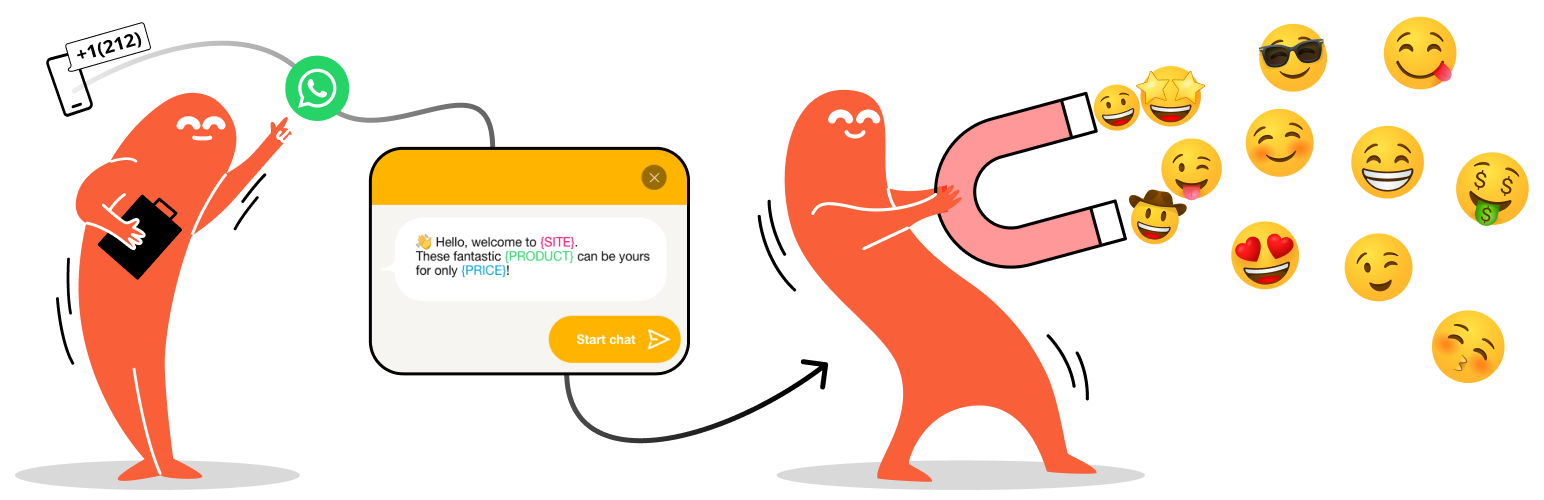
Defines a pre-loaded initial message for when the user contacts via WhatsApp. Add context with our “Dynamic Variables” and you will know what page the visitor is coming from or what product they are looking at when they start the chat.
✅ Opt-in text
Opt-in is a users’ consent to receive messages from a business.
Write a text with the conditions under which the visitor contacts you (or other info that you consider important).
You can make it mandatory and disable contact until the user accepts it.
🛒 Integration with WooCommerce
Set CTAs and Start Messages for shop page, product pages and for products on sale.
Add a WhatsApp Contact Button directly on your product page next to the “Add to cart” button or choose the best position, even on products without a price.
🧩 WhatsApp Contact Button Block
Add beautiful and customizable WhatsApp contact buttons in the Block Editor. You can define phone and initial message of the button or use the post/general Joinchat settings (ideal for Reusable Blocks).
Enable QR Code on desktop to allow your visitors to scan it and start messaging from their phone.
🃏 Dynamic Variables
Use variables in your CTAs and Start Messages that change dynamically for each page:
- {SITE} ➡ Website title
- {TITLE} ➡ Current page title
- {HOME} ➡ Website home url
- {URL} ➡ Current page url
- {HREF} ➡ Current page url (full with query params)
- {PRODUCT} ➡ Product name (Woo)
- {SKU} ➡ Product SKU (Woo)
- {REGULAR} ➡ Product regular price (Woo)
- {PRICE} ➡ Product current price (Woo)
- {DISCOUNT} ➡ Product percent discount when is on sale (Woo)
📈 Analytics Integration
Automatically send events to Google Analytics, Google Tag Manager and Facebook Pixel when the user opens WhatsApp.
- — 🆕 — Clicks counter in your WordPress dashboard
- Google Analytics 4 send the recommended
"generate_lead"event - Google Tag Manager send
"JoinChat"event - Facebook Pixel send
"JoinChat"event - Google Ads conversion, just add your Conversion ID and Conversion Label
You can also create your own custom events or add event parameters. View FAQs / Read more
🍾 Chat Triggers
Any element in your page can be a chat trigger, eg: it can launch WhatsApp from a link or show the Joinchat CTA when the user scrolls to the footer.
On page load (by url):
- url query param
joinchatto show chat window. Can set delay in seconds, default is 0 (e.g. example.com/page/?joinchat=5) - url query hash
#joinchatto show chat window (e.g. example.com/page/#joinchat)
On click:
- class
"joinchat_app"direct launch WhatsApp - class
"joinchat_open"opens Joinchat CTA - link href
"#whatsapp"direct launch WhatsApp - link href
"#joinchat"opens Joinchat CTA
Set custom phone and initial message for direct WhatsApp triggers:
data-phone="99999999"data-message="Only for this trigger message".
On scroll (when element appears on screen):
- class
"joinchat_show"opens Joinchat CTA (first time) - class
"joinchat_force_show"opens Joinchat CTA (always)
💱 Multi-Language & RTL Support
To be able to support all your users, wherever they are. Our plugin is compatible with WPML, Polylang and — 🆕 — TranslatePress and also RTL languages are supported.
🌈 Theme Colors & 🌚 Dark Mode
You choose a color and we customize the entire visual theme of the widget. With Dark Mode display the chat window with dark colors and white text. From settings you can activate it or leave it automatic and detects devices’ configuration.
⚡ Fast & Light
Only load what need when needed. Joinchat is lightweight and follow best coding practices. Use vanilla JavaScript without dependencies, deferred scripts and lazy load of styles to prevent render-blocking.
See Tests Report and Speed Score.
🔕 No distractions
Joinchat integrates with all major Visual Editors and Page Builders and will not appear when editing a page.
Supported editors: Beaver Builder, Brizy Page Builder, Elementor, Oxygen Builder, Page Builder by SiteOrigin, Thrive Architect, Visual Composer and WP Page Builder.
🍪 Cookies & GDPR
Joinchat can be used without any cookies or persisten storage and don’t collect personal data.
Joinchat integrates with WordPress’s Privacy Policy Guide and suggests the necessary text.
👨💻 Developer friendly
Fully extensible, with lots of filters and actions to extend its functionality or change behavior.
⌁ If you like Joinchat 😍
- Please leave us a ★★★★★ rating. We’ll thank you.
- Help us with the translation in your language
- Visit our blog and find tips and tricks at join.chat.
- Follow @joinchatnow on X. Join chat now!