
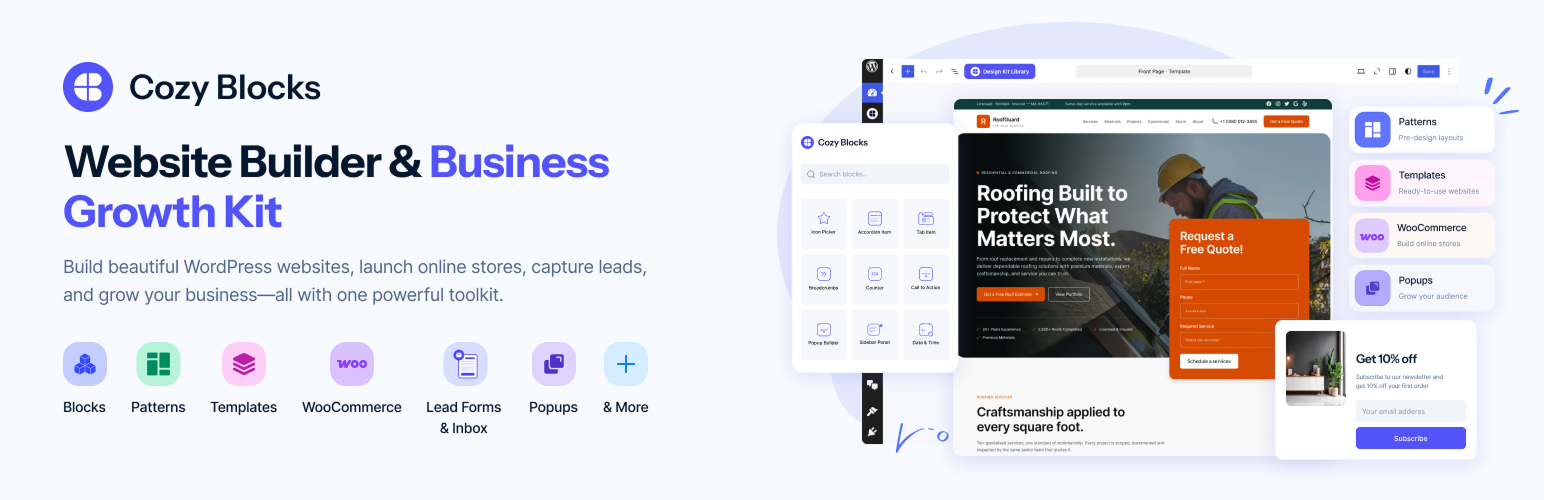

Cozy Blocks – Website Builder & Business Growth Toolkit | Popups, Lead Forms & Inbox
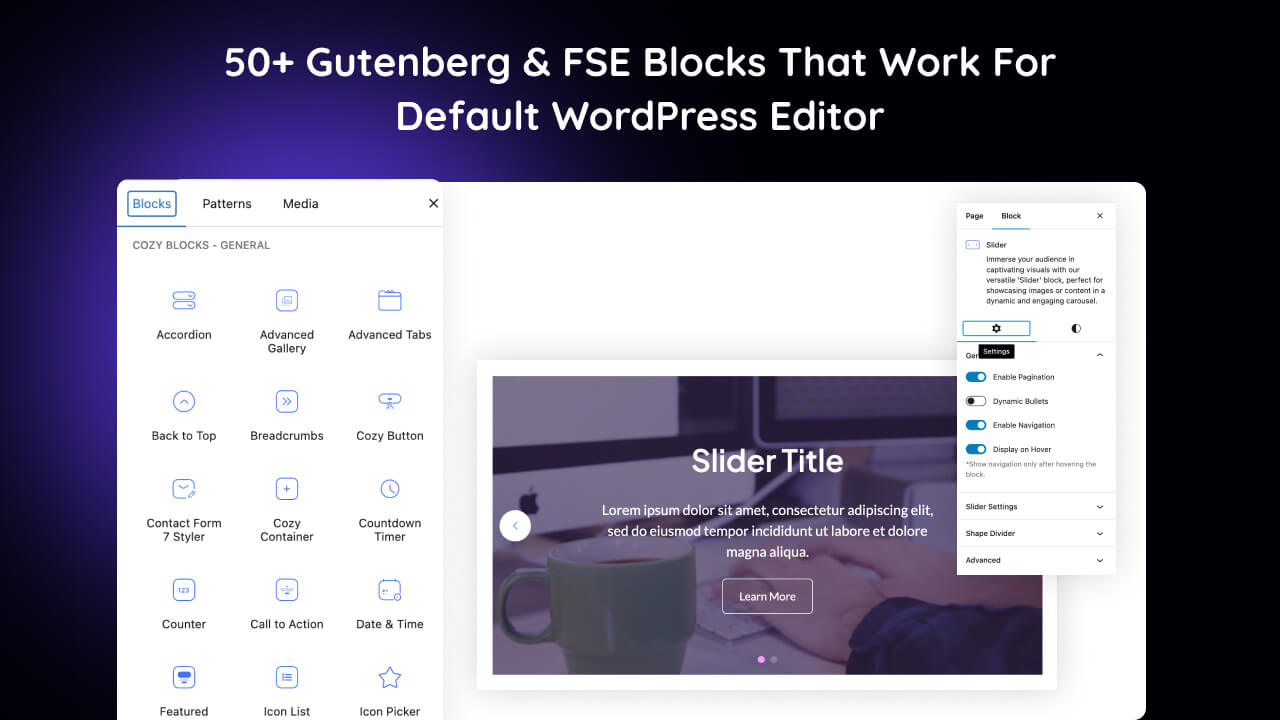
Gutenberg Blocks Collection
Build Complete WordPress Websites—Without Leaving the Block Editor
Cozy Blocks is an all-in-one website-building toolkit for the native WordPress Block Editor. Create professional business websites, WooCommerce stores, blogs, magazines, portfolios, and service sites using advanced Gutenberg blocks, ready-made patterns, starter templates, dynamic content layouts, and conversion tools.
Build faster without moving to a separate page builder or proprietary content system.
58+ advanced Gutenberg blocks · 700+ ready-made patterns · 50+ starter templates · WooCommerce tools · Lead Forms & Inbox · Popup Builder · Blog & Magazine layouts · Full Site Editing (FSE) support
Start your way:
- Build custom layouts with flexible Gutenberg blocks.
- Insert professionally designed patterns for pages and sections.
- Import a starter template and customize it in the WordPress Site Editor.
Why Cozy Blocks?
Start with a complete starter template, insert a ready-made pattern, or create custom layouts with flexible Gutenberg blocks. Cozy Blocks brings website building, ecommerce, publishing, design, and conversion tools into the native WordPress Block Editor.
- Start faster — Choose from 700+ ready-made patterns and 50+ starter templates for business websites, services, blogs, portfolios, ecommerce stores, and more.
- Build with flexibility — Use 58+ Gutenberg blocks for layouts, content, marketing, navigation, publishing, and ecommerce.
- Create richer WooCommerce stores — Build product grids, carousels, categories, featured products, quick views, wishlists, reviews, and promotional store sections directly in WordPress.
- Publish better content — Create engaging blog, news, and magazine layouts with post grids, carousels, sliders, featured posts, related posts, tickers, and category-based content sections.
- Grow your audience — Add popups, slide-ins, announcement bars, calls to action, pricing tables, countdowns, testimonials, and other conversion-focused sections.
- Build dynamic websites — Display portfolios, FAQs, testimonials, posts, products, and other structured content with dedicated tools and flexible layouts.
- Design with more control — Customize responsive layouts, typography, colors, spacing, animations, hover effects, and device visibility without writing custom code for common changes.
- Keep your site lean — Enable only the Cozy Blocks features and blocks you need with the Block Enable/Disable Manager.
- Stay native to WordPress — Work inside the familiar WordPress Block Editor and Site Editor without relying on a separate proprietary page-builder interface or locked-in content format.
- Lead Forms & Inbox — Capture more leads with customizable forms, collect customer enquiries, and manage submissions from one centralized inbox—all within WordPress.
From one section to a complete website, Cozy Blocks gives you the tools to build, customize, publish, sell, and grow with WordPress.
🛒 WooCommerce Store Builder
Create richer online stores with WooCommerce blocks.
Cozy Blocks gives you the blocks and layouts to build, showcase, and customize your WooCommerce store directly in the WordPress Block Editor.
Build Your Store
Product Grid · Product Carousel · Product Slider · Featured Products · Product Categories
Enhance Shopping
Add to Cart · Product Reviews · Quick View · Wishlist · Product Showcase Tabs
From product showcases to promotional store sections, build a more flexible WooCommerce store without leaving the WordPress editing workflow.
📰 Blog, News & Magazine Builder
Turn WordPress posts into engaging publishing layouts.
Cozy Blocks gives you the blocks and layouts to build rich blogs, news sites, online magazines, and content-driven websites directly with Gutenberg.
Build Editorial Layouts
Post Grid · Post Carousel · Post Slider · Featured Posts · Magazine Grid · Magazine List
Help Visitors Discover More
Trending Posts · Popular Posts · Related Posts · Categorized Post Tabs · Featured Post Tabs
Keep Stories Visible
News Ticker · Advanced Categories · Post Views · Post Comments
Go beyond a standard blog archive and create engaging, structured content experiences with WordPress blocks.
📈 Business Growth Toolkit
Build the sections that help your website communicate, build trust, and drive action.
Cozy Blocks includes practical tools for business websites and client projects.
Build Trust
Testimonials · Team · Brand Showcase · Portfolio · Reviews
Drive Action
CTA · Pricing Table · Countdown · Popup · Featured Content
Present Your Business
Services · Features · Statistics · Portfolio · FAQ · Contact
Create Better Experiences
Mega Menu · Tabs · Accordion · Sidebar Panel · Slider · Gallery · Before/After
Use the right block for the job instead of relying on a collection of basic text and image elements.
Popup Builder
Create targeted popups, slide-ins, announcement bars, and cookie notice bars directly in the WordPress Block Editor. Choose when, where, and for whom each message appears with flexible triggers, targeting rules, frequency controls, and practical layouts.
Popup & Display Types
- Popups — Center, top, bottom, and full-screen layouts
- Slide-ins — Bottom-left, bottom-right, top-left, and top-right layouts
- Announcement Bars — Top, bottom, and sticky bars
- Cookie Notice Bars — Bottom bar, floating box, and full-width notice layouts
Smart Triggers & Conditions
Control exactly when your popup or message appears:
- Exit Intent — Trigger when a visitor moves toward leaving the page; desktop-focused with once-per-session or visitor controls
- Time Delay — Show after a set number of seconds, with optional device-specific delays
- Scroll Trigger — Trigger after a specific scroll percentage or near the bottom of a page
- Click Trigger — Open from buttons or links, CSS classes/selectors, with support for multiple triggers
- Device Targeting — Show or hide on desktop, tablet, or mobile
- Page Targeting — Target your entire website, homepage, specific pages or posts, categories, tags, post types, and WooCommerce pages, products, or categories
- User Role Conditions — Display to everyone, logged-in users, logged-out users, or specific WordPress roles
- Frequency Control — Control how often visitors see a message, including every visit, once per session, once per visitor, or after a set number of days
Build targeted promotional messages, lead-generation campaigns, important announcements, offers, and site notices without adding another popup plugin.
Lead Forms & Inbox
Capture customer enquiries, manage leads, and simplify follow-ups directly in WordPress. Build custom forms with Gutenberg blocks, collect waitlist signups, and manage submissions from one central inbox.
Form Builder & Lead Capture
- Pre-Built Form Templates — Create contact, quote, booking, service, product enquiry, consultation, support, feedback, newsletter, lead magnet, and waitlist forms.
- Custom Form Builder — Customize fields, labels, validation, and form settings with Gutenberg blocks.
- Multi-Step Forms — Break longer forms into simple steps for a smoother submission experience.
- Newsletter Signup Forms — Grow your subscriber list with supported email marketing integrations.
- Lead Magnet Forms – Collect leads by offering guides, checklists, coupons, and downloadable resources.
- Waitlist Forms — Collect signups for upcoming launches, services, events, and early access.
- Spam Protection — Reduce unwanted submissions with supported spam prevention options.
Lead Management & Follow-Up
- Centralized Lead Inbox — View and manage submissions from all your forms in one place.
- Lead Status Tracking — Organize enquiries by status, such as New, In Progress, and Resolved.
- Submission Details — Review contact information, enquiry details, and submitted messages.
- Email Notifications — Receive new lead alerts and send customer confirmation emails.
- Lead Organization — Search, filter, and review submissions to prioritize follow-ups.
- Newsletter Integrations — Connect Mailchimp (Brevo coming soon) to grow your list and use their available automation tools.
Capture leads, manage enquiries, and stay on top of follow-ups—all from your WordPress dashboard
⚡ 58+ Advanced Gutenberg Blocks
Powerful blocks for real-world WordPress websites.
Build flexible layouts, engaging content, marketing sections, publishing experiences, and WooCommerce stores with a versatile collection of advanced Gutenberg blocks.
Layout & Navigation
Container · Mega Menu · Tabs · Accordion · Toggle · Sidebar Panel · Breadcrumbs
Content & Marketing
Slider · Gallery · CTA · Pricing Table · Counter · Progress Bar · Countdown · Popup
Blog & Publishing
Post Grid/Carousel · Post Slider · Featured Post · Popular Post · Trending Post · Related Post · Magazine Grid · Magazine List · News Ticker
WooCommerce
Product Grid/Carousel · Product Category · Featured Product · Product Slider · Add to Cart · Product Reviews · Quick View · Wishlist · Product Showcase Tabs
Business & Showcase
Testimonials · Team · Portfolio Gallery · Social Icons · Social Shares · Before/After
And more for building complete layouts, content sections, and interactive experiences.
🎨 700+ Ready-Made Patterns
Start with a ready-made section and make it your own.
Choose from professionally designed patterns for: Hero · About · Services · Features · Pricing · Testimonials · Team · Portfolio · Blog · FAQ · Contact · CTA · Newsletter · Statistics · Brand Showcase · WooCommerce
Insert, customize, and launch — without building every section from scratch.
🚀 50+ Starter Templates
Start with a complete website, not a blank page.
Choose from ready-made templates for: Agency · Business · SaaS & Startup · Home Services · Blog & Magazine · Charity & Nonprofit · Education · Restaurant & Hotel · Photography · Portfolio · Author & Writer · WooCommerce
Import a complete starting point, customize the content and design, and launch with the WordPress Block Editor.
🎯 Design With More Control
Create polished layouts without custom code for every adjustment.
Cozy Blocks adds practical controls for:
- Responsive layouts and device visibility
- Typography and Google Fonts
- Colors, spacing, alignment, and styling
- Hover effects
- Scroll animations
- Interactive content
- Block-level customization
The Block Enable/Disable Manager also lets you control which Cozy Blocks features are active on your website.
🧩 More Than Blocks
Go beyond static blocks with dedicated content types for dynamic websites.
Cozy Blocks includes Portfolio, FAQ, and Testimonial custom post types with multiple layouts for flexible content presentation, plus built-in schema generation for FAQs and Testimonials.
Portfolio — Create and organize projects with a dedicated Portfolio post type and multiple layouts.
FAQs — Manage reusable FAQ content with multiple layouts and built-in FAQ schema.
Testimonials — Manage customer testimonials with multiple layouts and built-in testimonial schema.
Create structured content once, then display it dynamically across your website.
🧱 Built for the WordPress Block Editor
Native WordPress building, designed for a streamlined and efficient website.
Cozy Blocks extends the WordPress Block Editor, Gutenberg, and Full Site Editing with the tools you need to build complete websites — without replacing WordPress’s native editing system with another page builder.
Why it matters:
- Native WordPress Experience — Build and manage your website using the editor you already know.
- Flexible Website Building — Combine blocks, patterns, templates, and design controls to create layouts for any business or website type.
- Less Dependency — No separate proprietary page-builder interface or locked-in content format.
- Built to Grow With Your Website — Create, edit, and expand your website while keeping your content within the WordPress ecosystem.
Build freely, manage easily, and keep your website built on the WordPress foundation.
External services
The Form block can use the following services, available with Cozy Blocks Pro. All are off until the site owner sets them up under Lead Forms Settings (Spam protection or Integrations).
Cloudflare Turnstile checks that a form is filled in by a person. When a Turnstile site key and secret key are saved, pages with a Form block load Turnstile’s script from challenges.cloudflare.com, and the visitor’s browser exchanges information about the visit (such as the IP address) with Cloudflare. When the form is sent, the site sends the Turnstile token and the visitor’s IP address to Cloudflare to verify it. The secret key is only sent from the site’s server to Cloudflare and never appears in pages. Terms of service, privacy policy.
Google reCAPTCHA checks that a form is filled in by a person. When reCAPTCHA keys are saved and a form uses it, pages with that form load Google’s script from www.google.com, and the visitor’s browser sends Google information about the visit and the device (such as the IP address, browser details and interactions with the page). Version 2 shows an “I’m not a robot” checkbox; version 3 runs invisibly and scores each submission. When the form is sent, the site sends the reCAPTCHA token and the visitor’s IP address to Google to verify it. The secret key is only sent from the site’s server to Google and never appears in pages. Terms of service, privacy policy.
Akismet (by Automattic) detects spam. When the Akismet plugin is active with an API key and “Check submissions with Akismet” is enabled, each form submission is sent to Akismet through the Akismet plugin: the details entered in the form, the visitor’s IP address, browser user agent, referring page and the page the form is on. Terms of service, privacy policy.
Mailchimp (by Intuit) stores mailing list contacts. When a Mailchimp API key and Audience ID are saved and an Email field of a form is set to add people to the mailing list, the visitor’s email address with their marketing consent, their name and phone number when the form asks for them, and (Pro) the answers of form fields mapped to fields of the Mailchimp audience, are sent from the site’s server to the Mailchimp API (.api.mailchimp.com) after they submit the form, only when they ticked the consent box the field asks for. The API key is only sent to Mailchimp, in the request’s authorization header, and is never shown in pages. Terms of use, privacy policy.
WordPress.org plugin directory: under Lead Forms Settings General, the site owner can install an SMTP plugin with one click. Its details and icon are read from api.wordpress.org and the plugin is downloaded from downloads.wordpress.org, exactly as under Plugins Add New. Nothing is requested until that settings page is opened.
Webhooks send each new form entry (the details entered, the form and the page it was sent from) as JSON to addresses the site owner enters under Lead Forms Settings Integrations, such as Zapier, Make or n8n. Nothing is sent until the site owner adds an address. Uploaded files are listed by name only.
License
This plugin is licensed under the GPLv2 or later license. See LICENSE for more details.