
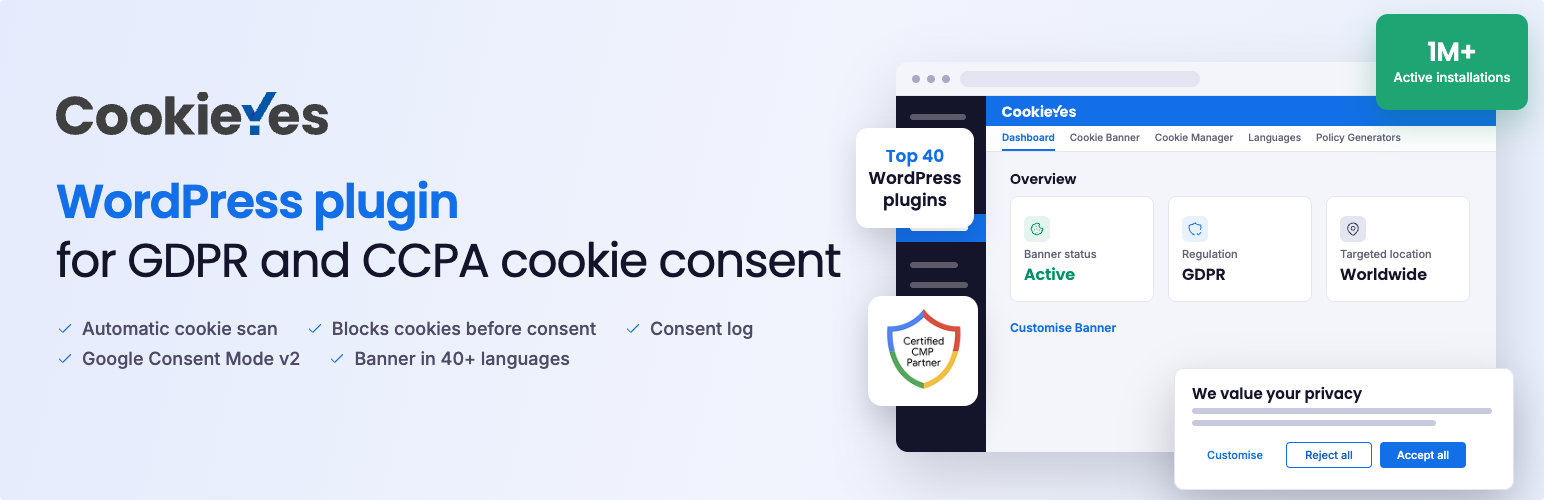

CookieYes – Cookie Banner, Cookie Consent & Cookie Notice for GDPR/CCPA
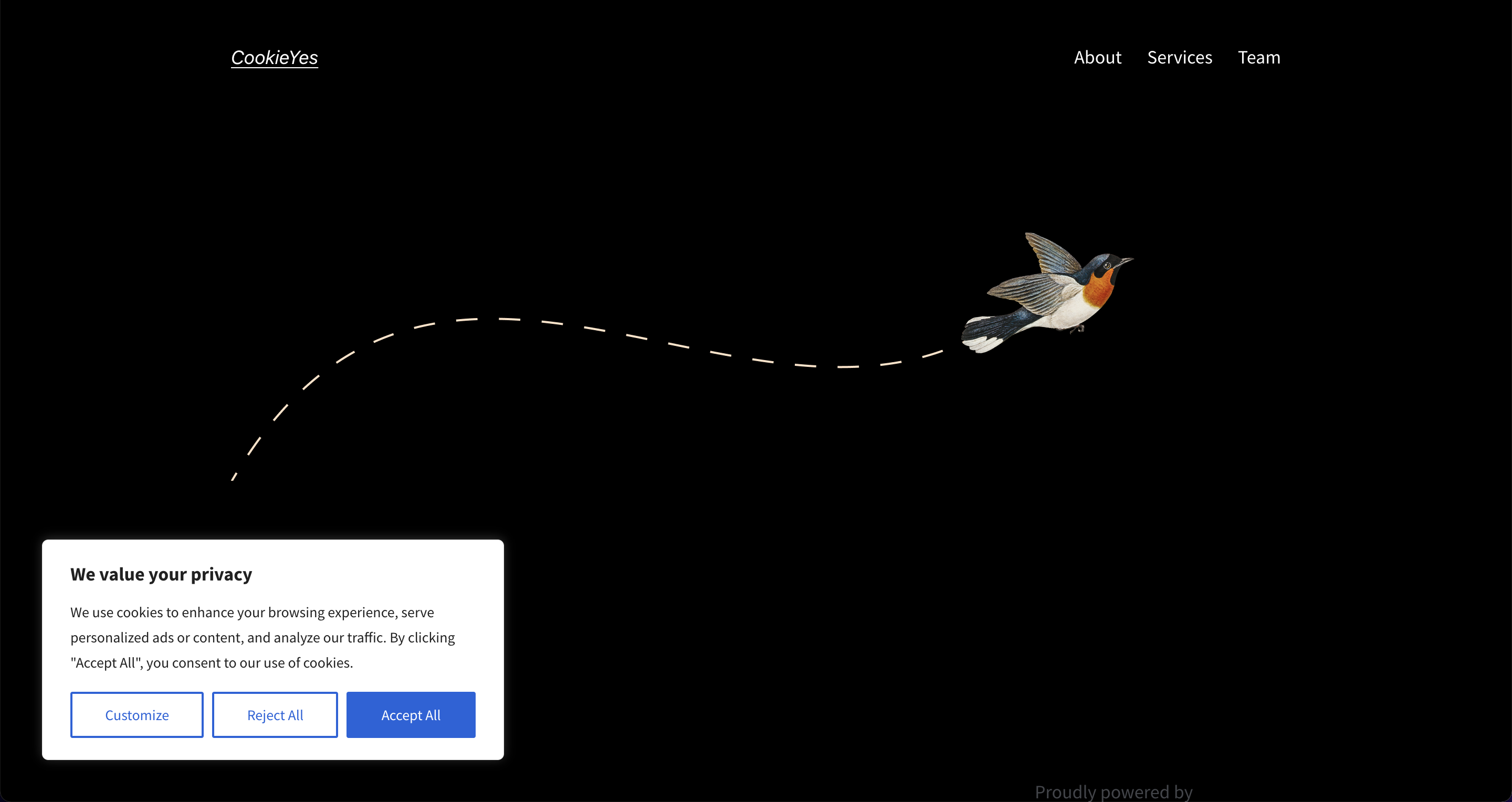
Cookie banner on the user end
CookieYes is a Google-certified CMP (consent management platform) for WordPress. Add a cookie banner or cookie notice and block cookies until visitors agree, all from one cookie plugin. Connect the free CookieYes web app to scan your site, keep a consent log and generate your cookie policy. It runs on over 1 million WordPress sites, holds a 4.8-star rating from 3,200+ reviews, and offers banners in 40+ languages on paid plans.
CookieYes helps you work toward compliance with GDPR, UK GDPR and the ePrivacy Directive, DSGVO and TDDDG (formerly TTDSG) in Germany, RGPD in France and Spain, CNIL guidelines in France, AVG in the Netherlands, PECR in the UK, CCPA/CPRA and other US state laws (VCDPA, CPA, CTDPA, UCPA), LGPD (Brazil), PIPEDA and Law 25 (Canada and Quebec), POPIA (South Africa), nFADP (Switzerland), the Australian Privacy Act, PDPA (Singapore and Thailand) and PDPL (Saudi Arabia).
Why site owners choose CookieYes
- Working banner on activation: a consent banner appears as soon as you activate the plugin, with no configuration needed.
- No load on your database: cookie scanning, consent logs and processing run in the CookieYes cloud, so your WordPress database stays lean and your pages stay fast.
- Google-certified CMP: Google requires publishers serving personalised AdSense, Ad Manager or AdMob ads to visitors in the EEA, UK and Switzerland to use a Google-certified CMP that integrates with the IAB TCF. CookieYes is Google-certified, with IAB TCF v2.4 on Pro and Ultimate plans.
- Free cookie consent: the plugin is free and works without an account: banner, cookie blocking and cookie manager. Connect to the CookieYes web app on its free plan for the cookie scanner, consent logs, Google Consent Mode v2 and policy generators.
How CookieYes works
- Install and activate. A cookie consent banner appears on your site straight away, with no account needed.
- Scan your site. Connect the plugin to the CookieYes web app on its free plan, and the cookie scanner finds the cookies your site sets.
- Review cookie categories. Cookies are grouped into categories such as necessary, functional, analytics and advertising, which you can edit in the cookie manager.
- Choose your consent model. Use an opt-in banner for GDPR-style laws or an opt-out banner for US state laws. To show both, each by region, use geo-targeting on Pro and Ultimate plans.
- Block cookies. Non-essential cookies stay blocked until a visitor agrees. With a web app connection, their choice is also passed to Google Consent Mode v2.
- Record and document. With a web app connection, each choice is saved in the consent log and your Cookie Policy and Privacy Policy are generated from your scan results.
Features
CookieYes works at three levels:
- Free plugin, no account needed: cookie banner, automatic cookie blocking for the cookies you add, cookie manager, banner design and a banner in one language of your choice.
- Free CookieYes web app, free account needed: cookie scanner, consent log, Google Consent Mode v2, Microsoft UET Consent Mode, policy generators and dashboard insights.
- Paid web app plans (Basic, Pro, Ultimate): geo-targeting, IAB TCF, multiple banner languages, higher limits and more, as listed under Premium Features.
When you connect the plugin to the web app, your banner is then served and managed from the web app, and the features available follow your web app plan.
Free plugin: works without an account
- Cookie Consent Banner: A banner appears on activation, with Accept All, Reject All and Customize buttons. Choose a GDPR opt-in template or a US State Laws opt-out template.
- Automatic Cookie Blocking: Add cookies in the cookie manager with their script URL patterns, and the built-in cookie blocker holds back the matching scripts and embeds until visitors give explicit consent.
- Blocked Content Placeholder: Show a placeholder over blocked YouTube videos until the visitor consents.
- Preference Center: Let visitors accept cookies, reject them or manage cookies by category, with a cookie list for each category.
- Revisit Consent Button: A floating button lets visitors change their choices at any time.
- CCPA/CPRA Opt-Out: Add a “Do Not Sell or Share My Personal Information” link for California residents, with an opt-out confirmation on the US State Laws banner.
- Banner Design: Choose a bar or box layout and a light, dark or custom colour scheme, edit every word of the cookie notice or cookie message, including button labels, and add a Read More link to your cookie or privacy policy and an optional close (X) button.
- Banner Language: Your banner shows in one language of your choice. Adding more languages needs a paid plan.
- Cookie Manager: Add, edit or delete cookies, rename or describe cookie categories, and edit cookie list content in your preferred language.
- Consent Settings: Set how long consent lasts, and optionally reload the page after a visitor makes a consent choice.
- Accessibility: The banner meets WCAG 2.1 AA.
Free CookieYes web app: needs a free account
- Cookie Scanner: Scan your site and the cookies it finds are added to your cookie list automatically, so automatic cookie blocking covers them without manual setup. You can also see your scan history. The free plan includes 5 scans a month of up to 100 pages each.
- AI Cookie Classification: Unknown cookies found in scans are classified automatically, keeping your cookie list, banner and Cookie Policy accurate.
- Consent Logging: Record visitor consent for consent management audits, export it as CSV and download proof of consent.
- Google Consent Mode v2: Pass consent signals to Google Analytics 4, Google Ads and Google Tag Manager, in Basic or Advanced Consent Mode, with region-specific default consent states, wait for update, URL passthrough and ads data redaction.
- Google Privacy Policy Link: Add Google’s privacy policy link to your banner if you use Google services such as AdSense, Firebase or Analytics.
- Microsoft UET Consent Mode: Make Microsoft Advertising tags follow visitor consent.
- Cookie Policy and Privacy Policy Generators: Create both policies from your own scan results. Pages update automatically when your cookies change.
- Dashboard Insights: See consent trends and pageviews for the last 7 days inside WordPress.
- Central Management: Manage scans, policies and settings for your sites in one place.
- EU Data Storage: Consent data is stored in EU-based data centres under a Data Processing Agreement.
- Two-Factor Authentication (2FA): Add an extra layer of security to your CookieYes account.
Privacy Laws
- Europe: GDPR, ePrivacy Directive, DSGVO and TDDDG (Germany), RGPD (France, Spain), CNIL guidelines (France), AVG (Netherlands), nFADP (Switzerland).
- United Kingdom: UK GDPR and PECR.
- United States: CCPA/CPRA (California), VCDPA (Virginia), CPA (Colorado), CTDPA (Connecticut), UCPA (Utah).
- Americas: LGPD (Brazil), PIPEDA (Canada), Law 25 (Quebec).
- Africa, Middle East and Asia-Pacific: POPIA (South Africa), PDPL (Saudi Arabia), PDPA (Singapore and Thailand), Privacy Act (Australia).
Integrations
These work without an account unless marked.
- WordPress and page builders: WooCommerce, Elementor, Divi, Gutenberg, Contact Form 7 and WPForms.
- Multilingual plugins: WPML, Polylang and TranslatePress, for banners in more than one language on paid plans.
- WP Consent API: shares consent states with other compatible plugins through the WP Consent API.
- Google and Microsoft Advertising: passes consent to Google Tag Manager, Google Analytics 4 and Google Ads through Google Consent Mode v2, and to Microsoft Advertising through UET Consent Mode, with a free web app connection.
- Other tags: passes consent to Microsoft Clarity and Meta Pixel, with a web app connection.
- Performance: compatible with major caching plugins and optimised for PHP 8.
AI and Agent Tools
- CookieYes MCP Server: Connect AI assistants to your CookieYes account through the Model Context Protocol. Check banner status, run cookie scans, review your setup and update banner settings in plain language. Works with Claude, ChatGPT, Codex, Cursor, Claude Code and GitHub Copilot CLI. Needs a free CookieYes account.
GDPR Compliance and Privacy Compliance
CookieYes is a GDPR plugin for cookie consent. It supports GDPR compliance by blocking non-essential cookies before consent, letting visitors withdraw consent at any time and, with a web app connection, keeping a consent log, as the GDPR (DSGVO in Germany, RGPD in France and Spain) and the ePrivacy Directive require.
For privacy compliance beyond the EU, the same GDPR plugin covers the CCPA/CPRA opt-out, US state privacy laws, LGPD in Brazil, PIPEDA and Law 25 in Canada, POPIA in South Africa and nFADP in Switzerland.
Cookie compliance also depends on keeping your setup current. Your cookie banner runs in the cookie compliance plugin, and a free CookieYes web app connection adds the cookie scanner, consent records and Cookie Policy to the same setup, so your privacy compliance setup stays consistent as your site changes.
Please note: installing CookieYes does not on its own make your site compliant. Compliance depends on the cookies your site uses and how you configure the plugin, so review your setup and take legal advice where needed.
Who CookieYes is for
- Small businesses and site owners: a free plugin with a working banner on activation, a free web app plan, and cookie compliance without coding.
- Marketers: Google Consent Mode v2 and Microsoft UET Consent Mode with a free web app connection, so analytics and ad measurement follow visitor choices.
- Developers: WP Consent API integration, agent-readable setup files, PHP 8 support and compatibility with major caching plugins, plus the CookieYes MCP server with a CookieYes account.
- Agencies: manage client sites from the CookieYes web app with multi-user roles, and join the CookieYes partner program.
- Large sites and enterprises: geo-targeting, IAB TCF v2.4 and scheduled scans on Pro and Ultimate plans, plus scans of up to 8,000 pages and scanning behind login on Ultimate.
Set Up Your Cookie Banner With an AI Coding Assistant
CookieYes ships an AGENTS.md file, and a CLAUDE.md, in the plugin root. It gives AI coding assistants an agent-readable setup flow, the regulation coverage map, and a post-install verification checklist, so an assistant can install and configure the cookie banner without being walked through each step. Point your assistant at the plugin directory and ask it to set up CookieYes. It works with Claude Code, Cursor, GitHub Copilot, ChatGPT, Gemini CLI, OpenAI Codex and any tool that follows the AGENTS.md convention.
Premium Features
These need a paid plan (Basic, Pro or Ultimate) in the CookieYes web app. The plan for each feature is shown next to it. Compare plans
Advanced Consent Management
- Geo-Targeting: Show the right banner for each visitor’s region, such as a GDPR banner in the EU and a CCPA banner in California, on Pro and Ultimate plans.
- IAB TCF v2.4: Full support for the Transparency and Consent Framework for publishers and advertisers, on Pro and Ultimate plans.
- Google Additional Consent Mode: Manage consent for Google Ad Tech Providers outside the IAB Global Vendor List, on Pro and Ultimate plans.
- Global Privacy Control (GPC): Respect GPC signals from visitors’ browsers automatically, on Pro and Ultimate plans.
Enhanced Banner Customization
- Cookie Popup Layout: Show the banner as a cookie popup, on Pro and Ultimate plans.
- Custom CSS: Add your own CSS, on all paid plans.
- Custom Logo: Add your brand’s logo, on the Ultimate plan.
- Page-Specific Controls: Hide the banner on chosen pages, such as login or checkout, on Pro and Ultimate plans.
- Remove Branding: Remove “Powered by CookieYes” from the banner, on the Ultimate plan.
- More Banner Languages: Add more languages, with auto-translation into 40+ languages, and show each visitor the banner in their browser language, on all paid plans.
Extended Cookie Management
- Higher Pageview Limits: Go from 5,000 pageviews a month on the free plan to 100,000 on Basic, 300,000 on Pro or unlimited on Ultimate.
- Larger Scans: Run unlimited scans of up to 600 pages on Basic, 4,000 on Pro or 8,000 on Ultimate.
- Scheduled Scans: Rescan automatically every month on Pro or every week on Ultimate to keep your cookie list current.
- Scan Behind Login: Find cookies on login-only pages, on the Ultimate plan.
Subdomain and Multi-User Support
- Subdomain Consent Sharing: Share consent across your subdomains, on Pro and Ultimate plans.
- Multi-User Management: Set roles and permissions in the web app, on all paid plans.
Support
Get free support on the WordPress.org support forum. Search existing threads or open a new one with your site URL, WordPress version and a short description of the issue. Paid plans get support from the CookieYes support team.
Resources
- Setup guide
- Plugin FAQ
- Knowledge base
- GDPR cookie consent guide
- Cookie law guide
- Cookie banner guide
- Translate CookieYes
- Privacy Policy and Data Processing Agreement
Data and Privacy
When you connect it to the CookieYes web app, this plugin connects your site to app.cookieyes.com to run cookie scans, sync settings with your CookieYes account, and show scan results and consent data in your dashboard. It connects to feedback.cookieyes.com only to collect feedback when the plugin is deactivated. See our Privacy Policy and Terms & Conditions for details.
The plugin sets one cookie, “cookieyes-consent”, to remember each visitor’s consent choices on later visits. It does not collect or store any personal information about your visitors.