

CodeWP Shield Monitor
CodeWP Shield Monitor security dashboard with protection score, file integrity, malware scan, and audit log panels.
CodeWP Shield Monitor (ShieldPress) adds a careful baseline of WordPress security controls without sending site data to third parties by default.
Monitor your website health anywhere — visit shieldpress.net or download the ShieldPress app on iOS and Android to keep track of your site’s security status, receive real-time alerts, and manage protection settings on the go.
Security & Hardening
- Rate limits repeated failed logins by hashed IP address.
- Restricts public user enumeration.
- Adds conservative browser security headers.
- Optionally disables XML-RPC.
- Disables dashboard file editing.
- Hides the default login/admin paths behind a custom login slug when enabled.
- Shows failed-login IPs with manual block and unlock controls.
- Adds honeypot fields to login, registration, and comment forms to silently block automated bots.
- Blocks PHP execution inside the uploads directory and prevents uploading dangerous file types.
- Supports comment and registration rate limiting per IP with optional math CAPTCHA challenges.
Monitoring & Scanning
- Records a local security audit log with configurable retention (30 days default).
- Monitors important WordPress files once daily during off-peak hours using SHA-256 hashes.
- Runs lightweight suspicious-code and database scans with severity-based findings.
- Adds threat intelligence checks for admin anomalies, executable uploads, suspicious options, cron hooks, MU plugins, fake CAPTCHA content, external scripts, cloaking signals, and hardening gaps.
- Ships 38 built-in threat detection patterns covering web shells, backdoors, obfuscation techniques, credit card skimmers, SEO spam, PHP object injection, SQL injection, SSRF, and more — based on real-world CVEs and active malware campaigns (Balada Injector, Sign1, SocGholish, mu-plugins backdoors).
- Skips previously clean malware-scan files while their SHA-256 hash is unchanged.
- Flags external JavaScript and URLs outside the current site domain in source or database content.
- Lets administrators run manual scans or schedule scans daily, weekly, or monthly.
- Emails alerts for administrator logins, blocked login attacks, file changes, and suspicious scan findings.
Firewall & Threat Patterns
- Includes a Web Application Firewall (WAF) to block SQL injection, XSS, path traversal, PHP object injection, SSRF, CRLF injection, and other common attack patterns.
- Provides an extensible threat pattern engine for custom malware signatures, WAF rules, and database content patterns with import/export support.
- Rate-limits audit log events to prevent database flooding during brute-force attacks.
Activity & Notifications
- Records recent public content create/update activity and new administrator access.
- Records WordPress core, plugin, and theme update events.
- Records plugin and theme lifecycle events, including activation, deactivation, installs, and updates.
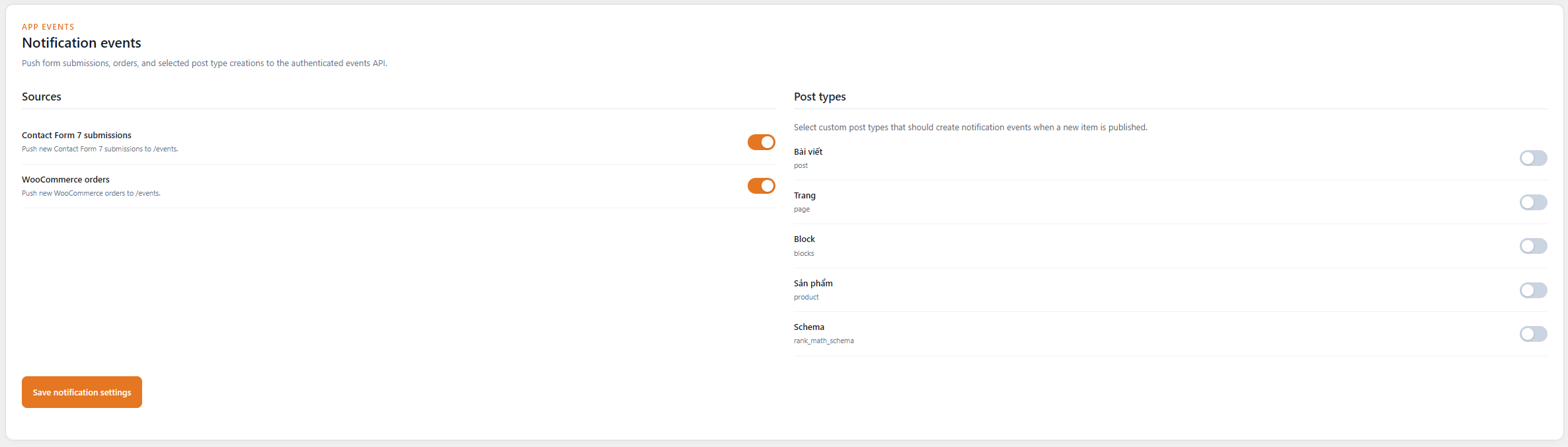
- Pushes Contact Form 7 submissions, WooCommerce orders, and selected custom post type creations to the authenticated events API.
- Provides an incident-response summary with prioritized findings and next review steps.
App & API Integration
- Displays basic WordPress security and update status in wp-admin.
- Provides token-authenticated REST endpoints for the ShieldPress App and Web dashboard.
- Pairs the App using a local QR code and a short-lived, one-time exchange code.
- Creates scoped, one-time quick-login URLs for paired App/Web clients when enabled.
Tools
- Provides database cleanup tools for spam, revisions, orphaned data, expired transients, and inactive subscriber accounts.
- Offers media optimization with optional thumbnail generation control and automatic WebP conversion on upload.
CodeWP Shield Monitor hashes IP addresses in its 30-day audit log. For failed-login lockout management, it may also store recent source IP addresses, attempt counts, lockout status, and last failed-login time so administrators can block or unlock those IPs. File contents and post body content are never stored.
External services
CodeWP Shield Monitor can connect to the official WordPress.org checksum API when the administrator enables core checksum verification. The service is used to compare local WordPress core file hashes with official release hashes. It sends the installed WordPress version and site locale at most once every 12 hours; it does not send stored credentials, file contents, full database values, post body content, audit-log IP hashes, API tokens, or CAPTCHA tokens. WordPress.org provides this service under the WordPress.org Terms of Service and Privacy Policy.
Terms: https://wordpress.org/about/terms-of-service/
Privacy: https://wordpress.org/about/privacy/
CodeWP Shield Monitor can connect to Cloudflare Turnstile only when an administrator enables CAPTCHA challenges, selects Cloudflare Turnstile, saves a Turnstile site key and secret key, and chooses the forms to protect. Public pages that may contain selected login, registration, or WooCommerce checkout forms can load Cloudflare’s Turnstile JavaScript from challenges.cloudflare.com to display the challenge. During protected form submissions, the plugin sends the Turnstile response token, configured secret key, and visitor IP address to Cloudflare’s siteverify endpoint to validate the challenge. This is required for the optional Turnstile CAPTCHA feature.
Terms: https://www.cloudflare.com/website-terms/
Privacy: https://www.cloudflare.com/privacypolicy/
CodeWP Shield Monitor can connect to Google reCAPTCHA only when an administrator enables CAPTCHA challenges, selects Google reCAPTCHA v2 or v3, saves a reCAPTCHA site key and secret key, and chooses the forms to protect. Public pages that may contain selected login, registration, or WooCommerce checkout forms can load Google’s reCAPTCHA JavaScript from google.com to display or run the challenge. During protected form submissions, the plugin sends the reCAPTCHA response token, configured secret key, and visitor IP address to Google’s siteverify endpoint to validate the challenge. When Google reCAPTCHA v3 is selected, the plugin also checks the returned score against the configured threshold, which defaults to 0.1. This is required for the optional Google reCAPTCHA feature.
Terms: https://policies.google.com/terms
Privacy: https://policies.google.com/privacy