

ClickSyncr for Loops – Contact Form 7, WPForms, Gravity Forms, Ninja Forms, Fluent Forms, Formidable & Forminator
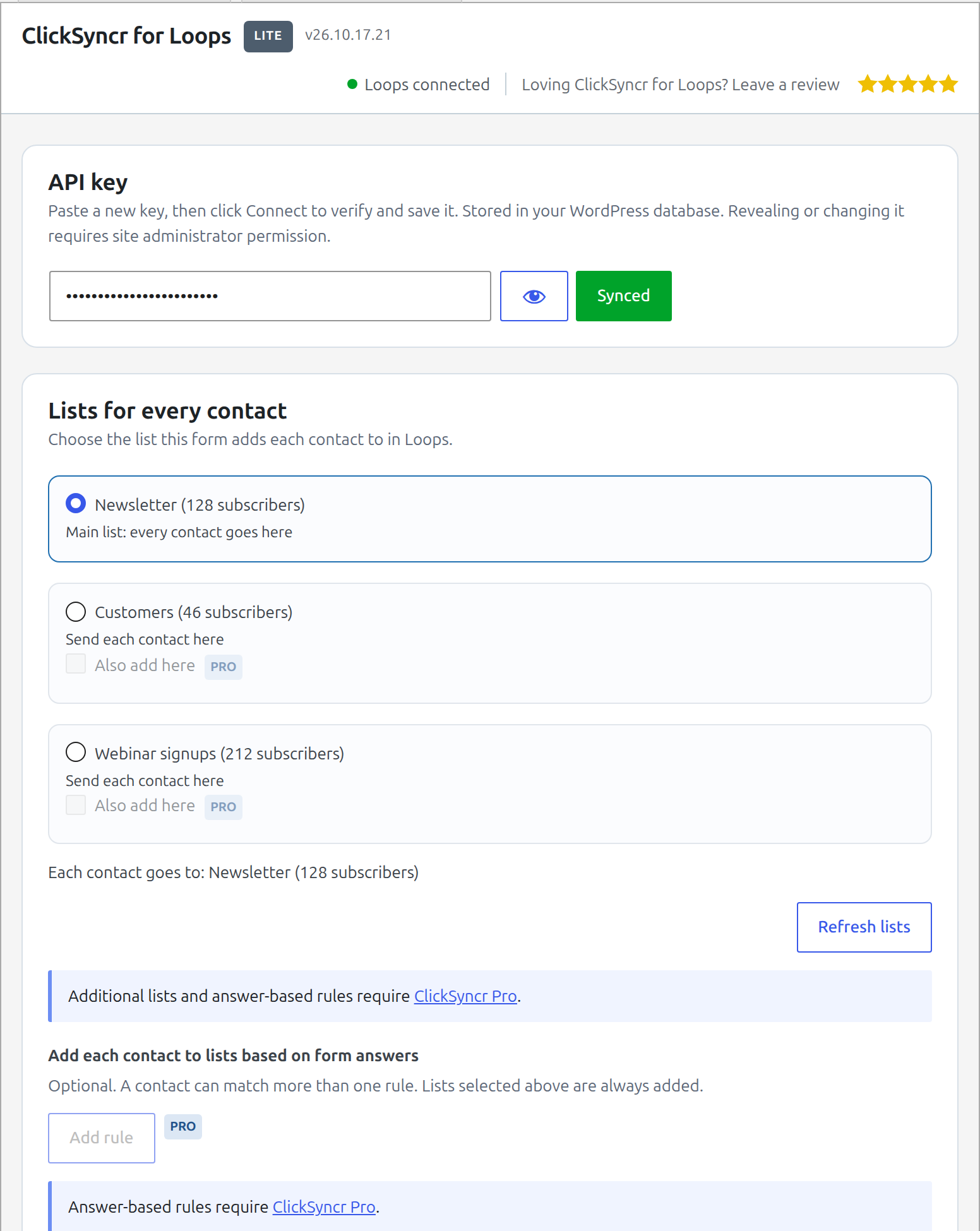
The ClickSyncr for Loops – Contact Form 7, WPForms, Gravity Forms, Ninja Forms, Fluent Forms, Formidable & Forminator panel in the Contact Form 7 editor: connect your Loops API key, choose a list, map form fields to Loops fields, and set an opt-in consent field.
ClickSyncr for Loops connects your forms to Loops, so every form submission becomes a contact in your Loops mailing list: automatically, with no code.
Works with your form builder
- Contact Form 7
- WPForms
- Gravity Forms
- Ninja Forms
- Fluent Forms
- Formidable Forms
- Forminator
One plugin, one Loops connection. ClickSyncr configures each form right inside the builder you already use, and it connects your forms to 20+ other email marketing platforms too.
“Loops” is a trademark of its respective owner. This plugin is an independent integration and is not affiliated with, endorsed by, or sponsored by Loops.
Why you’ll love it
- Set up in minutes: paste your Loops API key and you’re connected. No developers, no code.
- Your mailing lists load automatically: choose which Loops mailing list new contacts join, right inside the form editor.
- Map any contact property: send first name, last name, and every custom contact property you have created in Loops, straight from your form.
- Built-in opt-in: pick a consent checkbox from your form and ClickSyncr syncs the contact only when a visitor ticks it.
- Subscribed status control: decide whether new contacts arrive subscribed, per form.
- No duplicate contacts: Loops matches contacts by email, so existing contacts are updated and new ones are created, every single time.
- A setup for every form: each form can sync to a different Loops mailing list with its own property mapping, in every supported builder.
- Sync health at a glance: an admin-bar menu shows every form’s Loops sync counts and the last error, if any.
- Lightweight and fast: built to WordPress standards, so it never slows your site down.
- You stay in control: you decide exactly what data is sent to Loops, and to which mailing list.
Learn more about the forms to Loops integration.
What you’ll need
- WordPress 6.7 or higher
- At least one supported form builder: Contact Form 7, WPForms, Gravity Forms, Ninja Forms, Fluent Forms, Formidable Forms, or Forminator
- A Loops account with an API key
Getting your Loops API key
- Log in to your Loops account.
- Go to Settings > API.
- Generate a new API key.
- Paste it into the ClickSyncr for Loops settings of any form.
Support
Need a hand? Browse the documentation, check the frequently asked questions, or contact us and we’ll be glad to help.
Loops
Connected forms send their submissions to Loops. Read more in the Loops privacy policy.
External services
This plugin connects to Loops. When you connect, refresh or open a configured form’s settings, it authenticates with your API key and requests the available lists, fields and account settings. A configured form submission sends the email address and the fields you map to your selected list. A test submission sends the test address and configured fields. Subscription and consent settings determine whether a submission is sent.
Terms of service | Privacy policy
Diagnostic sharing is on by default and can be turned off in the Advanced section of any connected form. It sends software versions, aggregate configuration and delivery counts, and random installation/device identifiers to Signls. It excludes contact/submission values and credentials. See privacy details.
Privacy
ClickSyncr does not set tracking cookies or send visitor IP addresses to a geolocation service. If you map context fields, the mapped page URL, IP address, browser information or submission time is sent to Loops. Optional sender context adds the page, form, time and browser to the site owner’s notification email. API credentials, form settings and sync counters are stored in your WordPress database. Administrators can enable a local diagnostic log with redacted personal data. ClickSyncr does not receive your form submissions.