

CitySpark Events and Embeds
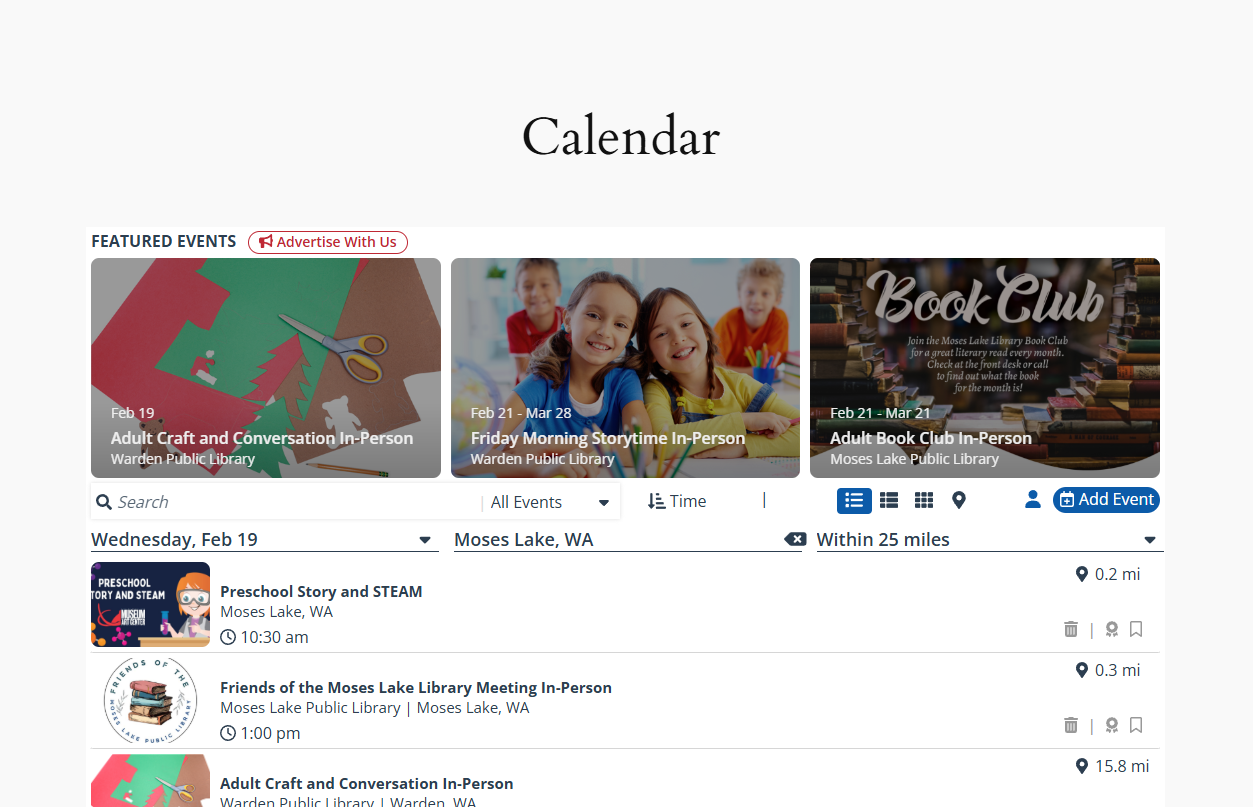
CitySpark Calendar and other Embeds can be easily incorporated via the Gutenberg Editor.
CitySpark Inc. is the leading event listing and promotion
platform for publishers. This plugin integrates the
CitySpark platform into WordPress, allowing you to easily
display your CitySpark calendar along with business
listings and upcoming best of content.
This plugin requires a CitySpark account. Go to CitySpark.com
for more info.
External services
This plugin embeds scripts on the page that provide
access to CitySpark, Inc’s services, including displaying
community events in your area and allowing users to
log into the CitySpark system to bookmark events. Usage
of the plugin by a publisher requires a CitySpark subscription
and the embedded scripts can be configured in the CitySpark
Admin site.
This service is provided by “CitySpark, Inc”: terms of use.
Configuring the settings
Before adding a block to the page, make sure to update
the CitySpark Admin Page Settings. The settings configured
here are required for the correct operation of plugin, and
without them you may run into undesired 404 errors.
In the CitySpark Event Calendar Settings page on the
WordPress admin site, add a new “Placement URL” for
each Portal and List Page block you intend to add to
your site. Include the Placement URL and the Script
ID just as you see on the CitySpark Admin site.
Adding the block
You can add a CitySpark Block to any page or post
with the Gutenberg block editor. Directions for
the different kind of blocks are outlined below.
Portal and List Page Blocks
After adding a CitySpark Portal or List Page Block to
any page or post with the WordPress Gutenberg editor,
insert the Script ID that matches the script that
you want from the CitySpark admin page, and you should
see the block show up in the preview (currently only
available for CitySpark Portal blocks).
Widget Blocks
After adding one or more CitySpark Widget Blocks to
a page or post with the WordPress Gutenberg editor,
insert the Widget ID that matches the widget
you want from the CitySpark admin page.
Custom Hostname
If ad-blockers on your visitors’ browsers are preventing
the CitySpark portal script from loading, you can serve
it through your own domain instead. To set this up:
- Log in to admin.cityspark.com
and configure a Custom Domain (e.g.events.yoursite.com). - Follow the DNS instructions provided there to point
that hostname at CitySpark’s servers. - In the CitySpark Event Calendar Settings page in your
WordPress admin, find the Custom Hostname section
and enter just the hostname — nohttps://prefix
(e.g.events.yoursite.com). - Click Save Custom Hostname. The plugin will now
load the portal script from your domain instead of
portal.cityspark.com.
Leave the field blank at any time to revert to the default
CitySpark domain.