
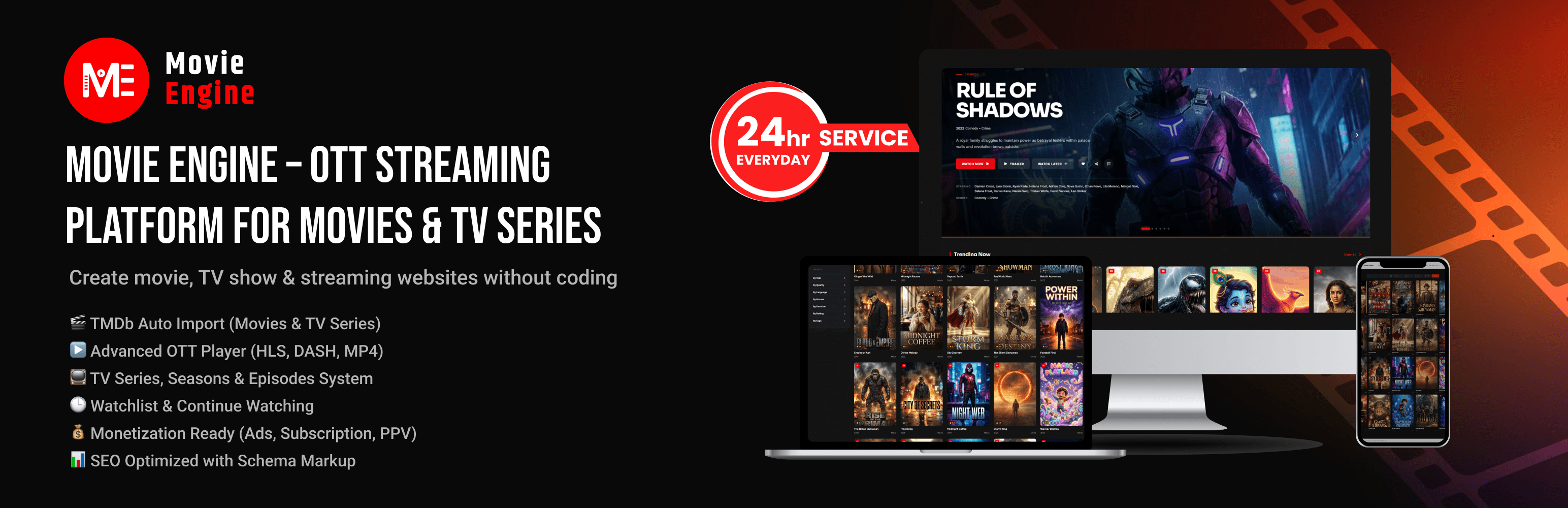

Movie Engine – OTT Streaming Platform for Movies & TV Series

General Settings
Movie Engine helps you build a movie, TV series, and video-on-demand website with WordPress. Manage movies, series, seasons, episodes, and people; import metadata from TMDb; configure video sources; and display your catalog using blocks or shortcodes. Powered by our proprietary Custom Movie Engine Player (CMEPlayer) — a high-performance OTT video streaming engine featuring adaptive HLS streaming, multi-resolution quality switcher, dual WebVTT/SRT subtitles, thumbnail scrubbing, 2x hold-to-boost speed, audio booster, and mobile touch gestures.
Use Movie Engine for a movie database, a streaming-style catalog, an IPTV directory, an ad-supported video website, or a membership platform. Some advanced monetization and automation features require Movie Engine Pro.
Explore Movie Engine
* Live Demo
* Documentation & Complete Feature Guide
* Movie Engine Pro & Pricing
* Official Movie Engine Website
Public Demo Access
Explore the live demo website using the shared public demo account:
- Username:
moviedemo - Password:
moviedemo
(Note: This is a shared demo account. Please do not enter sensitive or personal data.)
Key Features
Movie and TV Library
- Custom content types for Movies, TV Series, Seasons, and Episodes.
- Taxonomies for genres, years, countries, languages, networks, and tags.
- Cast and crew/person profiles.
- Movie, series, season, and episode management with smart cascade deletion.
TMDb Metadata Import
- Import movie and TV series details from The Movie Database (TMDb).
- Retrieve available metadata such as posters, backdrops, cast, ratings, genres, and trailers.
- Duplicate detection prevents importing existing titles.
- Choose remote TMDb image URLs or download images to the WordPress Media Library.
Movie Engine Built-in Video Player (CMEPlayer)
Deliver a premium, buffer-free Netflix and YouTube-grade streaming experience with Movie Engine’s built-in OTT video player. Built from the ground up specifically for WordPress movie, TV show, and video-on-demand websites, CMEPlayer provides high-performance adaptive streaming, modern touch ergonomics, and complete viewing customization:
- 🎬 Video Walkthrough: Watch Movie Engine Built-in Video Player Overview (YouTube)
- Native HLS & Adaptive Bitrate Streaming: Ultra-fast HLS (.m3u8) adaptive playback powered by an optimized streaming engine, alongside direct MP4, WebM, and MKV video playback.
- Smart Buffering & Performance Engine: Advanced buffer management (Conservative, Balanced, and Aggressive modes), configurable buffer length, intelligent preloading, and low-latency streaming to eliminate playback stalls.
- Multi-Resolution Quality Switcher: Dynamic quality selector supporting Auto, 4K, 1440p, 1080p, 720p, 480p, and 360p with live resolution indicators and bitrate badges.
- Dual Subtitle Engine (WebVTT & SRT): Native client-side parser supporting both .vtt and .srt formats with custom subtitle styling (font size, font family, color, background opacity, and vertical position offset).
- Interactive Timeline Thumbnail Scrubbing: Hover preview scrub bar displaying frame-accurate thumbnails and timestamps from WebVTT sprite sheets.
- 2x Hold-to-Boost Speed: Long-press anywhere on the player screen or hold Spacebar to instantly boost playback to 2x speed with a visual toast indicator, reverting upon release.
- Web Audio Booster (Up to 200%): Built-in Web Audio API gain amplifier boosting quiet audio tracks up to 200% without distortion.
- Smart Auto-Unmute & Audio Recovery: Gracefully handles strict browser autoplay policies with an instant 1-click unmute floating badge and automatic sound recovery on user gesture.
- Mobile Touch Gestures: Double-tap left/right to skip 10 seconds, vertical swipe for volume and brightness adjustments, and pinch-to-fullscreen.
- Comprehensive Keyboard Accessibility: Full hotkey controls (Space/K for Play/Pause, J/L for 10s seek, Arrow keys for 5s seek and volume, M for Mute, F for Fullscreen, T for Theater Mode, C for Captions, and 0-9 for percentage seek).
- Video Color Adjustment Filters: In-player sliders to customize Brightness, Contrast, and Saturation for the optimal viewing experience.
- Precision Playback Resume: Automatically remembers viewer progress and provides an instant “Resume from XX:XX” prompt.
- Stats for Nerds (Telemetry Overlay): Live technical diagnostics displaying current resolution, viewport, buffer health, codec, dropped frames, and network activity.
- Theater Mode & Picture-in-Picture (PiP): One-click cinema theater mode and floating native PiP player for multitasking.
- Multi-Server & Source Switcher: Seamless switching between multiple video sources, mirrors, and external embed templates without refreshing the page.
- Advanced Player Engines in Pro: Seamless integration with Shaka Player, ArtPlayer, MPEG-DASH (.mpd), dynamic anti-recording watermarks, and Fake Player ad smartlinks.
User Engagement
- Watchlist, Continue Watching (with progress tracking), and Recently Watched features.
- User dashboard and interactive rating/review system.
- Content request form and request management tools.
Telegram Publishing
- Connect a Telegram bot and channel for each website.
- Publish new movies and TV series with title information, poster, and a viewing button.
- Send a summary after bulk imports.
- Configure optional weekly/monthly top-viewed and top-rated lists.
Movie Engine – Custom Video Ads & Google VAST Support
Monetize your movie and video streaming website with targeted video advertising, Google IMA SDK integration, and high-impact ad placements designed specifically for video platforms:
- 🎬 Video Walkthrough: Watch Movie Engine – Custom Video Ads & Google VAST Setup Guide (YouTube)
- Google IMA SDK (VAST & VMAP Support): Seamless integration with Google Interactive Media Ads (IMA) supporting VAST 2.0, 3.0, 4.0, and VMAP video ad standards from premium ad networks.
- Custom Video Advertisements (HTML5 / MP4): Host and display your own self-hosted or direct MP4/WebM video commercials with customizable advertiser logos, display URLs, and call-to-action (CTA) click buttons.
- Multi-Slot Video Ad Scheduling: Configure Pre-roll ads (before video starts), Mid-roll ads (during playback breaks), and Post-roll ads (after video ends).
- Custom Midroll Ad Cue Points & Timeline Markers: Visual yellow cue markers directly on the player timeline indicating upcoming commercial breaks, with configurable offset, interval, and repeat frequency.
- Smart Ad Stacking Prevention: Automatically collapses multiple skipped cue points during timeline scrubs into a single ad break, preventing annoying back-to-back ad stacking.
- Non-Blocking Image Banner Overlays: Display sleek bottom-third banner advertisements with auto-dismiss timers, advertiser tags, and manual close buttons without pausing the video or interrupting audio.
- Cross-Tab Frequency Capping: Prevents ad fatigue by limiting impressions per user or per ad across multiple browser tabs and windows.
- Display Ad Network Placements: 10+ strategic page slots (Header, Footer, Player Top, Player Bottom, Sidebar, Popups, and Sticky Floating Banners) compatible with Google AdSense and custom HTML/JS ad codes.
- Affiliate Streaming Buttons: Display affiliate streaming links (Netflix, Prime Video, Disney+, Apple TV) allowing visitors to watch legally while earning affiliate commissions.
- High-Converting Fake Player & Anti-AdBlock (in Pro): Interactive ad smartlink overlay triggers before playback, plus intelligent AdBlock detection modals to protect your revenue.
SEO and Social Metadata
- JSON-LD structured data for supported movie, TV, episode, and person pages.
- SEO title and description templates with dynamic tags.
- Open Graph and Twitter Cards controls.
- Compatibility with Rank Math, Yoast SEO, and All in One SEO to avoid duplicate metadata output.
Free and Pro Features
Movie Engine’s free plugin provides the core catalog, import, player, user engagement, content request, Telegram, layout, and SEO features. Movie Engine Pro adds advanced monetization, ISP network paywalls, and automation tools.
Included in Movie Engine (Free)
- Movie, TV series, season, episode, and person management.
- Single-title TMDb movie and TV series 1-click import.
- Custom Movie Engine Player (CMEPlayer) with native HLS (.m3u8) adaptive streaming and direct MP4/WebM playback.
- Multi-resolution quality switcher (Auto, 1080p, 720p, 480p, 360p) with live bitrate badges.
- Dual subtitle engine (.vtt and .srt) with custom styling and vertical offset controls.
- Interactive VTT hover thumbnail scrubbing and 2x hold-to-boost playback speed.
- Web Audio Booster (up to 200%) and smart auto-unmute with browser policy recovery.
- Mobile touch gestures (double-tap seek, vertical swipe volume/brightness, pinch-to-fullscreen).
- Video color adjustments (Brightness, Contrast, Saturation) and “Stats for Nerds” telemetry.
- Playback resume bookmarking, Picture-in-Picture (PiP), and cinema theater mode.
- Multi-server video switcher and external embed URL templates.
- Watchlist, Continue Watching, Recently Watched, and user dashboard.
- Content Requests form, admin management, and email notifications.
- Telegram publishing and bulk-import summaries.
- Display banner ads and affiliate streaming links.
- Gutenberg blocks, shortcodes, SEO templates, and JSON-LD structured data.
Additional Features in Movie Engine Pro
- Advanced OTT player engines (MPEG-DASH, Shaka Player, ArtPlayer).
- Dynamic video player watermarking (anti-screen recording).
- Subscription-based video access (SVOD) with unlimited plans.
- Pay-per-view and timed rental access (TVOD).
- Native Stripe and PayPal payment integrations.
- Broadband & ISP network restrictions and guest voucher-based paywall.
- High-converting Fake Player ad smartlink system.
- Bulk TMDb import with automated scheduled cron runs.
- External player source management with drag-and-drop server reordering.
- Native Video Ads manager (VAST/HTML5 pre-roll, mid-roll, post-roll).
- Anti-AdBlock modal detection.
- User affiliate and referral partner tools with payout management.
See the documentation and Pro details for more information.
What Can You Build?
- Movie and TV series catalog.
- Netflix-style movie browsing experience.
- Ad-supported video catalog (AVOD).
- IPTV or live-stream directory using compatible stream sources.
- Subscription (SVOD) or pay-per-view (TVOD) platform with Movie Engine Pro.
- Affiliate streaming directory linking visitors to external services.
- Private or ISP-restricted streaming portal with Movie Engine Pro.
Block Editor (Gutenberg)
Movie Engine provides custom blocks in the WordPress block editor. Open the block inserter (+) and search for “Movie Engine” or browse the Movie Engine category.
- Movie Engine Library — catalog with layouts, filters, and pagination.
- Movie Engine Grid — movie/TV card grid without the search field.
- Movie Engine Search — catalog with search.
- Movie Engine Search Bar — standalone search field.
- Movie Engine Hero — featured-title section.
- Movie Engine Live Search — AJAX search with dropdown results.
- Movie Engine Person List — cast, crew, and people layouts.
- Movie Engine User Menu — account/login area for the header.
- Movie Engine Taxonomies — genre, year, tag, and other taxonomy layouts.
The corresponding layouts are also available through shortcodes. See the documentation for usage and options.
Content Requests
Let visitors request movies or TV series that are missing from your catalog.
- Add
[movie_engine_request_form]to a page to display the request form. - Optionally show the form on empty search results or in live search.
- Review, search, filter, and update requests under Movie Engine Requests.
- Send email notifications for new requests and status changes.
- With Movie Engine Pro, use the request title to start the Bulk Import workflow.
SEO and Performance
- Structured data for supported movie, TV series, season, episode, and person pages.
- Configure title and description templates under Settings SEO.
- Schema and Open Graph output can be controlled through Movie Engine settings.
- When Rank Math, Yoast SEO, or All in One SEO is active, Movie Engine works to avoid duplicate title, description, and schema output.
- Modular assets and caching of selected TMDb/catalog data help reduce unnecessary work.
Compatibility
Movie Engine works with many modern WordPress themes and page builders. For a layout designed specifically for Movie Engine, try the official free Hello Movie Engine theme.
Documentation and Support
- Documentation and complete feature guide
- Live demo
- Movie Engine website
- Movie Engine Pro and pricing
3rd Party or External Services
This plugin relies on third-party services under certain circumstances. These services are integral to the functionality and features offered by the plugin. We acknowledge the importance of transparency regarding the use of such services.
Service Details
The Movie Database (TMDb) API & Media CDN
* Service Purpose: The plugin connects to TMDb API services to fetch movie and TV series metadata (titles, plot overviews, release dates, cast and crew information, genres, trailers, and ratings) and displays poster and backdrop images from TMDb CDN (image.tmdb.org) during content importing and browsing.
* Service Link: The Movie Database API
* Service Terms of Use: TMDb Terms of Use
* Service Privacy Policy: TMDb Privacy Policy
OMDb API Services
* Service Purpose: The plugin optionally connects to OMDb API services to retrieve additional movie metadata and IMDb ratings when an OMDb API key is configured in settings.
* Service Link: OMDb API
* Service Terms of Use: OMDb Terms of Service
* Service Privacy Policy: OMDb Legal & Privacy
YouTube Video Player Embed
* Service Purpose: The plugin embeds YouTube videos for multimedia content, movie trailers, and video streams.
* Service Link: YouTube Developer
* Service Terms of Use: YouTube Terms of Service
* Service Privacy Policy: YouTube Privacy Policy
Vimeo Video Player Embed
* Service Purpose: The plugin embeds Vimeo videos for multimedia content, movie playback, and episode streaming.
* Service Link: Vimeo Developer
* Service Terms of Use: Vimeo Terms of Service
* Service Privacy Policy: Vimeo Privacy Policy
Google Fonts
* Service Purpose: The plugin loads Google Fonts web typography to style player controls, typography, and frontend movie layouts.
* Service Link: Google Fonts
* Service Terms of Use: Google Terms of Service
* Service Privacy Policy: Google Privacy Policy
Google Interactive Media Ads (IMA) SDK
* Service Purpose: The plugin optionally loads the Google IMA SDK (imasdk.googleapis.com) to render VAST, VPAID, and VMAP video advertisements inside player containers when video monetization is configured.
* Service Link: Google IMA Developer
* Service Terms of Use: Google IMA Terms of Service
* Service Privacy Policy: Google Privacy Policy
Telegram Bot API Services
* Service Purpose: The plugin connects to the Telegram Bot API to automatically broadcast newly published movies and TV series to administrator-configured Telegram channels or groups when Telegram Automation is enabled.
* Service Link: Telegram Bot API
* Service Terms of Use: Telegram Terms of Service
* Service Privacy Policy: Telegram Privacy Policy
Freemius SDK Services
* Service Purpose: The plugin uses the Freemius SDK for secure opt-in usage diagnostics, plugin updates, and account connectivity.
* Service Link: Freemius
* Service Terms of Use: Freemius Terms of Service
* Service Privacy Policy: Freemius Privacy Policy