
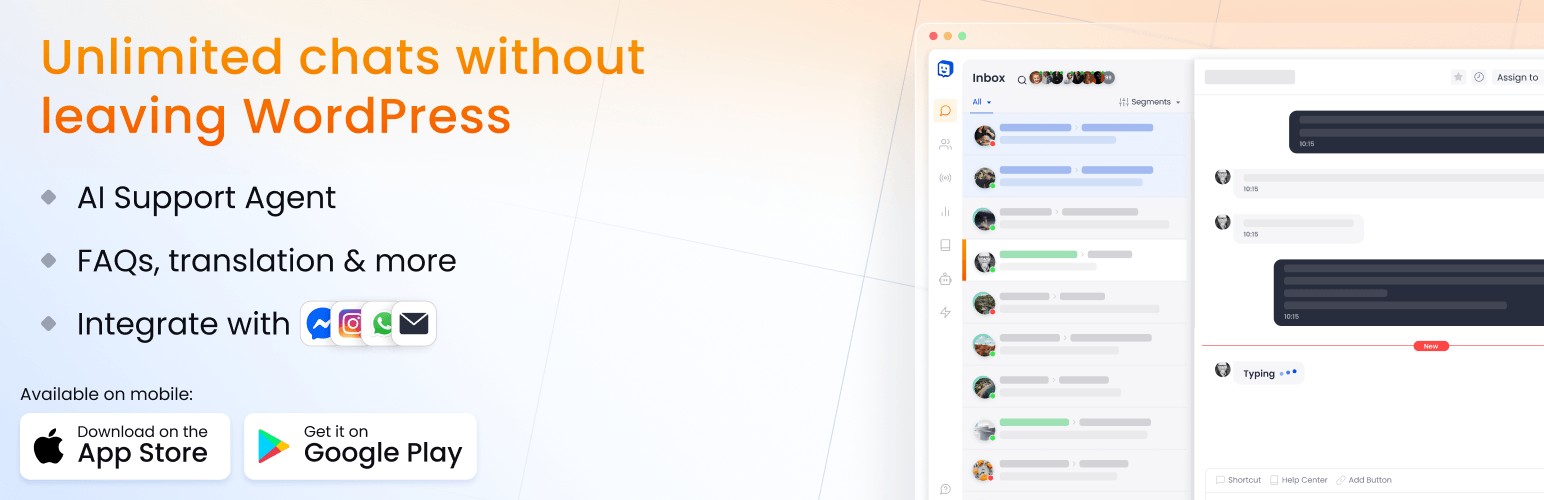

Chatway Live Chat – AI Chatbot, Customer Support, FAQ & Helpdesk Customer Service & Chat Buttons

Communicate with your website's visitor through live chat
Live chat with your WordPress website visitors. Provide customer support using the Chatway AI chatbot and live chat app, FAQ, helpdesk, chat buttons including WhatsApp, Facebook Messenger, Instagram & more with a click to chat interface. The AI support agent chatbot picks up support tickets automatically, so human agents can focus on more complex issues.
Chatway live chat is an AI chatbot & helpdesk live chat app for communicating better & providing live chat customer support. Customers can start a chat using the live chat button, while the AI chatbot answers questions, automates customer support, and lets your team step in when needed.
✨ Chatway AI Chatbot with full human control
Chatway AI Chatbot helps businesses automate customer support, answer common questions, and assist website visitors 24/7. The AI chatbot learns learns from your data sources and website content, and can access WordPress and WooCommerce data such as pages, posts, products, orders, and cart information. It can reduce repetitive support work, improve response times, and help your team handle more conversations with full human control. Your team monitors AI support agent chatbot conversations, notified when needed, manage how the AI chatbot responds and ensure high customer support quality. The AI chatbot will also help with live chat sales questions instantly.
👩💻 Why do you need Helpdesk Live Chat for your website?
- Real-Time Customer Support: Live chat enables instant assistance. Live chat facilitates quick issue resolution
- AI Chatbot Support: Add an AI chatbot to your website to answer common questions instantly, assist visitors 24/7, and reduce repetitive support requests. The AI chatbot learns from the data sources & website content, helping deliver relevant answers while your human agents monitor AI support agent chatbot conversations, step in anytime, and manage how the AI chatbot is used
- Lead Generation: Utilize helpdesk live chat, FAQ, chat buttons (WhatsApp, Facebook Messenger, Instagram & more). Initiate conversations & answer inquiries converting interest into leads through live chat
- Customer Feedback and Surveys: Embed helpdesk live chat pop up to gather feedback. Engage in real-time conversations & collect insights using live chat surveys
- Sales Support: Boost WooCommerce sales by integrating live chat & FAQ for personalized customer assistance. Offer real-time customer support, enhancing the overall shopping experience
- Technical Customer Support: Provide live chat support & FAQ for technical queries
- Visitor Engagement and Retention: Implement helpdesk live chat & FAQ to engage website visitors
- Live Visitors: See who’s currently visiting your website and live chat with them
🎉 Chatway Live Chat is a powerful live chat WordPress plugin
Chatway live chat is a powerful AI chatbot & helpdesk live chat popup plugin. With Chatway live chat, easily integrate AI chatbot, live chat pop up, FAQ functionality & chat buttons like WhatsApp, Instagram, and more into your website. Chatway live chat is live chat plugin that offers real-time visitor sales & customer support.
💬 What You Get With Chatway Live Chat
- Engage your website visitors and customers over live chat pop ups & provide customer support
- Add an AI chatbot to automate support: Use an AI chatbot to answer common questions instantly, assist visitors 24/7, reduce repetitive customer support work, and provide faster replies. The AI chatbot can learn from the data sources & website content, while your team stays in control and monitors AI support agent chatbot chats, step in anytime, and manage how the AI chatbot is used
- Create a public Help Center and knowledge base, add FAQs to your chat widget, and add customer support live chat to your Help Center so visitors can find answers or contact your team
- Create separate live chat widget design for different websites and chat channels, or brands in one place with separate inboxes and widgets
- Content and file sharing within chat for improved helpdesk live chat customer support
- Allow you to monitor chats with support agents
- See which visitors currently visit your website and initiate live chat with them
- Add chat pop up buttons like WhatsApp, Instagram, Facebook Messenger, SMS, Telegram, Phone, Line, Email, TikTok, WeChat, Discord, Google Maps, Waze, and custom links
- Pending messages icon for incoming live chat messages when the Chatway live chat plugin isn’t launched
- Offer proactive live chat customer assistance
- Start live chat conversations with customers
- Assign human agents & AI agents
- Personalize your customer’s experience based on their chat history
- Add tags and custom data to conversations. This feature enables segmentation & personalized customer support for an optimized live chat experience
- Chat web app, Android & iOS mobile apps to manage live chat support on the go
🪄 Use Chatway Live Chat directly from your WordPress admin panel or as a standalone app
Live chat with website visitors directly from the Chatway panel, use the AI chatbot to answer common questions automatically, or use Chatway inside your WordPress admin panel & provide customer support live chat.
When logged-in visitors start a chat with you, their name, email, and profile picture are automatically synced with Chatway live chat, while the AI chatbot can use the available data sources & website content.
👋 Chatway Live Chat & Helpdesk account
A free Chatway live chat account will be created for you, the live chat popup script will be added to your website, and a click to chat popup widget will appear on your website. If you logout/remove the plugin, the chat widget will be removed.
Use Chatway live chat to support customers manually with human agents, or add an AI support agent chatbot to automatically handle tickets.
Stay on the free plan for basic live chat features, or upgrade to the paid plans to unlock unlimited chat history, automation, integrations, multi-seat access, and other premium features.
Check out Chatway’s Live Chat pricing ⭐
❓ Add FAQ to reduce customer support chat tickets
Our WordPress live chat plugin includes FAQ to reduce customer support tickets. With the FAQ feature, users can access answers within the live chat popup, addressing common questions without needing support. This customizable FAQ tool helps reduce ticket volume and improve customer satisfaction. By providing relevant information directly in the live chat popup, users resolve their issues faster, making support more efficient
📱 Live Chat Anywhere Using Our Native Mobile Apps for iOS & Android
Besides our web live chat app, the Chatway iOS and Android apps allow users to engage with website visitors. This mobile application offers real-time communication, enabling timely responses. Download the app now to stay connected and chat with visitors wherever you are.
Download Chatway for iOS 🔗
Download Chatway for Android 🔗
🛒 Deep WooCommerce integration: Access to WooCommerce Visitors’ Cart & Orders data and WooCommerce Store Data
Chatway live chat gives you access to visitor and store data directly inside the chat pop up window. Visitors can track their orders, view order details, and access their cart directly from the chat widget. Instantly view order history, including purchased items and total order value, without asking for order numbers or switching tabs. See what’s in their cart, including total items and value, guide customers to checkout, recommend products & recover abandoned carts. Share clickable product links, suggest categories, and send active coupon codes, all within the chat popup.
🚀 Add chat buttons like WhatsApp, Messenger & more
With Chatway Live Chat, add chat buttons for WhatsApp, SMS, Instagram DM, Facebook Messenger, Telegram, Line, click-to-call, Email, TikTok, WeChat, Discord, Google Maps, Waze, and even create your own custom chat buttons. For example, add a WhatsApp chat button so users can chat with you through WhatsApp or their favorite chat channel.
💾 Canned responses saved replies for commonly asked questions
Enhance your customer support with canned responses saved replies to common queries. This feature allows customer support chat agents to select and send standard responses. Save time with the canned responses feature.
👩💻 Invite your team as agents to Chatway live chat
Chatway live chat offers the option to invite teammates as agents or admins, facilitating collaborative customer live chat support. By adding agents, businesses can distribute workloads and ensure seamless customer service. Invite your team to work together effectively and provide excellent live chat customer support to website visitors using Chatway live chat.
🎨 Customize your live chat widget
Create a customized live chat widget. Adjust colors, branding, and greetings to seamlessly integrate live chat, ensuring it looks perfect on your website. This personalized touch not only enhances visual appeal but also ensures a cohesive user experience, making live chat an integral and integrated part of your online presence.
✍️ Translate your live chat widget to other languages
Translate the live chat widget into multiple languages. Let visitors interact in their preferred language with your click to chat widget. With a multilingual live chat, break down language barriers, providing a more user-friendly platform. Live chat becomes a versatile tool, ensuring that audiences can engage effortlessly, for a better customer support experience.
If you use the AI chatbot, it automatically answers in any language, helping you deliver support to a global audience.
🧑🦱 View who’s currently visiting your website
Using Chatway live chat see who’s currently visiting your website, engage a live chat session & provide customer support instantly.
💻 WhatsApp Business, Facebook Messenger & Instagram native integrations
Connect your WhatsApp Business (connect existing WhatsApp numbers or new WhatsApp numbers), Facebook Messenger Business page & Instagram for Business to Chatway and receive any message sent through WhatsApp Business, Facebook Messenger live chat & Instagram DMs directly to Chatway live chat. Respond through Chatway live chat and manage all your WhatsApp Business, Facebook Messenger & Instagram DMs conversations in Chatway, streamlining your customer interactions and providing unified live chat.
📧 Email integration
Set up a Chatway email address and receive emails to Chatway. Forward emails from your existing email address to Chatway live chat and create live chat tickets incoming emails. Simplify your communication, allowing you to conveniently respond to incoming emails from within Chatway live chat.
👾 Chatway API & Webhooks
Developers can use the Chatway API & Webhooks to connect Chatway live chat, AI chatbot, contacts, conversations, and customer support workflows with their own apps, websites, CRMs, and internal tools. Use the API to build custom live chat integrations, sync chatbot and customer data, automate support processes, and extend Chatway for your business needs.
Explore Chatway API docs 🔗
🙈 Mailchimp integration with live chat contacts
Connect Chatway to MailChimp and sync your live chat contacts to your MailChimp audience. Send live chat contacts to MailChimp with options like double opt in and tags, so all your live chat contacts are synced.
🤖 Smart automations & workflows
Create rule-based workflows that automatically respond to visitor actions and chat events. Send replies, route conversations to the right agents, assign chats, add internal notes, update contact details, and trigger follow-ups. Automations help you reduce repetitive work.
🔏 Live Chat Private Notes
Write notes and tag other teammates. Enhance team communication, allowing live chat real-time coordination and ensuring a more informed live chat customer support process.
📂 File sharing through live chat
Collaborate through live chat file-sharing between agents and website visitors. This functionality enhances communication, ensuring swift live chat issue resolution and providing a seamless experience for both agents & visitors.
💪 Other powerful live chat features
- Unlimited live chat conversations – chat with your visitors
- Unlimited websites – install Chatway live chat on all of your websites. Install Chatway live chat on any platform
- Post-chat automated surveys – send automated surveys to site visitors after their chat ends with a support team member to gather instant feedback
- Email and push notifications – get email and push notifications for new live chat messages. Your visitors will also be notified via email
- Collect visitors’ details – show a contact form before/after visitors send a message & collect email, name, phone, address or any custom field
- Email or download chat transcripts – download or email live chat transcripts to yourself or to your website’s visitors
- Quick actions – reply to specific messages sent by your visitors, delete or edit message (not available for visitors), and perform other actions while chatting with your visitors
- Widget and agent availability – set visibility hours for your live chat widget and working hours for your agents
- Advanced targeting options – show or hide the live chat widget on specific pages or based on the country of the visitor
- Live chat analytics – helpdesk agents’ activities and live chat conversations insights
🔗 Chatway Live Chat Demo
Check out the Chatway live chat widget in action. Its intuitive live chat interface ensures easy navigation. Real-time messaging features highlight the platform’s effectiveness, while customizable options and robust admin controls offer versatility. The clean live chat layout enhance user experience, making it an ideal solution for businesses to boost customer engagement through live chat.
Chatway Live Chat Demo website 🔗.
🔒 GDPR & data protection
Chatway live chat uses flexible privacy settings aligned with GDPR and other data protection guidelines, doesn’t use cookies, and keeps all data minimal. This gives visitors stronger privacy and helps site owners reduce consent needs and simplify privacy and GDPR compliance.
🤗 Testimonials
“Chatway saves us massive time and support costs. Their AI agent handles about 95% of incoming support requests automatically. It connects to our knowledge base and replies instantly across chat, email, and social messages. Setup was quick and the platform gets the job done.”
Moshe F. Saraf, Pareto Solutions“Live chat and AI chatbot that work
We are extremely satisfied with the live chat solution we use across all our websites – it works perfectly. The real-time translation is especially impressive, allowing us to manage sites in five different countries with ease. The new AI chatbot has made a big difference by helping us answer many inquiries quickly and efficiently. This has freed up valuable time for our customer service team to focus on more complex cases. The combination of live chat and an AI chatbot has truly elevated our customer experience.”Henrik Bennarp, Halle System
“Transform Your Customer Engagement with Chatway – A 5-Star Experience!
Chatway is a standout live chat plugin for WordPress. It’s lightweight, user-friendly, and enhances customer interactions without slowing down your site. Highly recommend for stellar customer service!”Menny Benady, Benady New Media