


Certloom – Certificate Verification
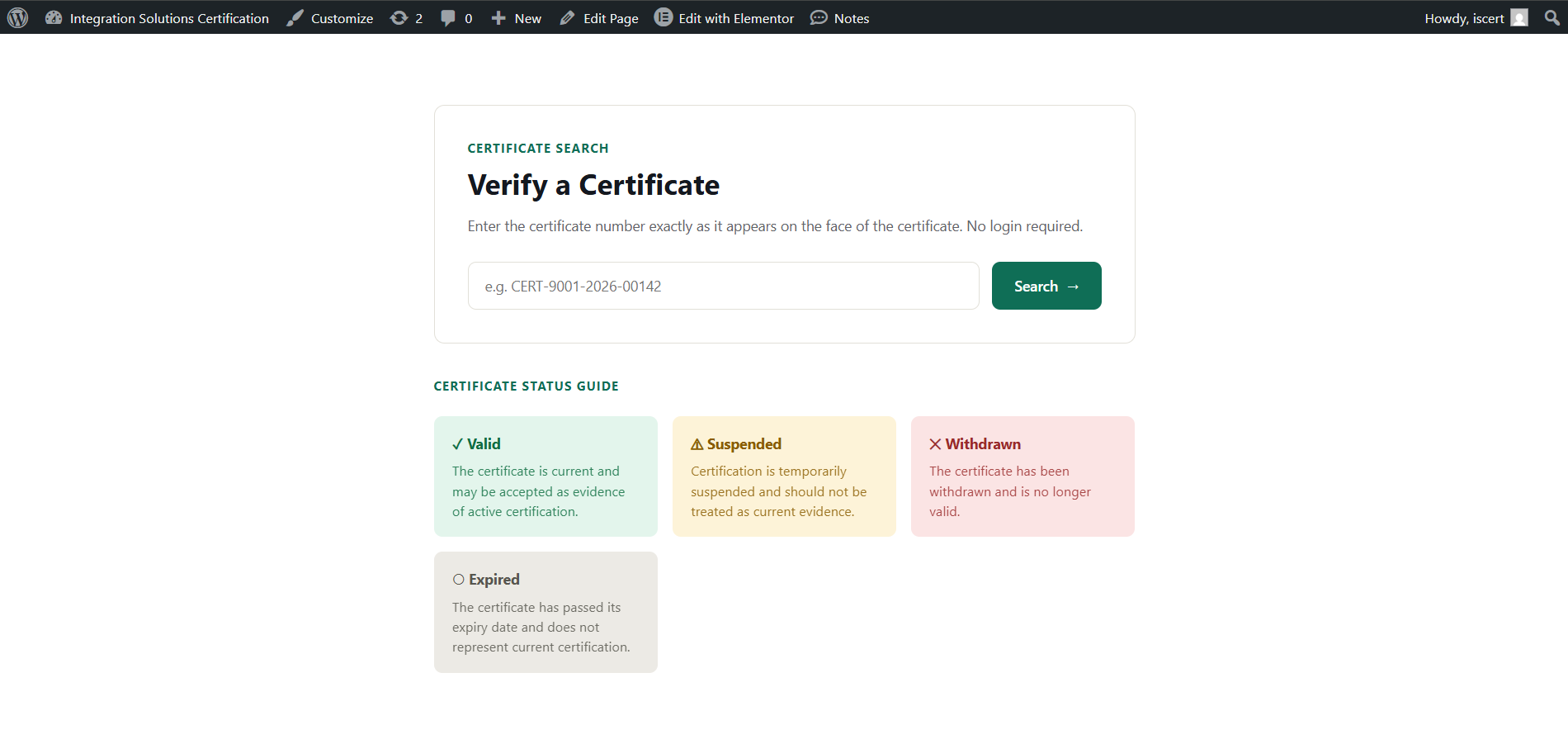
Public certificate verification page with status guide.
Certloom helps certification bodies, training providers, associations, auditors, and other organizations manage certificate records and publish public verification on WordPress.
Visitors enter the complete certificate number to view its current status and only the fields approved for public display. Letter case is ignored, while spaces, punctuation, and hyphens must match. Records stay in the site’s WordPress database; Certloom does not require an external verification service.
WordPress-first and self-hosted
Certloom provides a practical certificate registry without requiring a separate SaaS platform or a page builder. The native block and shortcode work with WordPress itself, while Elementor integration remains optional.
Publishing methods
- Native WordPress block with six designs.
- Shortcode using
[certloom]in the Classic Editor, a Shortcode block, templates, or other page builders. - Direct links using
?certloom_number=YOUR-NUMBERfor QR-code destinations. These requests receive noindex and private-cache headers, although the number may still appear in browser history, infrastructure logs, or site analytics. - Optional Elementor widgets when Elementor 3.10 or later is active: Professional, Meridian, Halo, Axis, Nova, and Forge.
Each Elementor widget has isolated content and style controls. Structural responsiveness is automatic and container-aware. Certloom is independent and is not affiliated with or endorsed by Elementor.
Certificate management
- Dedicated indexed database table.
- Add, edit, search, filter, sort, paginate, delete, and bulk-delete records.
- Valid, Suspended, and Withdrawn workflow statuses; Expired is normally calculated from the expiry date.
- Protected review handling for explicitly restored historical Expired records.
- Configurable core and custom fields with ordering and public-visibility controls.
- Fresh installations publish only certificate number and status by default.
- Removed custom fields are retired so their keys and stored values remain protected.
- Dedicated
manage_certverifycapability and optional Certificate Manager role.
Import, export, and complete backup
- CSV template generated from the current field schema, followed by mapping review.
- Partial updates preserve fields not included in the import.
- Blank mapped cells preserve existing values unless clearing is explicitly enabled. Status cannot be cleared, and a new row with a mapped-but-blank Status is rejected.
- Per-row validation, formula neutralization, and bounded file, row, column, and cell limits.
- Administrator-only Historical restore mode for trusted Certloom exports containing protected legacy Expired records.
- Versioned streaming JSON backup for lossless restoration of certificates, settings, fields, retired values, workflow sources, and timestamps.
- Restore preview before choosing exact snapshot replacement or a non-destructive certificate merge.
- Restore locking pauses Certloom writes during commit while public verification remains available.
- Chunked imports, indexed prefetching, deferred counts, and keyset exports reduce memory and query pressure on large registries.
Security and privacy
- Whole-number exact lookup; partial matches are never returned.
- Public output includes only fields explicitly enabled by the site owner.
- Private-cache and noindex headers for REST verification and supported direct-link requests.
- Bounded input, basic rate limiting, accessible announcements, and safe no-JavaScript verification.
- Identical same-page lookups share one in-flight request and stale responses cannot overwrite newer searches.
- No analytics, telemetry, remote scripts, remote fonts, or external certificate processing.
- Suggested privacy-policy wording is added to WordPress’s Privacy Policy Guide.
- Certificate data and settings are retained on uninstall by default; administrators may opt into complete removal.