


CBX Changelog & Release Note
5/5 (3 ratings) 300 active installs Updated Aug 29, 2026
Dashboard view of changelog editor
CBX Changelog & Release Note helps you create and display well-organized changelogs for your WordPress themes, plugins, or digital products.
Keep your users informed about every update, improvement, and fix — directly inside your WordPress site.
This plugin lets you easily add, manage, and showcase version histories with a clean interface and developer-friendly structure.
🧩 Developed by Codeboxr
📺 Live Demo
📚 Documentation
⭐ Upgrade to PRO
💬 Free Support
👨💻 Pro Support
📱 Contact Us
💡 If you think a feature is missing, let us know — we actively add new features based on user feedback.
Install the free version on a dev site and explore all features.
✨ Core Features
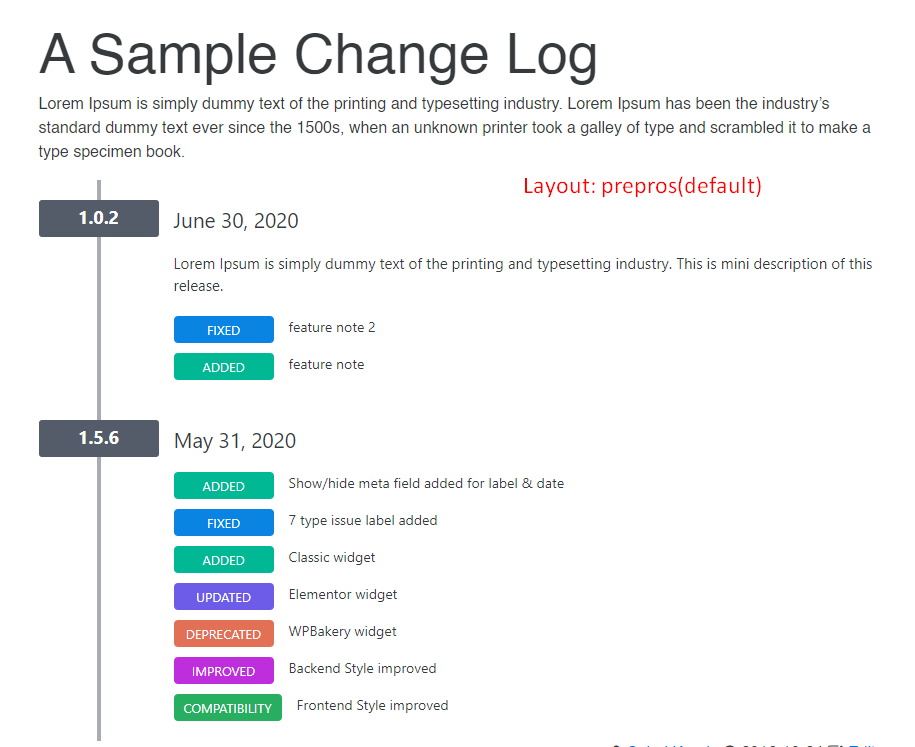
- Create and manage changelogs and release notes for your themes, plugins, or projects.
- Embed all releases or a single release via shortcode.
- Markdown syntax supported for changelog text.
- Option to show or hide labels and release dates (since v1.0.6).
- Seven predefined issue labels: Added, Fixed, Updated, Improved, Removed, Deprecated, Compatibility.
- Two display layouts for frontend presentation.
- Clean, responsive frontend design compatible with all default themes and Hello Elementor.
🧱 Widgets & Page Builders
- Classic WordPress Widget (since v1.0.6)
- Gutenberg Block support
- Elementor Widget (since v1.0.6)
🧩 Shortcodes
[cbxchangelog id="post_id"][cbxchangelog id="post_id" release="release_number"]
💎 CBX Changelog & Release Note Pro Features
- Add changelogs to any post type (built-in or custom)
- Add a WooCommerce tab to display changelogs in product pages
- Auto integration with any post type (appends changelogs automatically)
- Two additional display layouts
- Dokan integration (since v1.1.2)
- Export/import all settings or individual setting tabs (since v1.1.1)
- Reset settings for specific tabs (since v1.1.1)
- Import from a WordPress readme.txt file (since v1.1.7)