

Captain Media Shield

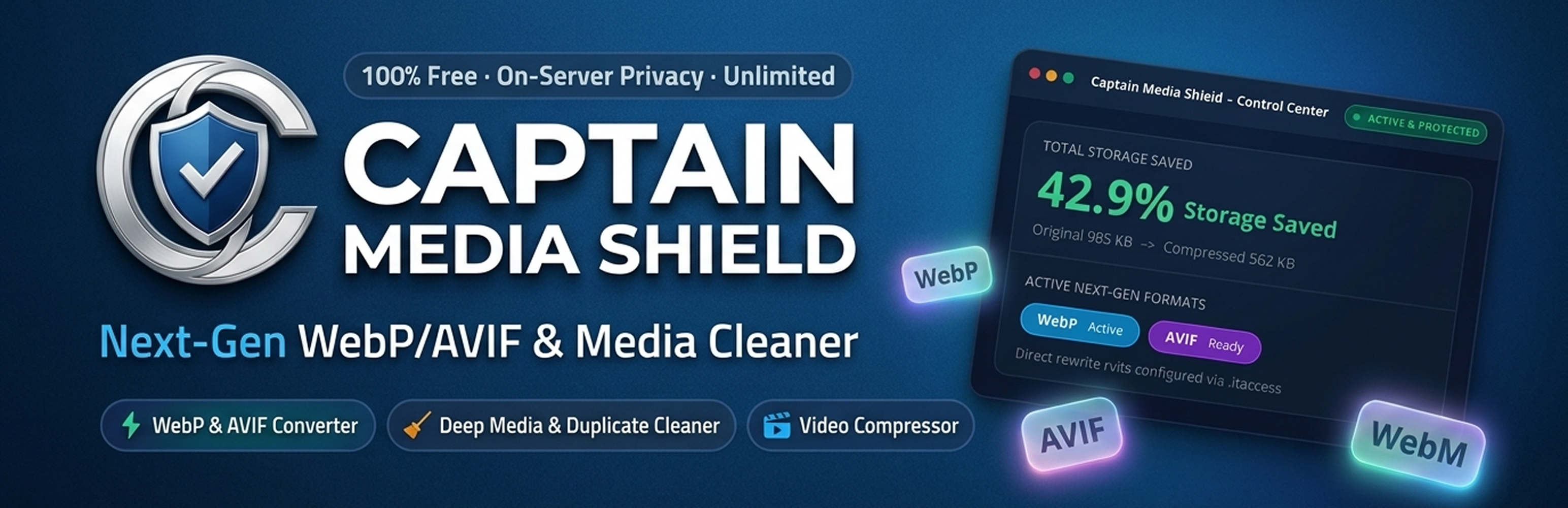
Analytics & Server Health Dashboard: Visual storage savings overview, compression ratio, active Next Generation formats, and server environment status.
Captain Media Shield is a comprehensive, on-server media optimization and storage reclaim suite for WordPress. Automatically convert images to lightweight Next Generation WebP and AVIF formats, compress video uploads with instant streaming (FastStart), and reclaim disk space by safely finding and removing unused media, byte-for-byte duplicate files, and leftover thumbnails.
Everything runs 100% on your own hosting server – no external APIs, no image credits, no third-party accounts, and zero monthly subscriptions.
Official Plugin Page | YouTube Tutorials | Free Support
🛡️ Why Choose Captain Media Shield?
- 100% Free & Unlimited : No third-party API dependencies, no monthly quotas, and no subscription paywalls. Optimize thousands of images and videos without worrying about limits.
- Next Generation WebP & AVIF Formats : Generate ultra-compact WebP and AVIF copies for original images and every registered thumbnail size.
- Live Page Media Inspector (Admin Bar) : Real-time media analysis from your front-end top toolbar with instant highlight on page and 1-click batch optimization.
- In-Browser Upload Rescue Assistant : Automatically downscales oversized images directly in the browser when they exceed hosting upload limits.
- Server Limit Booster Guide : Interactive helper with ready directives for Apache, .htaccess, and php.ini to boost upload and execution limits.
- Per-Image Custom Quality Override : Set global compression quality (1-100) or override quality for any individual image directly from the Media Library list view via the Quick Quality modal.
- Media Cleanup & Storage Saver : Safely detect and clean orphaned media, byte-for-byte MD5 duplicate files, and leftover legacy thumbnails from retired themes.
- Storage Diagnostics & Report : Visual breakdown of your entire uploads directory by file category, file extension, upload year, and largest files.
- Video Compression & Streaming : H.264 FastStart streaming, WebM companions, automatic poster frames, and animated GIF to video conversion.
- Safe Backups & 1-Click Restore : Untouched original files are preserved with configurable retention periods and 1-click restore.
- Modern Tabbed Navigation : Fast, organized tabbed settings interface that eliminates long vertical scrolling.
- Top Header Quick Actions : Convenient Save Changes and Reset to Defaults buttons placed right in the header for quick access.
- WP-CLI Automation : Complete headless command-line interface for enterprise sites and automated background workflows.
📸 Next Generation Image Optimization & Delivery
- Automated Next Generation Conversion : Converts JPEG and PNG uploads to high-efficiency WebP and AVIF copies.
- Compression Quality Slider : Choose your default quality sweet spot (1-100) with recommended presets (Balanced, Aggressive, High Quality).
- Media Library Quick Quality Modal : Click “Quick Quality” on any list-view item to adjust quality (e.g. 40-50% for heavy graphics) and re-optimize instantly.
- Privacy & EXIF Metadata Removal : Strips camera EXIF data, GPS coordinates, IPTC, and editing history while preserving colour profiles.
- Auto-Resize Large Uploads : Automatically scales down oversized camera images (e.g. 4000px+) before thumbnails are generated.
- Flexible Delivery Methods : Serve Next Generation formats via high-speed
.htaccessrewrite rules (Apache/LiteSpeed) or HTML<picture>tag replacement. - Nginx Configuration Generator : Ready-to-copy server configuration snippet for seamless Next Generation delivery on Nginx servers.
- Smart Exclude Rules : Exclude folders (e.g.
logos/*), filename patterns, or specific attachment IDs from optimization.
🎬 Video Optimization & Streaming (FFmpeg)
- H.264 Video Compression : Re-encodes uploaded MP4/MOV videos to space-saving H.264 in place.
- Moov Atom “Fast Start” : Relocates video metadata to the beginning of the file so visitors can stream videos immediately without waiting for full download.
- WebM Companion Files : Automatically generates modern VP9/Opus WebM copies for HTML5 video players and the WordPress video block.
- Automatic Video Poster Frames : Saves a lightweight JPEG frame next to each video for an instant preview instead of a black box.
- Animated GIF to Video Conversion : Converts heavy animated GIFs into lightweight looping MP4/WebM videos (80-95% file size reduction).
- Resolution & Bitrate Controls : Cap video resolution (1080p, 720p, Keep Original) and adjust audio compression (128 kbps, 96 kbps).
- Background WP-Cron Processing : Video encoding runs asynchronously in the background so dashboard uploads stay quick and responsive.
🧹 Deep Media Cleanup & Duplicate Detector
- Unused Media Finder : Deep scans post content, Gutenberg blocks, featured images, WooCommerce galleries, widgets, custom post types, and custom fields. Anything potentially in use is protected.
- Byte-for-Byte Duplicate Detector : Compares files by exact size and MD5 hash fingerprint. Duplicates in use are safely locked from deletion.
- Orphan Thumbnail Cleaner : Scans and removes old thumbnail sizes registered by retired themes or uninstalled plugins.
- Zero-Risk Confirmation : Nothing is ever deleted automatically. Deletions require explicit confirmation, and safety backup copies can be retained.
- Interactive Storage Report : View storage distribution across original files, thumbnails, Next Generation copies, and backups.
💾 Backups & Safe Rollback
- Zero-Risk Backups : Untouched original files are stored in
wp-content/uploads/captain-ms-backups/. - Configurable Retention : Set how long backups are kept: immediately delete, 1 hour, 1 day, 7 days, 30 days, or indefinitely.
- 1-Click Original Restore : Restore any original image or video directly from the Media Library list view or attachment details.
- Disk Purge : “Purge All Backups Now” button lets you free up backup storage once you are completely satisfied with results.
⚡ WordPress Media Library Integration
- Media Shield Status Column : Displays live optimization status (Optimized, Not Optimized, Processing), percentage saved, and active format badge (WebP/AVIF).
- Inline Quick Actions : Re-optimize, adjust quality via Quick Quality popup, or restore originals with one click without leaving the page.
Perfect for:
- Content Creators & Bloggers who want lightning-fast page loading and better Google Core Web Vitals (LCP).
- WooCommerce Store Owners who need thousands of product images compressed without losing visual sharpness.
- Photographers & Portfolio Sites wanting custom per-image compression quality for sensitive portfolio showcases.
- Agencies & Developers managing client websites with strict disk space limits and hosting storage quotas.
- High-Traffic Media Publishers looking to cut bandwidth costs with WebP/AVIF and FastStart video streaming.
Key Features
- 🖼️ WebP & AVIF Conversion : Automated Next Generation image format generation for smaller, faster pages
- 🎚️ Per-Image Quality Override : Set custom compression levels per image via Quick Quality popup or global slider
- 🧹 Deep Media Cleanup : Find and safely remove orphaned media, duplicate files, and obsolete thumbnails
- 📊 Storage Report & Analytics : Detailed visual breakdown of uploads by type, year, and largest files
- 🎥 Video Compression & Streaming : H.264 FastStart streaming, WebM companion generation, and resolution capping
- 🖼️ Video Poster Frames : Instant video thumbnail generation for player previews
- 🎞️ Animated GIF to Video : 80-95% lighter looping MP4/WebM conversion for animated GIFs
- 🛡️ Safe Backups & 1-Click Restore : Zero-loss original file preservation with flexible retention
- 🌐 Multiple Delivery Methods : Support for Apache/LiteSpeed
.htaccess, HTML<picture>, and Nginx rules - 🚫 Smart Exclude Rules : Skip folders, filename wildcards, or specific attachment IDs
- 📑 Organized Tabbed Navigation : Clean tabbed settings interface that eliminates vertical scrolling
- 🔝 Header Save & Reset Actions : Top-right header actions giving maximum vertical room for content
- 🖥️ WP-CLI Integration : Full command-line support for automated workflows and large libraries
- 🩺 Server Health Screen : Real-time diagnostic check for GD, Imagick, WebP, AVIF, and FFmpeg
- 🌐 Multisite Compatible : Network activation and subsite management support
- 🔒 100% Privacy Focused : Local server processing with no telemetry, external calls, or tracking
Supported Formats
- Input Image Formats : JPEG, JPG, PNG, GIF
- Output Next Generation Image Formats : WebP, AVIF
- Input Video Formats : MP4, MOV, M4V, AVI, MKV, WMV (requires FFmpeg)
- Output Video Formats : H.264 MP4 (FastStart streamable), WebM (VP9 / Opus)
YouTube Tutorials
- Captain Media Shield – Full Plugin Overview & Tutorial : Complete video walkthrough covering Next Generation WebP/AVIF setup, Media Library Quick Quality, Video compression with FastStart streaming, and Deep Media Cleanup.
- Captain InfoKit – Official YouTube Channel : Subscribe to our official YouTube channel for step-by-step video tutorials, media optimization walkthroughs, performance tips, and WordPress server setup guides.
🌟 OUR PRODUCTS
🥇 Captain Feed for YouTube : Display customizable YouTube feeds for channels, playlists, Shorts, search results, and individual videos.
🥇 Captain Advance Filter : Create powerful filters for WordPress with advanced filtering options, flexible layouts, and easy customization.
🥇 Captain Social Review : Display reviews and testimonials from multiple platforms with beautiful layouts, filtering options, and easy customization.
🥇 Captain Widgets Kit : Extend your WordPress website with a collection of powerful widgets and elements designed to enhance your website building experience.
🥇 Captain Funnel : Automate WhatsApp messages for WooCommerce orders and form submissions using the official WhatsApp Cloud API by Meta.
🥇 Captain Live Chat : Self-hosted live chat for WordPress with an AI agent, canned replies and full conversation history – no monthly subscription.
WP-CLI Commands
Manage image optimization and disk cleanup directly from your terminal:
wp capms optimize: Optimizes unoptimized media in your library.wp capms optimize --type=image: Optimizes only image files.wp capms optimize --type=video: Optimizes only video files.wp capms optimize --retry-failed: Retries any previously failed or skipped files.wp capms optimize --ids=101,102,103: Optimizes specific media attachments.wp capms restore <id>...: Restores original files for specified attachment IDs.wp capms status: Displays summary of optimized media, storage savings, and format breakdown.wp capms cleanup unused: Finds and removes media not used across posts, pages, or WooCommerce.wp capms cleanup duplicates: Finds and cleans byte-for-byte identical files.wp capms cleanup thumbs: Removes unregistered and obsolete thumbnail files.wp capms purge_backups: Deletes all original backups to permanently reclaim disk space.
Privacy & Security
- 100% On-Server Processing : All compression and conversion tasks run entirely on your local server. No image, video, metadata, or telemetry data is ever sent to external third parties.
- EXIF & GPS Stripping : Removes sensitive location data, device models, and camera profiles before saving or serving images.
- Protected Backups : Backups are stored in a dedicated directory protected by Apache
.htaccessand Nginx server denial directives to prevent direct public access.
Usage Guide
- Configure Image Settings : Go to Images & Formats and select your preferred compression quality (75-80% is recommended). Enable WebP and AVIF.
- Choose Delivery Method : Select
.htaccess Rewrites(fastest for Apache/LiteSpeed) or<picture> tag replacement(works on all servers). - Run Bulk Optimizer : If you have existing uploads, navigate to Bulk Optimizer and click “Start Optimization”. The progress bar will update in real time.
- Manage Single Images : In Media -> Library (list view), use the “Quick Quality” button in the Media Shield column to override quality for any image.
- Reclaim Disk Space : Go to Media Cleanup to scan for unused files, duplicates, and old thumbnail sizes, then safely delete what you don’t need.