
🎉 Use coupon MYXERO to enjoy 20% recurring discount on any plan. View Pricing
Bizzview – Quick View for WooCommerce

Bizzview – Quick View for WooCommerce

5/5 (2 ratings) 90 active installs Updated Apr 20, 2026
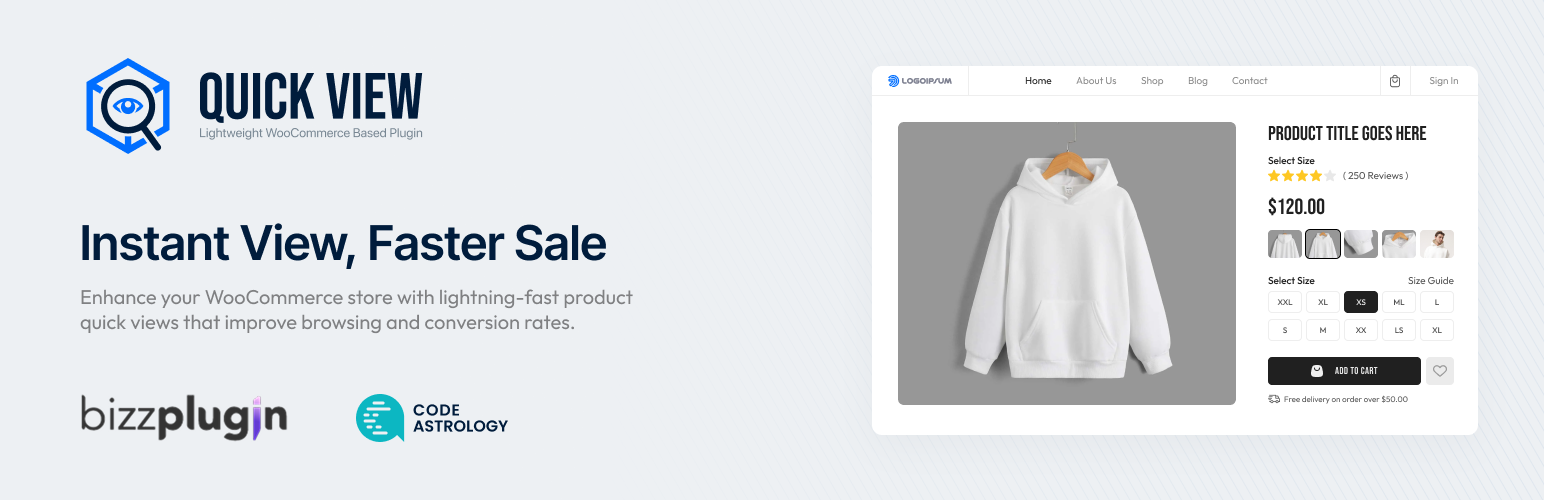
Quick view popup display

Quick view popup display

Doc | Get Premium | Try Live

Bizzview – Quick View for WooCommerce is a powerful addon that enables customers to quickly preview product details in a popup or sidebar without leaving the current page. This improves user experience, reduces bounce rates, and helps convert visitors into buyers.

😍 Free Features

  • Quick View Popup: A beautiful modal popup that displays complete product information — title, price, rating, description, images, and more — without leaving the current page. Improve user experience and reduce bounce rates instantly.
  • Sidebar View: An alternative sidebar layout for product details. Let customers browse products comfortably from a sleek side panel instead of a centered modal.
  • Multiple Modal Effects: Choose from 8 stunning animation effects — Fade, Zoom In, Zoom Out, Newspaper, Move Horizontal, Move From Top, 3D Unfold, and Slide Bottom — to match your store’s personality.
  • Gutenberg Block & Elementor Widget: The built-in Gutenberg block makes it easy to add quick view to any page. Elementor widget available for Elementor users. Build with your preferred page builder.
  • Shortcode Support: Place a quick view button anywhere on your site using a simple shortcode — [bizzview id="PRODUCT_ID"]. Works in pages, posts, and widgets.
  • Image Carousel: Beautiful Slick-powered image slider inside the popup with navigation arrows. Let shoppers swipe through all product images without opening the product page.
  • Variable Products Support: Full support for WooCommerce variable products. Customers can select variations (size, color, etc.) and add to cart — all within the popup.
  • Navigation Arrows: Next and Previous arrows let users browse through multiple products without closing and reopening the popup. Keeps shoppers engaged longer.
  • Add to Cart in Popup: Complete add to cart functionality built into the quick view. Customers can select quantity and add products to their cart directly from the popup.
  • Button Position Control: Choose from 6 different button positions on the product card — Above Title, Under Title, Under Rating, Under Price, Above Add to Cart, or Under Add to Cart.
  • Button Type Options: Display the quick view trigger as a standard button or a link — whichever fits your theme’s design better.
  • Auto Close on Add to Cart: Optionally auto-close the popup once the customer adds a product to the cart. Keeps the shopping flow clean and frictionless.
  • Perfect Scrollbar: Enable a beautiful custom scrollbar inside the popup for a more polished and premium look — especially useful for long product descriptions.
  • Responsive Design: Fully responsive and mobile-friendly. The quick view popup works perfectly on desktops, tablets, and smartphones.
  • WPML Compatible: Works seamlessly with WPML and multilingual WordPress sites. Display product information in any language.
  • RTL Support: Full right-to-left language support. Works correctly for Arabic, Hebrew, Urdu, and other RTL languages.
  • jQuery Event Hook: Run your own JavaScript after the popup loads using $(document).on('bizzview_loaded', function() {}). Easily integrate with third-party scripts.
  • Multiple Action & Filter Hooks: Object-oriented code with multiple hooks and filters for developers to extend or customize any part of the plugin.
  • Lightweight & Optimized: Clean, well-structured codebase with minimal footprint. No unnecessary bloat — only what is needed loads on your pages.

⚡ Experience the Full Potential with Bizzview Premium

Get Premium | Try Live

  • Ajax Cart on Quick View: Add products to cart instantly via Ajax — no page reload, no redirect. Provides a seamless, one-click shopping experience for your customers. Works with both simple and variable products.
  • Category Restrictions: Show the quick view button only for products in specific categories. Perfect for stores where certain product types need different browsing experiences.
  • Elements Organiser: Drag and drop to reorder the elements shown inside the quick view popup — Title, Rating, Price, Excerpt, Add to Cart, Meta, Description, and Availability. Toggle each element on or off individually for a fully customized layout.
  • Popup Design Customization: Full control over the popup appearance — background color, inner padding, corner border radius, maximum width, overlay color, overlay opacity, close button color, and close button size.
  • Mini Cart Support: Enable quick view for products listed in the mini cart. Let customers preview products they have already added without navigating away.
  • Cart Page Support: Enable quick view for products displayed on the cart page. Customers can double-check product details before checkout.
  • Button Design Customization: Style every aspect of the quick view button — background color, text color, hover background and text color, border radius, font size, and horizontal and vertical padding.
  • Typography Controls: Customize the product title color, title font size, and price color to match your brand perfectly.
  • Gallery Lightbox: Full-screen image lightbox when customers click product images inside the popup. Includes zoom, arrow navigation, and thumbnail strip — coming soon.
  • Related Products in Popup: Show 2–4 related products at the bottom of the quick view popup. Configurable by category, tags, or custom selection. Boosts cross-sell opportunities — coming soon.
  • Wishlist Integration: Add a wishlist button inside the popup. Works with BizzWishlist, YITH Wishlist, WooCommerce Wishlist, and custom wishlist setups — coming soon.
  • Product Video Support: Display product videos from YouTube, Vimeo, or self-hosted sources directly in the image slider inside the popup — coming soon.
  • Social Sharing: Let customers share products from the popup on Facebook, Twitter, Pinterest, or via WhatsApp — coming soon.
  • Variation Swatches: Replace plain dropdowns with beautiful color, image, and button-style swatches for variable product variations — coming soon.
  • Mobile Optimized Design: Separate design settings for mobile screens with touch-friendly navigation and swipe gestures for the image gallery — coming soon.

Shortcode

Use [bizzview id="PRODUCT_ID"] to manually add a quick view button anywhere.

Developer Friendly

  • Object-oriented code structure
  • Multiple action and filter hooks
  • Well-documented code
  • Extendable for custom features

Premium Features (Coming Soon)

  • Drag & drop content arrangement
  • Additional Modal Effects
  • Social sharing integration
  • Related products in popup
  • Custom fields support