
Bundsgaard Dashboard
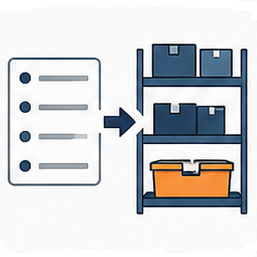
Bundsgaard Dashboard adds a straightforward goods receipt workflow to WooCommerce.
It is intended for stores that need to register incoming stock without implementing a complete warehouse management system.
With Goods Receipt you can:
- Search or scan products by SKU, WooCommerce global unique ID / EAN, or supported barcode metadata.
- Search by product name when an exact identifier is not available.
- See the current WooCommerce stock quantity.
- Enter a positive quantity received.
- Increase WooCommerce stock using WooCommerce stock functions.
- Add an optional delivery note, invoice number, or other reference.
- Add an optional note.
- Keep a receipt history with date, product, quantity, stock before and after, user, and reference.
- See simple receipt statistics on the dashboard.
The plugin intentionally does not manage warehouse bins, locations, purchase orders, suppliers, or cost prices.
Bundsgaard Dashboard does not require a Bundsgaard account or license key and does not send store data to a Bundsgaard service.
WooCommerce stock
Bundsgaard Dashboard updates the existing WooCommerce stock quantity. Stock management must be enabled for the product before goods can be received.
EAN and barcode lookup
The product lookup is compatible with the identifiers used by the current Bundsgaard warehouse development model. It supports WooCommerce SKU, _global_unique_id, and _zettle_barcode when those values are present.
Future integrations
Goods receipt records use a movement structure designed for future integration with other Bundsgaard inventory modules. Bundsgaard Dashboard remains independent and does not require a warehouse plugin.