

Bulk Fixtures for SportsPress
0/5 (0 ratings) 30 active installs Updated Jun 1, 2026
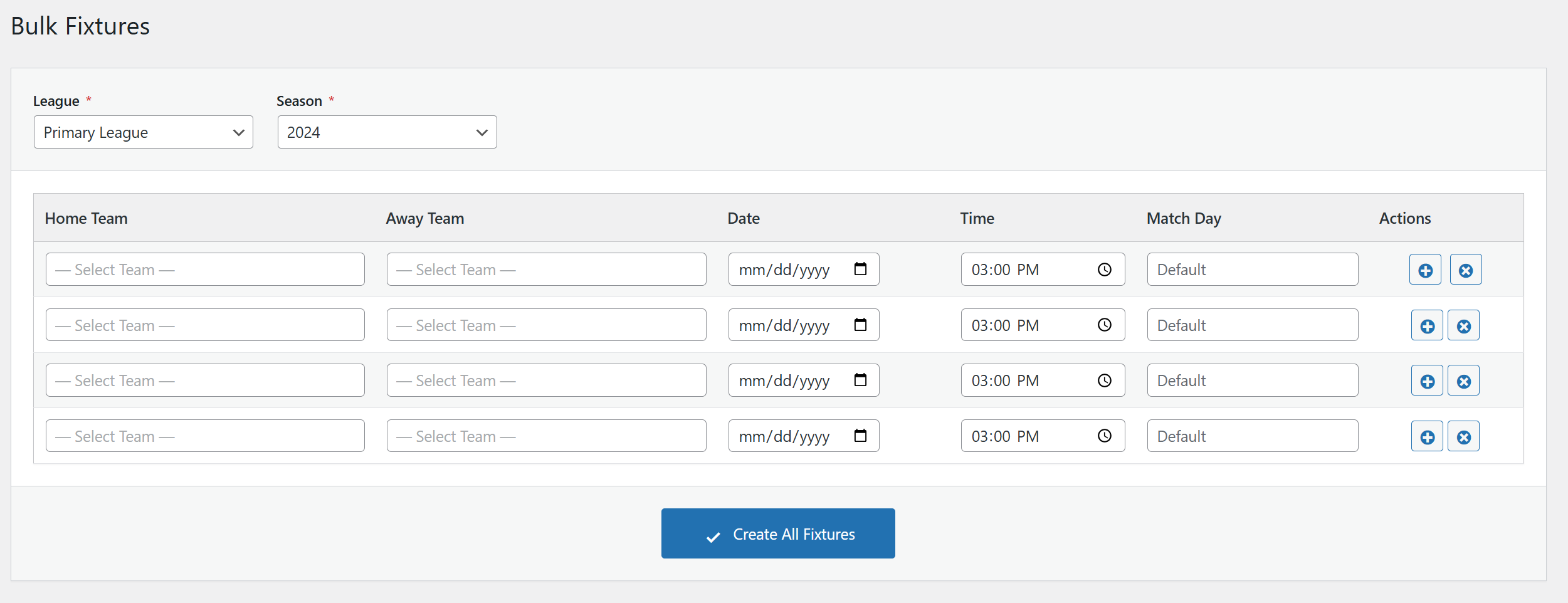
The main Bulk Fixtures interface with League/Season selection
Bulk Fixtures for SportsPress is an add-on plugin that extends SportsPress with a powerful bulk fixture creation tool.
Instead of creating events one by one, this plugin provides a spreadsheet-like grid interface where you can quickly add multiple fixtures at once. Simply select a League and Season, then add as many fixtures as you need with Home Team, Away Team, Date, Time, and Match Day.
Key Features
- Grid-Based Interface – Add multiple fixtures in a spreadsheet-like table
- Smart Row Cloning – When adding a new row, Date, Time, and Match Day are automatically copied from the previous row
- Searchable Team Dropdowns – Searchable dropdowns for easy team selection
- Team Filtering – Teams are automatically filtered by the selected League and Season
- Batch Processing – Fixtures are saved in batches for reliable performance
- Progress Tracking – Real-time progress bar shows how many fixtures have been created
- Error Handling – Graceful error handling with detailed feedback
Requirements
- WordPress 5.6 or higher
- PHP 7.4 or higher
- SportsPress plugin (free or Pro version)
How to Use
- Go to SportsPress Events Bulk Fixtures in your WordPress admin
- Select a League from the dropdown
- Select a Season from the dropdown
- Teams will be automatically loaded based on your selection
- Fill in the fixture details: Home Team, Away Team, Date, Time, and optionally Match Day
- Click the + button to add more rows (values are cloned for faster entry)
- Click Create All Fixtures to create all events
Support
For bug reports and feature requests, please visit the plugin’s support forum on WordPress.org.