

Bulk Edit Products – Price, Stock, SKU & Inventory Manager for WooCommerce

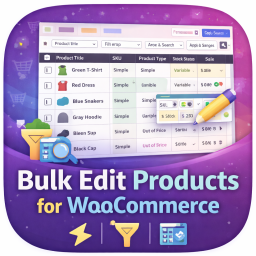
The spreadsheet-style product table.
Bulk Edit Products is the friendly way to bulk edit WooCommerce products. Change prices, stock, SKUs, categories, status and more for hundreds of products in a few clicks, without opening each product one by one.
Click any cell to edit it like a spreadsheet, or tick a set of products and apply a change to all of them, such as “20% off” or “add to a category”. You always see a before-and-after preview first, and every change can be undone in one click.
Made for busy store owners. No code, no learning curve.
Why store owners love it
- Safe by design. Preview every change before it is applied. Undo any save or bulk edit from History.
- Fast. Edit directly in the table, press Enter to jump to the next row, and save everything at once with Ctrl + S.
- Smart. Percent and amount price changes, “end in .99” rounding, and sale prices calculated from the regular price.
- Clear. A clean, modern screen with plain-language labels, helpful messages and no clutter.
Edit like a spreadsheet
- Click a cell to change it. Changed cells are highlighted until you save.
- One Save button for all your edits, with clear messages if something cannot be saved (for example a sale price that is higher than the regular price).
- Keyboard friendly: Enter to confirm and move down, Esc to cancel, Ctrl + S to save.
- Show only the columns you need. Your choice is remembered for next time.
- Switch between Comfortable and Compact row density.
- Edit variations of variable products right in the table.
Bulk edit many products at once
Tick products (or choose “Select all matching your filters”) and press Bulk edit. Choose a field, choose what to do, and see the preview.
Price tools
- Set, increase or decrease by an amount or by a percent.
- Set the sale price as a percent off the regular price.
- Round to the nearest whole number, 5 or 10, round up or down, or end in .99, .95 or .49.
- Clear sale prices and sale dates in one step.
- Safety checks: prices never go below zero and a sale price never goes above the regular price.
Text tools (names, SKUs, slugs, descriptions)
- Find and replace, with optional match case.
- Add text before or after, change case, tidy extra spaces.
Stock and settings
- Set, increase or decrease stock quantity.
- Change stock status, backorders, manage stock, tax status, tax class, shipping class, visibility, featured and more.
Categories and tags
- Add, remove or replace categories and tags across many products.
One-click recipes
- Run a sale, raise prices 10%, end all sales, mark out of stock, move to draft.
Custom fields and ACF
- Edit Advanced Custom Fields (ACF) and any other product custom field right in the table.
- An administrator picks which fields to show in Columns > Custom fields & ACF. ACF fields appear with their proper labels and types (text, long text, number, select and yes/no).
- Custom fields work with bulk edit (find and replace, add text, set values), history and undo, and CSV import and export.
- Safe by design: only fields an administrator has switched on can be edited, and private fields (starting with an underscore) are never exposed.
Find the right products fast
- Search by name, SKU or product ID.
- Filter by status, stock status, product type and category.
- More filters: price range, stock range, on sale, featured, tags, publish date, missing SKU, missing image and uncategorised.
- Save your favourite filters as Views and reopen them in one click.
- Select products in the normal WooCommerce list and choose “Edit in Bulk Edit Products” from its bulk actions.
History and undo
- Every save and bulk edit is recorded for 60 days.
- Undo a whole change in one click. If a value was edited again afterwards, it is left alone.
Import and export CSV
- Export the products you see (or the ones you ticked) to CSV for Excel or Google Sheets.
- Edit in your spreadsheet, then import to update existing products by SKU or ID.
- Match columns to fields, preview the result, then import. Undo it from History.
Editable fields
Name, SKU, slug, status, catalog visibility, featured, publish date, menu order, regular price, sale price, sale dates, tax status, tax class, manage stock, stock quantity, stock status, backorders, low stock threshold, sold individually, weight, length, width, height, shipping class, virtual, downloadable, download limit, download expiry, categories, tags, reviews, product image, short description, description and purchase note.
Built to be safe and compatible
- Only users who can edit products can use it, and every product is checked against your WordPress permissions.
- Only known product fields can be changed.
- Works with WooCommerce High-Performance Order Storage (HPOS).
- No ads, no tracking, no external requests.
- Translation ready.
Support
Need help? We are happy to help at https://www.codesmade.com/contact-us/