


BricksFly Elements and Templates for Bricks
<strong>Preset Animations</strong>: Instantly apply ready-made animations without any hassle.
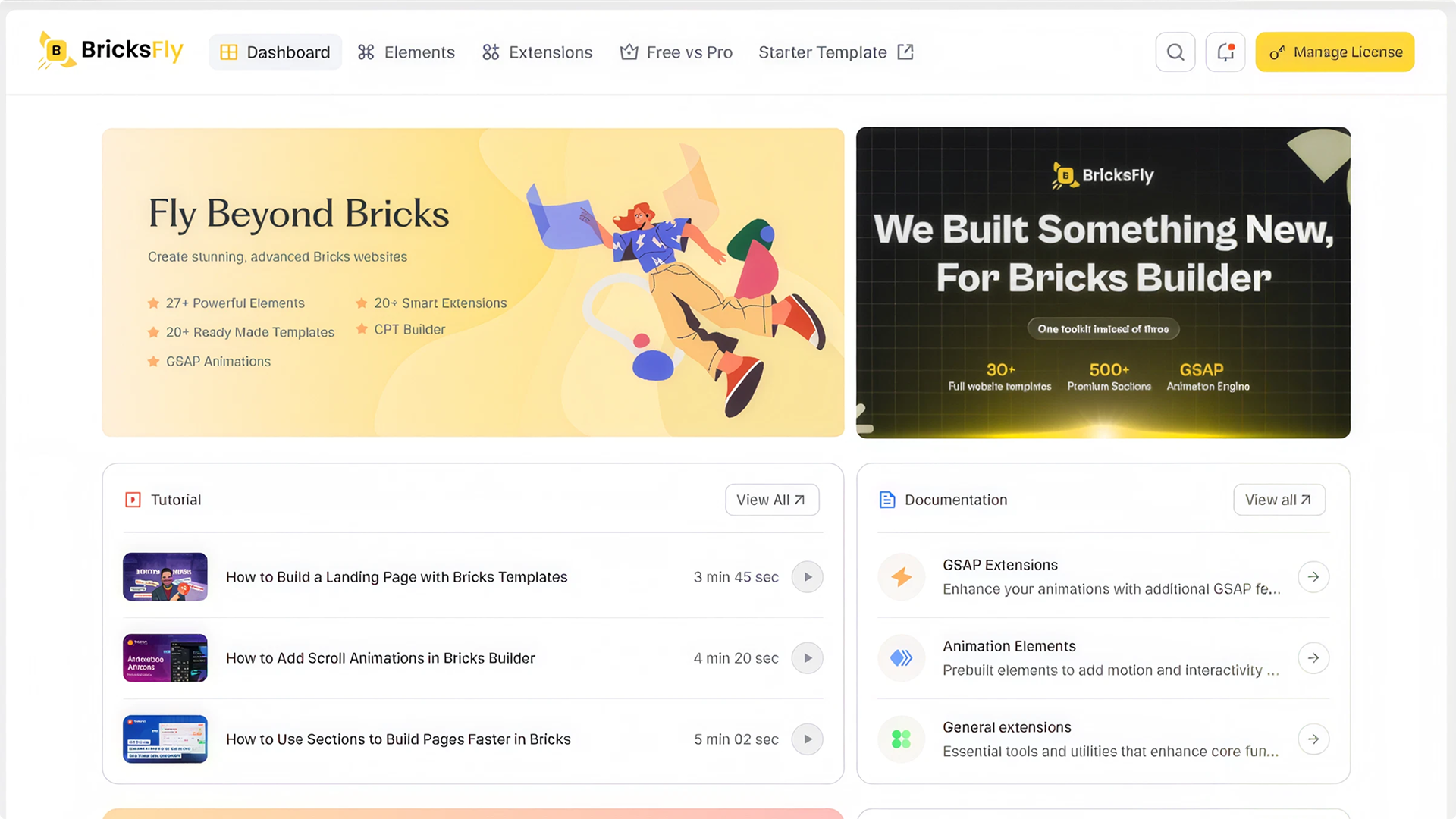
BricksFly is a collection of Bricks Builder addons that extends your website-building workflow with Bricks Elements, preset Starter Animations and a Template Library. It helps designers and developers build interactive, animated websites in Bricks Builder without writing custom JavaScript. The GSAP animation engine and Extensions are part of the separate BricksFly Pro plugin.
BricksFly also includes a Template Library with starter websites, single pages and reusable sections for Bricks that can be imported and customized directly inside the Bricks editor. Items marked Free import fully with this plugin, with no license or account. Items marked Pro are provided by the separate BricksFly Pro plugin. BricksFly is made by the team behind Animation Addons, a GSAP animation toolkit for WordPress.
Main features:
- 20+ Bricks Elements covering content, video, marketing and dynamic layouts. Elements marked (Pro) below are part of BricksFly Pro.
- Starter Animations: preset entrance and text animations (reveal, scale, slide, skew, flip, glow, mask, wave and character effects) for Bricks’ own heading, text, image and container elements.
- With BricksFly Pro: a no-code GSAP animation engine and Extensions with ScrollTrigger, SplitText, parallax, horizontal scroll, sticky and pin, smooth scroll, image reveal on hover, and cursor effects.
- A built-in Template Library with starter templates, pages and sections for Bricks. Free items import with this plugin; Pro items are labeled and come with BricksFly Pro.
- Responsive controls, live previews, and selective asset loading.
Enable only the Elements you need on each site. Animation controls can also respect reduced-motion preferences.
Useful links: Live demo | Documentation | All Elements | Starter templates | Sections | FAQ | Support | Community
Black Friday offer: up to 70% off BricksFly Pro. Get the GSAP animation engine, Extensions, 30+ full templates and 500+ sections for less. Get BricksFly Pro at up to 70% off
Watch a quick overview:
More tutorials and walkthroughs are on the BricksFly YouTube channel.
Elements for Bricks Builder
Design dynamic websites with a growing collection of Bricks Elements, from creative layouts to marketing blocks. These elements for Bricks are built to work directly inside the Bricks Builder workflow. Just drag, drop, and customize. See them all on the Elements page.
General Elements
- Advanced Button Pro: Create customizable Bricks buttons with modern hover styles and animations.
- Social Icons: Display social media icons with custom styles and hover effects.
- Brand Slider: Show client or brand logos in a customizable, animated slider.
- Counter: Display animated number counters for statistics and milestones.
- Progress Bar: Show progress indicators in multiple animated styles.
- Gallery Progress (Pro): Display an image gallery with an animated progress indicator.
- Icon Box: Display icons with titles and descriptions in clean, flexible layouts.
- Testimonial: Showcase client reviews with customizable layouts.
- Classic Testimonial: Display testimonials in a clean, classic style.
- Modern Testimonial: Present testimonials with modern, animated layouts.
- Team: Showcase your team members professionally with hover effects.
- Timeline: Tell your story with animated, scroll-triggered timeline layouts.
- Floating Elements: Add floating, rotating, zooming, and motion effects to any element.
Animation Elements
- Animated Heading: Create animated headings with multiple text effects and triggers.
- Stacking Cards (Pro): Build a nestable deck of cards that stack as the visitor scrolls, powered by GSAP ScrollTrigger. Choose a pinned section or sticky cards, pick one of 8 transition effects (stack and scale, fade and slide, card flip, fan out, zoom, diagonal, curtain, horizontal slide), and show a step counter such as 01 / 03.
Header & Footer Elements
- Animated Off-Canvas (Pro): Create animated off-canvas panels for menus or custom content.
Dynamic Elements
- Social Share (Pro): Enable social sharing for any post or page.
- Post Meta: Show post metadata such as date, author, and category.
- Video Story: Present posts or content in an engaging video story format.
Video Elements
- Video Popup (Pro): Display videos inside a popup modal to boost engagement.
- Video Box: Embed external or self-hosted videos directly inside Bricks.
- Video Mask: Apply creative masks and visual effects to video elements.
- YouTube Video (Pro): Embed and customize YouTube videos with advanced controls.
- Scrollable Video (Pro): Play or scrub a video as the visitor scrolls the page.
- Video Box Slider: Display videos in a responsive slider layout.
Advanced Elements
- Image Accordion: Highlight images with smooth accordion-style interactions.
- Image Hotspot: Place clickable markers with tooltips on an image.
- Toggle Switch: Add interactive on and off toggle elements for content control.
- Draggable Items: Add drag-and-drop interactive items to a page.
- Lottie (Pro): Play Lottie JSON animations on scroll, hover, click, cursor move or when visible, with loop, speed and frame controls.
Starter Animations
The free plugin adds an animation panel to Bricks’ own heading, text, image and container elements. Pick a preset animation (reveal, scale, slide, skew reveal, flip, or text effects such as glow, mask, wave and character animations), set its duration, delay and easing, and preview it in the editor. No GSAP or custom code needed.
Extensions (BricksFly Pro)
The Extensions below are part of BricksFly Pro, a separate plugin. They add GSAP animation, interaction, navigation, and workflow features to Bricks without custom code.
GSAP Extensions
- Scroll Smoother: Add smooth scrolling for a modern, fluid browsing experience.
- Animation: Create custom Bricks animations with flexible triggers and timing.
- Sticky/Pin Element: Keep sections or elements fixed during scrolling for sticky effects.
- Text Animation: Build dynamic SplitText animations including text reveal, fade, 3D text, and character-by-character effects.
- Image Animation: Apply dynamic motion effects to images for better visual engagement.
- Parallax Effect: Add creative parallax scrolling effects to any element or section.
- Effects: Apply ready-made motion effects to your Bricks elements.
- Cursor Hover Effect: Add interactive hover animations triggered by cursor movement.
- Image Reveal on Hover: Reveal images smoothly on hover for modern design layouts.
- Cursor Move Effect: Create motion effects that respond to user cursor movement.
- ScrollTrigger: Trigger advanced animations based on scroll position using GSAP ScrollTrigger.
- Horizontal: Build horizontal scroll animations using GSAP ScrollTrigger.
- ScrollTo: Create smooth scroll-to navigation for one-page Bricks websites.
- Stacking Cards: Turn native containers into an interactive pinned card deck or cascading sticky stack with scroll-driven scale, opacity, and blur.
- Magnetic Effect: Add physics-based magnetic pull to buttons, icons, or cards as the user cursor approaches.
General Extensions
- Tilt Effect: Create mouse-based tilt animations for interactive Bricks elements.
- Advanced Tooltip: Add rich, interactive tooltips to display extra information on hover.
- Wrapper Link: Make entire sections, containers, or blocks fully clickable without extra code.
- Preloader: Display custom preloader animations while your Bricks site loads.
- Cursor: Replace the default cursor with custom designs and interactive cursor styles.
- Scroll Indicator: Show a reading progress bar or scroll indicator on any page.
- Scroll To Top: Add a customizable scroll-to-top button for better navigation.
Explore individual features: Sticky and pin elements, Split text animation, Image animation, Image reveal on hover, Horizontal scroll, Cursor hover effect, and Advanced tooltip.
GSAP Animation for Bricks Builder (BricksFly Pro)
With BricksFly Pro, create GSAP animation for Bricks Builder visually without writing custom JavaScript. Pick a trigger, set the options, and preview it live inside Bricks. BricksFly supports GSAP animations for Bricks including ScrollTrigger scroll animations, SplitText text reveals, parallax, horizontal scroll, sticky and pin sections, smooth scrolling, and cursor effects.
Watch a SplitText animation built in Bricks:
Bricks Templates, Pages and Sections
The built-in Template Library lists starter websites, single pages and reusable sections for Bricks. Every item shows a Free or Pro badge, and the library opens on free items first:
- Free items import fully with this plugin: one click, no license, no account.
- Pro items are part of BricksFly Pro, a separate plugin. BricksFly Pro adds 30+ complete starter websites and 500+ sections.
Imported designs are editable inside Bricks and can be enhanced with Starter Animations, or with the GSAP Extensions in BricksFly Pro. Images are copied into your Media Library during import. Browse the starter templates and sections, or try the live demo.
Watch a full site imported in minutes:
Who BricksFly is for
BricksFly fits freelancers who want to deliver more without subcontracting, agencies that need a repeatable production workflow, designers who want to own the final result, and business owners who want to manage their own site. Developers use it to skip repetitive setup and spend time on custom work. Learn more on the What is BricksFly page.
External services
This plugin connects to the services below. Nothing is sent until you open the related screen or start an import. No license key, account data, personal data or site content is sent by this plugin.
BricksFly template library (themecrowdy.com)
The template library is run by Wealcoder, the developer of BricksFly, at www.themecrowdy.com. It provides the list of starter templates, pages and sections, their preview images, and the files of the items you import.
- When: when you open the Starter Templates or Page Import screens in the BricksFly dashboard, or the section library inside the Bricks editor; when you search, filter or scroll those lists; and when you click Import or Insert.
- What is sent: the search term, the filters you choose (category, page type, Free/Pro, color mode, direction, sort order), the page number, the IDs of templates in your wishlist when you filter by wishlist, and the ID of the item you view or import. Your browser (for the lists) or your server (for imports) also sends its IP address and user agent, as with any web request.
- Terms of use: https://www.themecrowdy.com/terms/
- Privacy policy: https://www.themecrowdy.com/privacy-policy/
Template images (bricksfly.com, crowdytheme.com, wealcoder.com)
Images used by a template, page or section you import are downloaded from the demo sites they were built on (bricksfly.com, crowdytheme.com and wealcoder.com, all run by Wealcoder) and saved to your Media Library. This happens only when you import or insert an item. A video in an imported section may keep playing from wealcoder.com.
- Terms of use: https://www.themecrowdy.com/terms/
- Privacy policy: https://www.themecrowdy.com/privacy-policy/
BricksFly website (bricksfly.com)
The BricksFly dashboard shows the latest articles from the BricksFly blog, with thumbnail images loaded from bricksfly.com when you open the dashboard. Only a standard image request is made (IP address and browser user agent).
- Terms of use: https://www.themecrowdy.com/terms/
- Privacy policy: https://www.themecrowdy.com/privacy-policy/
YouTube
The dashboard’s tutorial videos, and the Video Box, Video Box Slider and YouTube Video elements when you choose a YouTube video, embed the YouTube player. The player loads only where the video is shown.
- Terms of service: https://www.youtube.com/t/terms
- Privacy policy: https://policies.google.com/privacy
Vimeo
The Video Box and Video Box Slider elements embed the Vimeo player when you choose a Vimeo video. The player loads only where the video is shown.
- Terms of service: https://vimeo.com/terms
- Privacy policy: https://vimeo.com/privacy
Source code
The files in public/build are compiled (minified) JavaScript and CSS. Their full, human-readable source code is included in this plugin in the src folder, and is also available in our public GitHub repository: https://github.com/Wealcoder/bricksfly-elements-for-bricks
Where each compiled file comes from:
public/build/admin/dashboard.jsandpublic/build/admin/page-import.js(BricksFly dashboard and Page Import screens, React):src/admin/dashboardandsrc/admin/page-import, with shared components insrc/admin/components. The files inpublic/build/admin/chunksare parts of these two screens that load on demand; their names contain a content hash that changes with each release.public/build/admin/aab-template-library.js(section library inside the Bricks editor):src/js/admin/aab-template-library.js.public/build/admin/bricks-animation-addons-admin.js:src/js/admin/bricks-animation-addons-admin.js.public/build/elements/*(element scripts and styles):src/js/elementsandsrc/scss.public/build/extensions/*(animation extensions and editor panel):src/js/extensions.public/build/frontend.jsandfrontend.css:src/js/frontend.jsandsrc/scss.
How to build: install Node.js 18 or newer, then run these commands in the plugin folder. The build configuration is in webpack.config.js.
npm install
npm run build<h3>Third-party libraries</h3>
* ProgressBar.js 1.1.1 by Kimmo Brunfeldt, MIT license: https://github.com/kimmobrunfeldt/progressbar.js (the readable source is included as public/js/lib/progressbar.js).