


Bobasoftware Publisher Paywall
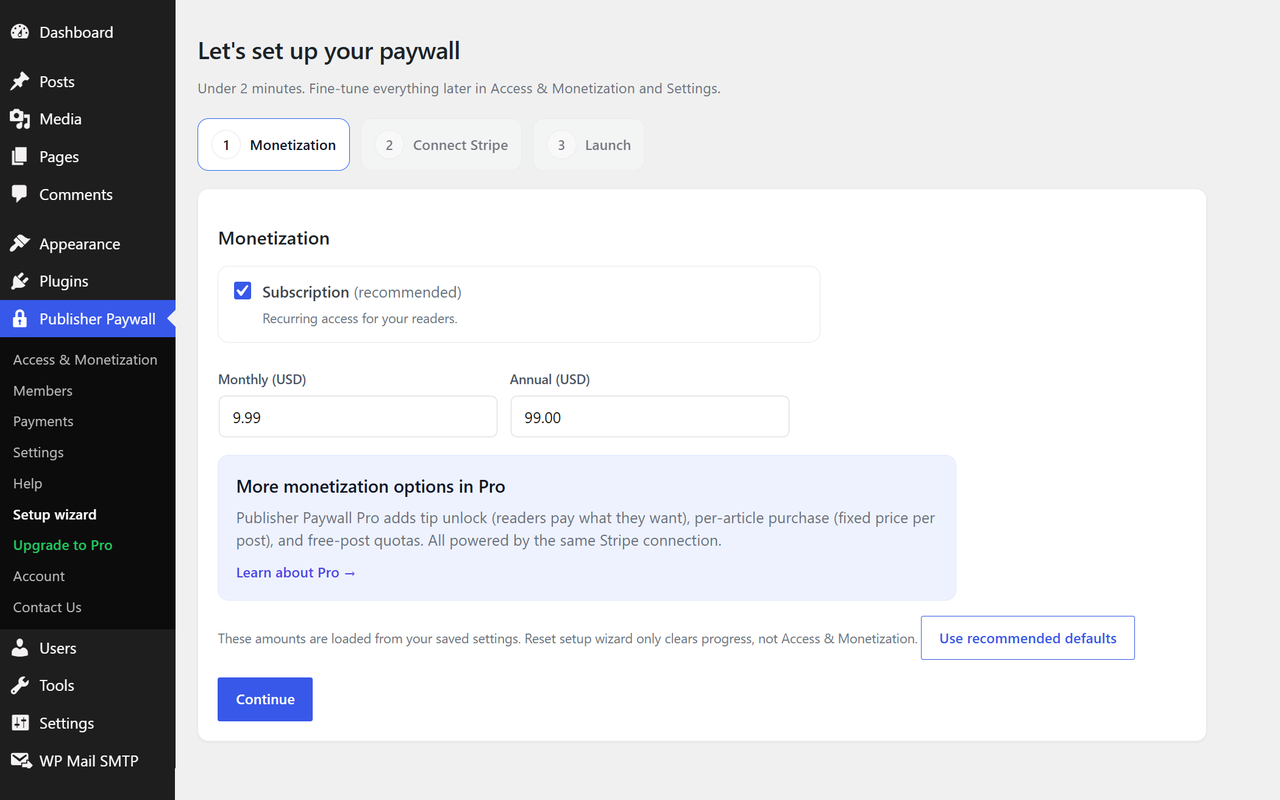
Setup wizard — launch your paywall in under two minutes
Your newest posts stay free, so they can still be shared, linked to and found. After a number of days you choose, each one becomes premium and starts earning. You set that number once and it keeps running, with no decision to make on any individual post.
That is the free publish window, and it is in the free plugin rather than behind an upgrade. So is everything else you need to actually take money: monthly and annual Stripe subscriptions, magic-link login for your readers, a Members page, a Payments ledger, and a self-service billing link your subscribers can use without emailing you.
Setup takes about two minutes once your Stripe account is ready. Payments go straight into that account. Boba Software never takes a percentage of your revenue, on any plan, starting with the free one. Stripe charges its own processing fee of 2.9% + $0.30 per transaction, the same as it does anywhere else, and that goes to Stripe.
One thing to know before you install. The paywall is site-wide. You set the rules once and they apply to every post. There is no per-post switch in the post editor, and there are no membership tiers, courses, quizzes or drip content — there are two member states, free and paid, and that is deliberate rather than unfinished. Per-post control is on the roadmap and is not in the plugin today. If you need it now, this is not the right plugin for you yet.
What’s included (free):
- Free publish window — new posts stay free for a number of days you set, then become premium automatically
- Subscription monetization — offer monthly and annual plans to your readers
- Magic login — readers log in via a one-time email link, no password required
- Members management — see who’s subscribed, when they joined, and their status
- Payments ledger — view and manage subscription payments
- Reader self-service — subscribers can cancel or update billing from a link at the end of each unlocked article
Pro features (available via in-app upgrade):
- Tip unlock — let readers pay what they want to unlock a single post
- Per-article purchase — set a fixed price for individual posts
- Free-post quota — give logged-in readers a monthly or one-time allowance of free articles
- Creator Tools — preview your paywall and debug reader access
Pro is $9.99 a month or $99 a year for a single site, with a 14-day trial that does not ask for a card. The free plugin does not expire, does not nag, and does not gate any of the features listed above it — the Pro code is not in the free download at all.
The plugin connects to Stripe for payment processing. You’ll need a Stripe account to accept payments.
External services
This plugin connects to external third-party services for payment processing and licensing. By using this plugin, you agree to the terms of these services.
Stripe
This plugin uses Stripe to process payments. When a reader subscribes, purchases an article, or leaves a tip, the plugin creates a Stripe Checkout session and redirects the reader to Stripe’s hosted checkout page. Stripe handles all payment processing — no credit card data is stored on your WordPress site.
Data sent to Stripe:
* When a reader checks out: the product name, price, currency, and a success/cancel URL pointing back to your site
* When managing subscriptions: subscription ID and update parameters
* Webhook events: Stripe sends payment confirmation events back to your site for order fulfillment
Stripe links:
* Stripe Terms of Service
* Stripe Privacy Policy
Freemius
This plugin uses Freemius for license management and update delivery. On activation, you’ll see an opt-in screen where you can choose to share diagnostic data (such as your site URL, WordPress version, PHP version, and plugin version) to help us provide updates and support — or skip this and continue with the free version anonymously. No data is sent to Freemius unless you actively opt in.
Freemius links:
* Freemius Terms of Service
* Freemius Privacy Policy