
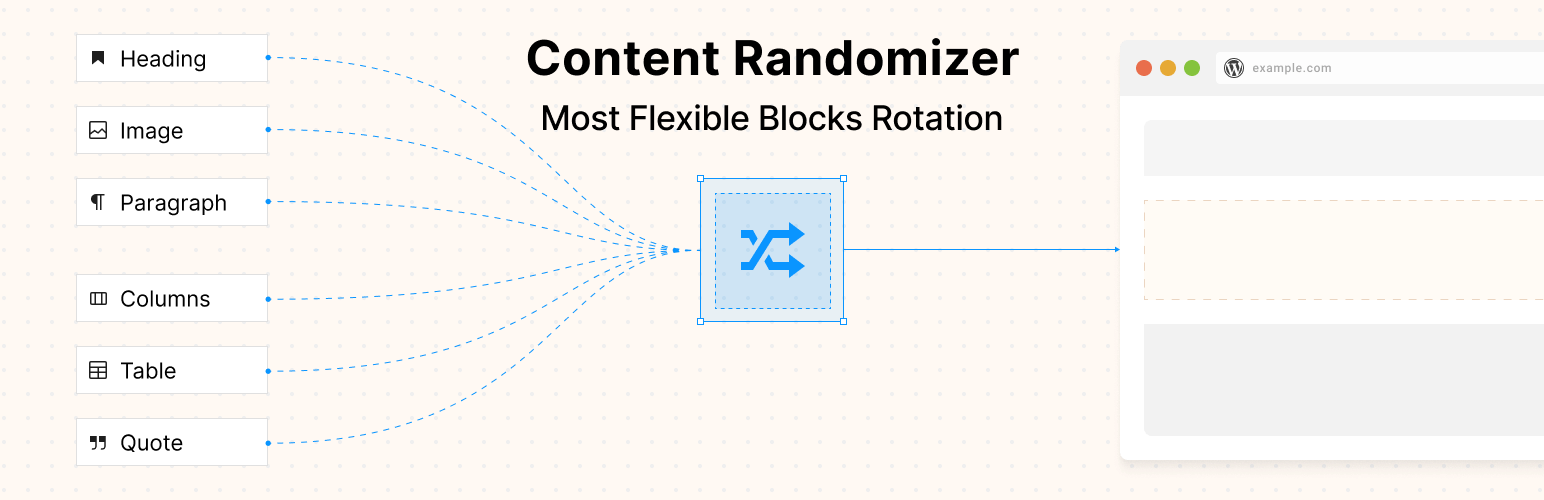

Content Randomizer – Rotate Any Block
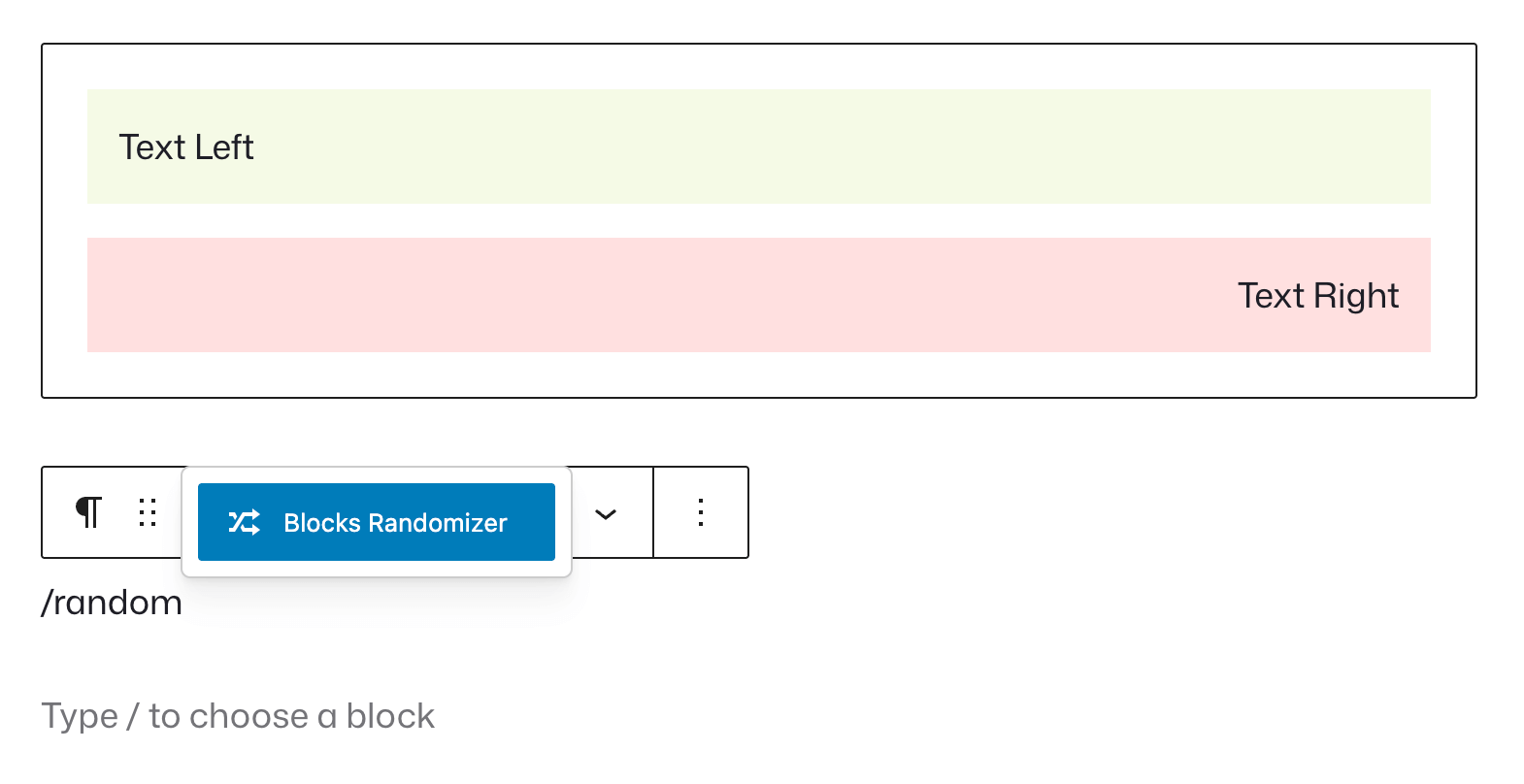
Adding the Random Content Block to your page using the WordPress block editor
Blocks Randomizer adds dynamic variety to your website by randomly displaying blocks from a collection you define. Simply add the “Blocks Randomizer” container block to any page or post, fill it with your desired content blocks, and the plugin will automatically select and display one (or more) randomly each time the page loads.
Perfect for creating fresh, engaging experiences for repeat visitors without manually updating content.
Key Features
- Easy to Use: Works seamlessly with the WordPress Block Editor (Gutenberg)
- Flexible Content: Add any type of block as a child – paragraphs, images, headings, galleries, custom blocks, and more
- Multiple Display Options: Choose how many random blocks to show at once
- No Coding Required: Simple drag-and-drop interface for managing randomized content
- Performance Optimized: Lightweight and efficient randomization
Use Cases
Rotating Testimonials
Create a collection of testimonial blocks and display a different customer review each time visitors load your page. Great for homepage hero sections or service pages.
Daily Tips & Quotes
Add multiple quote or paragraph blocks with tips, motivational quotes, or daily advice. Each page load presents fresh inspiration to your audience.
Random Call-to-Actions
Test different CTAs by randomly displaying various buttons, banners, or promotional blocks. Perfect for A/B testing messaging without complex tools.
Product Showcases
Rotate featured products, services, or portfolio items on your homepage to give equal visibility to different offerings.
Educational Content
Display random “Did You Know?” facts, learning tips, or course highlights to keep educational sites engaging for returning students.
Banner & Advertisement Rotation
Cycle through different promotional banners, partner logos, or advertisement blocks without needing a separate ad management plugin.
Seasonal Greetings
Add multiple greeting blocks for different occasions and let visitors see varied welcome messages throughout the year.
Team Member Spotlights
Showcase different team members randomly on your about page, giving everyone fair representation.
How It Works
- Add the “Blocks Randomizer” block to your page or post
- Insert any blocks you want as direct children (top-level blocks will be picked during the randomization logic)
- Configure how many blocks to display at once (optional)
- Publish your page – visitors will see random content from your collection
- Update anytime by adding, removing, or editing child blocks
Using with the Block Editor (Gutenberg)
The Blocks Randomizer is built natively for the WordPress Block Editor (Gutenberg). It works as a container block that accepts any other blocks as children:
- Full compatibility with all core WordPress blocks (Paragraph, Image, Heading, Gallery, Button, Quote, etc.)
- Drag-and-drop interface for easy block management within the randomizer
- Live preview in the editor showing all your blocks (actual randomization happens on the front-end)
- Block toolbar and settings work normally for blocks inside the randomizer
Simply add the Blocks Randomizer block anywhere you’d add any other block, and start building your randomized content collection.
Perfect For
- Marketing and landing pages
- Membership and community sites
- Educational and training platforms
- E-commerce and business websites
- Blogs and content sites
- Portfolio and agency websites
Whether you’re looking to increase engagement, test different messaging, or simply add variety to your content, Blocks Randomizer makes it simple and intuitive.
How to Create Rotating Testimonials
Creating rotating customer testimonials is one of the most popular uses for the Blocks Randomizer. Here’s a step-by-step guide:
- Create or edit the page where you want testimonials to appear (typically your homepage, services page, or dedicated testimonials page)
- Add the Blocks Randomizer block by clicking the “+” button and searching for “Blocks Randomizer” or typing
/random - Add your first testimonial inside the randomizer container – you can use Quote blocks, Paragraph blocks, or custom testimonial blocks from your theme
- Format your testimonial with the customer’s quote, name, company, and optionally add their photo using an Image block
- Add more testimonials by clicking the “+” button inside the randomizer and repeating the formatting for each customer review
- Adjust display settings (optional) – in the block sidebar, you can set how many testimonials to show at once if you want to display multiple reviews
- Publish or update your page – visitors will now see a different random testimonial each time they load the page
Pro tip: Use consistent formatting for all testimonials (same heading sizes, image dimensions, text styles) to ensure smooth visual transitions between random selections.
How to Set Up Random Call-to-Actions
Rotating different call-to-action messages helps you test which messaging resonates best with your audience:
- Open the page where you want rotating CTAs (homepage, landing page, or product page)
- Add the Blocks Randomizer block in the section where you want your CTA to appear
- Create your first CTA using Button blocks, Heading + Paragraph combinations, or custom CTA blocks from your theme or page builder
- Duplicate and modify – create variations with different:
- Headline text (“Start Your Free Trial” vs “Get Started Today”)
- Button colors and styles
- Supporting copy and benefits messaging
- Urgency elements (“Limited Time Offer” vs “No Credit Card Required”)
- Add each variation as a separate block group inside the randomizer
- Set to display one CTA at a time using the “Number of blocks” setting (set to 1)
- Monitor performance over time to see which messages drive more conversions
Pro tip: Keep the overall design structure similar across variations so the page layout remains consistent, but vary the messaging and emphasis to test different value propositions.
Pro tip 2: You can use different UTM values (specifically, utm_content) for your CTA buttons inside the randomizer, this way you can even track using any analytics solution (like Google Analytics, or Fathom Analytics, or Plausible Analytics) which CTA performs better.
How to Display Random Products
For e-commerce sites, rotating product showcases give equal visibility to your catalog:
- Navigate to your homepage or shop page in the Block Editor
- Add the Blocks Randomizer block where you want featured products to rotate
- Insert WooCommerce or Easy Digital Downloads product blocks inside the randomizer – you can use:
- Single Product blocks (for individual product showcases)
- Products by Category blocks (for category spotlights)
- Hand-picked Products blocks (for curated selections)
- Configure each product block with your desired layout, show/hide settings for price, ratings, “add to cart” button, etc.
- Add multiple product configurations – create different product spotlights, categories, or seasonal collections
- Adjust how many products to display using the randomizer settings
- Publish your page – products will rotate automatically, giving fair exposure to different items
Pro tip: Group related products together or create themed product blocks (e.g., “Summer Collection,” “Best Sellers,” “New Arrivals”) for more cohesive random displays.
How to Rotate Banner Advertisements
If you display ads, partner logos, or promotional banners, the randomizer helps distribute visibility:
- Prepare your banner images – ensure they’re all the same dimensions for a consistent layout
- Add the Blocks Randomizer block to your sidebar, header, or content area where banners should appear
- Insert Image blocks inside the randomizer, uploading each banner or advertisement
- Add links to each image by selecting the image and clicking the link icon – set destinations for each ad
- Include alt text for accessibility and SEO on each image
- Add multiple banners – upload all your advertisement images or promotional graphics
- Set display quantity based on your layout (1 for single banner rotation, multiple for ad grids)
- Publish and monitor – banners will rotate fairly, ensuring all advertisers or promotions get equal exposure
Pro tip: Use the same aspect ratio for all banners to prevent layout shifts. Consider adding a Text block below images for additional context or disclaimers if needed.
How to Configure Block Display Settings
Fine-tuning how many random blocks appear gives you precise control over your content:
- Select the Blocks Randomizer block by clicking on it in the editor
- Open the Settings sidebar on the right side of the screen (if not visible, click the gear icon in the top-right)
- Find the “Number of blocks” setting in the block settings panel
- Adjust the number using the input field or arrows:
- Set to 1 for single random block display (great for hero sections, testimonials)
- Set to 2-3 for multiple testimonials or product showcases
- Set to 0 to hide the entire block on the front-end (useful for temporarily disabling without deleting content)
- Preview changes by viewing the page on the front-end or using the editor preview
- Consider your layout – ensure multiple random blocks fit well within your design at different screen sizes
Pro tip: The number you set is the maximum that will display. If you have fewer blocks inside the randomizer than the number specified, all available blocks will show.
Using with WooCommerce or Easy Digital Downloads
Perfect for e-commerce sites looking to rotate products, promotions, and calls-to-action:
- Product blocks – Add Single Product, Products by Category, or Hand-picked Products blocks inside the randomizer
- Product rotations – Showcase different products on your homepage or shop sidebar
- Promotional banners – Rotate sale announcements and special offers
- Category spotlights – Give equal visibility to different product categories
- Cross-sells and upsells – Randomize product recommendations on product pages
Example use case: Add and configure a grid block on your homepage, then add a randomizer inside of it, then add 5-10 featured products to the randomizer, set it to display 3 at a time, and visitors will see a different product selection on each visit.
Using with Caching Plugins
Understanding how caching affects randomization is crucial:
WP Rocket:
– Random blocks work with WP Rocket’s page caching
– Content randomizes when cache regenerates (based on cache lifespan)
– For per-visit randomization, add pages to cache exclusions
– Consider using shorter cache lifespans for dynamic pages
W3 Total Cache:
– Compatible with page and object caching
– Random selection happens during cache generation
– Configure cache expiration based on how often you want new random content
– Use fragment caching to cache everything except the randomizer
WP Super Cache:
– Works with WP Super Cache out of the box
– Each cache refresh will select new random blocks
– Set appropriate cache timeout for your content rotation needs
LiteSpeed Cache:
– Fully compatible with LiteSpeed caching
– Random blocks cached until cache expires
– Use ESI (Edge Side Includes) for more dynamic behavior if needed
Cloudflare / CDN:
– CDN caching will serve the same version to all users until cache expires
– Configure page rules for pages with randomized content
– Consider shorter TTL (Time To Live) for dynamic pages
Key principle: The Blocks Randomizer performs server-side randomization. Whatever is selected gets cached. New random selection happens when cache regenerates.
Using with SEO Plugins
The Blocks Randomizer is SEO-friendly since randomization happens server-side.
SEO best practices:
– Don’t place critical, unchanging SEO content in the randomizer
– Use the randomizer for supplementary elements (testimonials, CTAs, featured items)
– All variations should be topically relevant to the page’s main purpose
– Consider that search engines may index different random variations on different crawls
Using with Form Plugins
Randomize different contact forms or lead capture forms to determine which one performs better – collects more contacts or leads.
WPForms:
– Insert WPForms blocks inside the randomizer
– A/B test different form designs
– Rotate forms for different services or products
Contact Form 7:
– Add Contact Form 7 blocks to the randomizer
– Test different form layouts and field combinations
– Rotate forms for different audiences or purposes
Gravity Forms:
– Add Gravity Forms blocks to random rotation
– Test form conversion rates with different layouts
– Display appropriate forms based on random selection
Formidable Forms:
– Compatible with Formidable Forms blocks
– Randomize contact forms, surveys, or calculators
Using with Membership & LMS Plugins
Display dynamic content for members or students:
LearnDash:
– Randomize course highlights or lesson previews
– Rotate student testimonials
– Display random course modules or topics
MemberPress:
– Rotate membership benefits or pricing tables
– Randomize member testimonials
– Display different membership tier highlights
LifterLMS:
– Randomize course showcases
– Rotate instructor spotlights
– Display random learning paths