


Bizdesire Advanced Connector for Hostaway
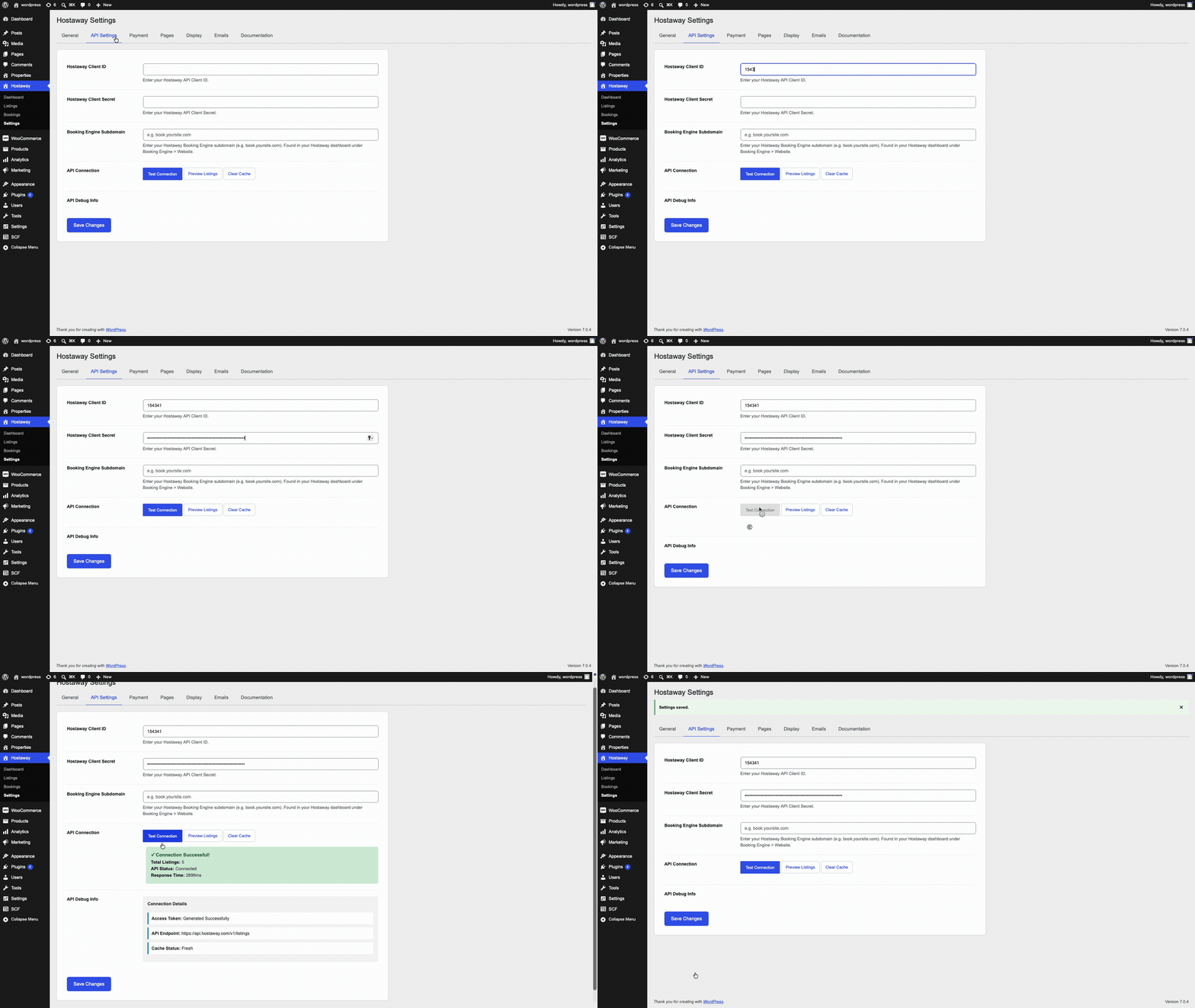
Configure your Hostaway Client ID and Client Secret in the plugin API settings to connect WordPress with your Hostaway account.
Bizdesire Advanced Connector for Hostaway connects your WordPress website directly with your Hostaway account, allowing you to display vacation rental properties, availability, pricing, and booking information using the official Hostaway API.
Automatically synchronize your listings, property details, amenities, images, and availability without manually updating your website.
Whether you manage a single vacation rental or hundreds of properties, Bizdesire Advanced Connector provides a reliable and user-friendly solution for building modern vacation rental websites powered by Hostaway.
This is an independent integration plugin built for Hostaway users. Hostaway is a trademark of its respective owner. This plugin is not affiliated with or endorsed by Hostaway.
Features
- Direct Hostaway API integration.
- Automatic property synchronization.
- Responsive property listing grids.
- Property search with availability filters.
- Individual property detail pages.
- Property image galleries.
- Easy-to-use shortcodes.
- Responsive design.
- Translation ready.
- Lightweight and performance optimized.
- Built specifically for WordPress and Hostaway users.
Upgrade to Bizdesire Advanced Connector Pro
If you need more advanced functionality, Bizdesire Advanced Connector Pro extends the free plugin with a complete direct booking workflow, built-in Stripe payments, additional payment gateways including Authorize.Net and Wompi, advanced property search and filtering, Google Maps and Google Reviews integration, Gutenberg blocks, WordPress Media Library image support, customizable email templates, enhanced synchronization tools, priority support, and more.
Upgrade to Bizdesire Advanced Connector Pro
Pro Features
- Complete direct booking workflow.
- Built-in Stripe payment gateway.
- Support for additional payment gateways including Authorize.Net and Wompi.
- Advanced property search and filtering.
- Interactive Google Maps integration.
- Single property location map.
- Google Reviews integration.
- Gutenberg blocks.
- WordPress Media Library image support.
- Customizable email templates.
- Enhanced synchronization tools.
- Premium documentation and setup guides.
- Priority customer support.
- Continuous feature updates and improvements.
External Services
This plugin connects to third-party services operated by Hostaway. By using this plugin, data is sent to and received from these services.
Used to:
- Fetch property listings.
- Retrieve availability calendars.
- Calculate pricing.
- Submit booking reservations.
Connections to the Hostaway API are only made after valid API credentials have been configured within the plugin settings.
Used to serve property images through Hostaway’s content delivery network.
No personal user data is transmitted beyond what is required to display property information or complete a booking initiated by the visitor.
Payment card information is never collected or stored by this plugin. Guests complete payments securely through the configured payment gateway or the Hostaway booking workflow.
Hostaway API Endpoints
Base URL: Hostaway API v1
- POST /accessTokens — Authenticate using Client ID and Client Secret.
- GET /listings — Retrieve property listings.
- GET /listings/{listingId} — Retrieve a single property.
- GET /listings/{listingId}/calendar — Retrieve availability.
- POST /listings/{listingId}/calendar/priceDetails — Calculate booking prices.
- POST /reservations — Create booking reservations.
Shortcodes
Display Hostaway content anywhere on your website using built-in shortcodes.
Examples include:
- Property Listings
- Featured Properties
- Property Search
- Single Property Display