

Bit Connect – Community, Discussion Forum, Feedback & Roadmap
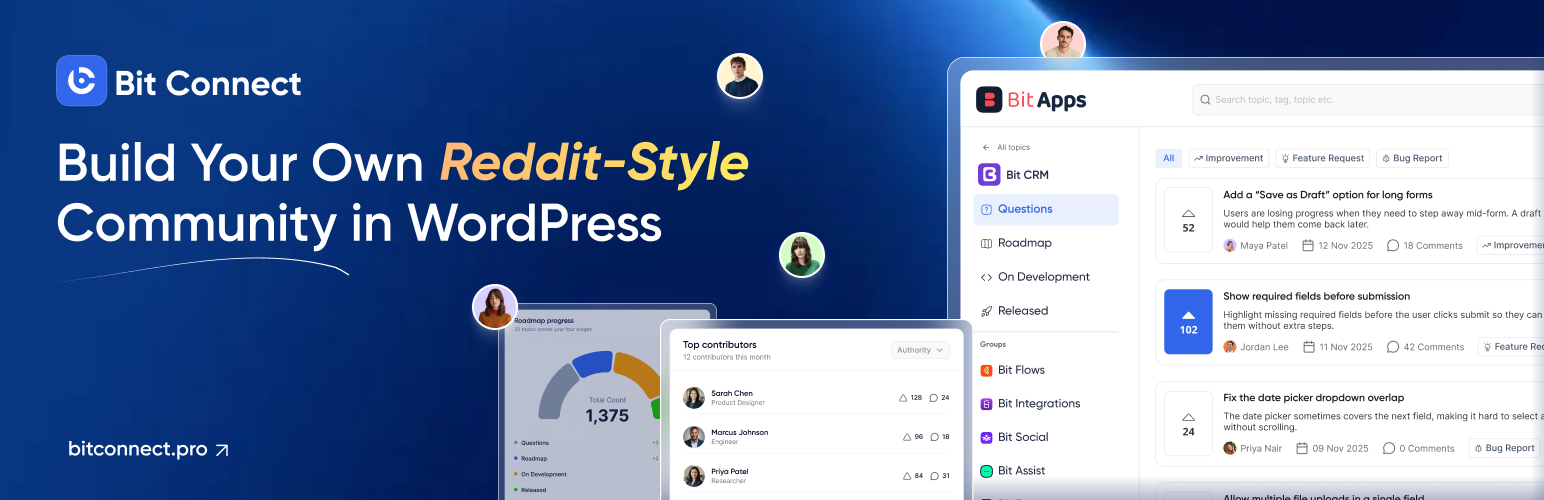
Bit Connect is a community plugin and forum plugin for building discussion forums, customer communities, feedback portals and public roadmaps directly on your WordPress website.
Members can create posts, join threaded discussions, upvote ideas, follow conversations, manage profiles and receive notifications. Product and service teams can also use Bit Connect as a feature request board, customer feedback portal and roadmap by organizing posts with topics, tags, stages and statuses. With Bit Connect Pro, you can also create public or private groups, run polls and manage private discussions.
🔗 Useful Links
🚀 Try Full Version Demo | 🚀 Docs | 🚀 Support | 🚀 Facebook Group | 🚀 Upgrade to Pro | 🚀 Bit Connect Repository
Bit Connect Features
- Front-end community portal: Create a dedicated community or discussion forum on your own website.
- Public or members-only community: Allow everyone to view the portal or limit access to logged-in members.
- Posts and discussions: Members can create posts and, when permitted, edit or delete their own posts.
- Comments and threaded replies: Keep conversations organized with nested replies.
- @mentions: Mention other members inside posts and replies.
- Post upvotes: Let members vote on ideas, questions, feature requests and discussions.
- Feature requests and roadmap: Collect ideas and feedback and move posts through stages and statuses.
- Post organization: Use topics, tags, stages and statuses to organize discussions and feedback.
- Search, sorting and filters: Help members find relevant community discussions.
- Attachments: Allow supported files on posts and replies.
- Following: Members can follow posts, tags or the whole community.
- Member profiles: Profile photo, cover image, display name, profile URL, bio and supported social/profile links.
- Member activity: Surface posts, comments and upvoted content from profile areas.
- In-app and email notifications: Keep members updated on supported community events and let them manage available notification preferences.
- Authentication: Built-in login, signup, email verification, password recovery, password changes and email changes.
- Custom authentication URLs: Use an existing login or registration page when needed.
- Content reporting: Let logged-in members report inappropriate posts or replies.
- Moderation queue: Review reports and take action on community content.
- Moderation controls: Remove inappropriate content, lock discussions and review moderation activity.
- Role-based permissions: Control who can post, reply, vote, moderate, lock or manage the community.
- Community dashboard: Track posts, comments, members, votes, monthly activity, top posts and recent posts.
- Community branding: Set the community title, logo and portal options.
- Community SEO: Server-rendered portal content, titles, descriptions, canonical URLs, social tags, structured data, archive controls and community sitemaps.
More Features with Bit Connect Pro
Bit Connect Pro adds more ways to organize communities, engage members and manage discussions.
- Public and private groups: Create dedicated spaces for products, departments, teams or interests, with membership and posting controls.
- Advanced polls: Create single-choice, multiple-choice, image, ranking, meeting availability and yes/no polls.
- Private posts: Let members create discussions visible only to themselves and moderators.
- Comment upvotes: Allow members to upvote individual replies and sort discussions by the most-voted replies.
- Pinned posts and replies: Highlight important posts and helpful answers.
- Profile badges: Create and assign custom badges to recognize community members.
- Post approval: Review new member posts before making them publicly visible.
- Advanced moderation: Automatically hide reported content when it reaches a configured report threshold.
- Posting limits: Control text length, attachments, file sizes and allowed file types.
- Portal banners: Display configurable image banners inside the community portal.
- Advanced notifications: Configure notification emails, custom sender details and daily or weekly email digests.
- Individual permissions: Override role-based permissions for specific community members.
Easy Community Management
Run your community from one place. Manage posts, member access, reports, moderation, permissions and community settings without sending users to a separate platform. Bit Connect keeps your forum, feedback portal and day-to-day community management inside WordPress easily.
User-Friendly Community Dashboard
See what is happening across your community from a simple dashboard. Track total posts, comments, members and votes, review monthly activity, find top discussions and check recent posts so you can understand how your community forum is growing and where members engage most.
Member Profiles
Give every member a clear identity inside your community. Users can add a profile photo, cover image, display name, custom profile URL, bio and supported social links, while profile areas show their posts, comments and activity across the community. With Bit Connect Pro, you can also assign custom profile badges to recognize members.
Organized Discussions and Engagement
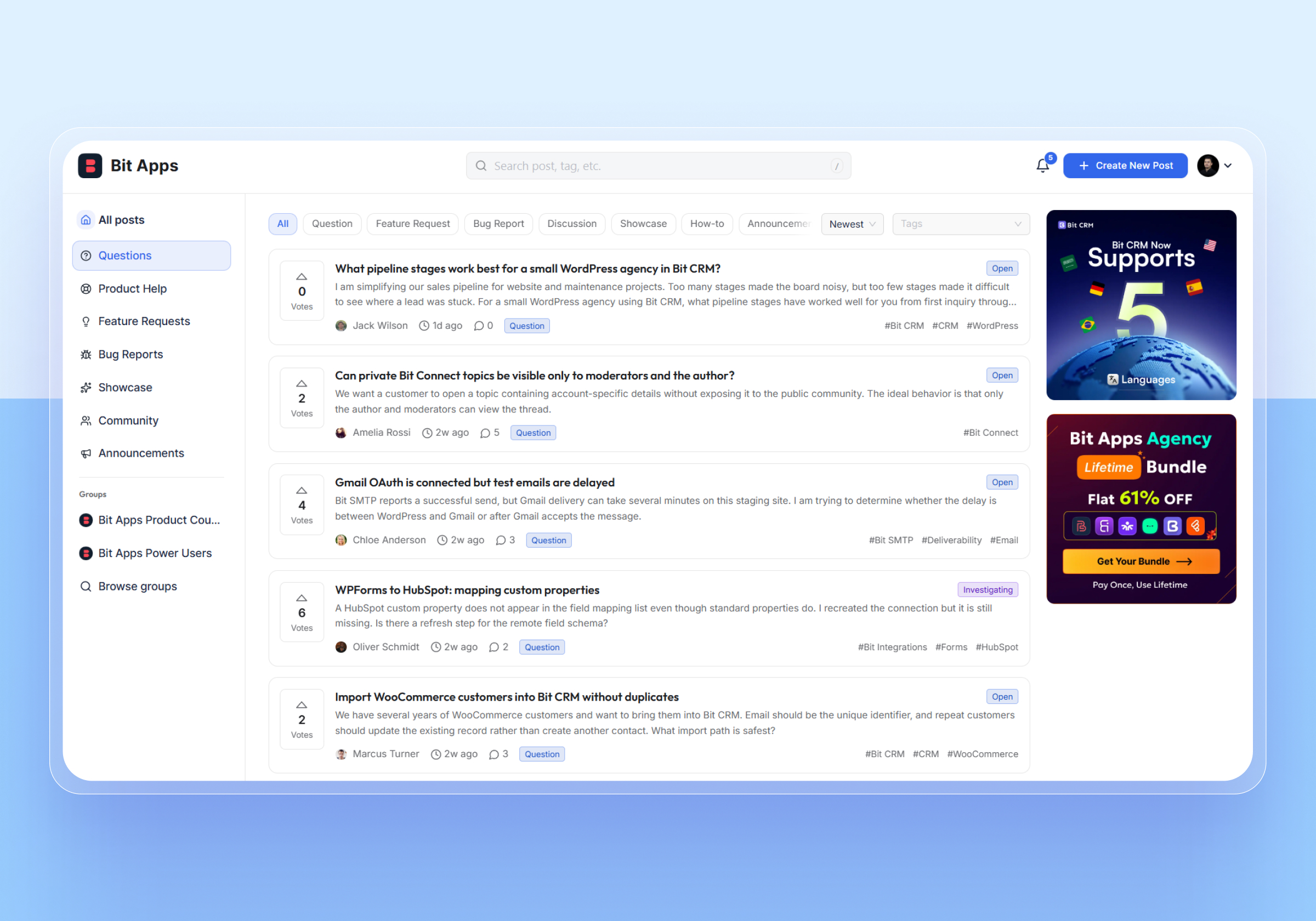
Create an easy-to-follow WordPress discussion forum with posts, threaded replies, @mentions, attachments, search, filters and post upvotes. Members can ask questions, share ideas and join conversations, while useful community discussions stay easier to find, follow and revisit. Bit Connect Pro adds comment upvotes, pinned replies and interactive polls for more ways to engage members.
Feature Requests and Public Roadmaps
Turn Bit Connect into a WordPress feature request plugin, customer feedback portal and public roadmap. Members can submit ideas, discuss requests and upvote posts, while you organize feedback by topic, tag, stage and status so everyone can follow progress clearly. With Bit Connect Pro, you can also create dedicated groups for different products, departments or teams.
Following and Notifications
Keep members connected to the conversations that matter. Users can follow posts, tags or the whole community, then receive supported in-app and email notifications for replies, mentions, post activity and other relevant community updates. Bit Connect Pro adds advanced notification controls, customizable emails and daily or weekly email digests.
Moderation and Role Permissions
Keep your WordPress forum organized with built-in community moderation. Members can report inappropriate content, while moderators can review reports, remove content and lock discussions. Role-based permissions control who can post, vote, moderate or manage the community. Bit Connect Pro adds post approval, automatic report-based hiding, post and reply pinning, and individual permission overrides.
SEO-Ready Community Content
Make your community easier for search engines to understand. Bit Connect handles server-rendered community pages, SEO titles and descriptions, canonical URLs, social metadata, structured data, archive controls and community sitemaps directly.
Flexible Community Access and Authentication
Control who can enter your community and how members sign in. Keep the portal public or members-only, use Bit Connect login and signup, require email verification, support password and email changes, or connect your existing login and registration pages when needed easily.
Customizable Community Portal
Make the community feel like part of your own site. Set the community title and logo, choose the portal page and slug, control visible portal filters, and organize the experience around your forum, product community, customer community, feedback portal or member discussion area. With Bit Connect Pro, you can also display customizable banners inside the portal.
Who Can Use Bit Connect?
Bit Connect is built for product and service providers, SaaS teams, LMS platforms, WooCommerce stores, membership sites, support communities, creators, agencies, project teams, community owners and individuals who want to keep discussions, feedback and member activity on WordPress.
It can work as a traditional WordPress forum, but it can also serve as a product community, customer feedback portal, feature request board or public roadmap. The same community can combine discussions, ideas, questions, votes and progress updates in one place.
Source Code
The files in assets/ are minified builds. The full source code is on GitHub:
https://github.com/bit-apps-pro/bit-connect
To build it yourself (requires PHP 8.2+, Node 20+, pnpm 9+ and Composer 2):
git clone https://github.com/bit-apps-pro/bit-connect.git
cd bit-connect
composer install
pnpm install
pnpm build:free
For Developers: Event Hooks
Bit Connect fires a WordPress action when something happens in the community. Each action gets one argument: a flat array of the event data. Automation plugins can use these actions as triggers.
bit_connect_post_created– a new post becomes publicbit_connect_post_status_changed– the status or stage of a post changesbit_connect_post_updated– a member edits a public postbit_connect_post_deleted– a public post is deletedbit_connect_comment_created– a member adds a commentbit_connect_comment_updated– a member edits a commentbit_connect_comment_deleted– a comment is deletedbit_connect_post_voted– a member votes for a postbit_connect_followed– a member follows a post, a tag or the forumbit_connect_profile_updated– a member changes their profilebit_connect_member_registered– a person registers on the forumbit_connect_member_logged_in– a member logs in on the forumbit_connect_report_filed– a member reports a post or a commentbit_connect_report_resolved– a moderator closes the reports on an itembit_connect_moderation_action– a moderator or the forum acts on an item
In the data, the fields of a post start with post_ (for example, post_id and post_title). The Topics of a post are in topic_names and topic_ids, and its tags are in tag_names and tag_ids.
The bit_connect_event action fires for all events, with the event name and the data. To remove a field from the data, use the bit_connect_event_payload filter.
Bundled Fonts
The portal’s text is set in Inter (© 2016 The Inter Project Authors) and its headings in Outfit (© 2021 The Outfit Project Authors). Both are included in the plugin and served from your own site, and both are licensed under the SIL Open Font License 1.1; see LICENSE-Inter.txt and LICENSE-Outfit.txt. Sources: https://github.com/rsms/inter and https://github.com/Outfitio/Outfit-Fonts
Other Products by Bit Apps
- Bit Form: WordPress form builder for contact forms, multi-step forms, calculations, payments and other form workflows.
- Bit Integrations: Connect WordPress plugins and site data with external apps and services.
- Bit Flows: Visual multi-step workflow automation for WordPress.
- Bit Social: Social media auto-posting and scheduling for WordPress content.
- Bit Assist: Floating multi-channel contact and support widget for WordPress.
- Bit SMTP: SMTP email delivery plugin for WordPress.
- Bit CRM: CRM for managing leads, contacts, deals, invoices and sales activity.
External Services
This plugin relies on one external service, the Bit Apps API, and only from a single admin screen. It receives none of your site’s content, your members’ details or your settings. The public forum portal contacts no third party at all: the Inter and Outfit typefaces it is set in ship inside the plugin (SIL Open Font License 1.1) and is served from your own site.
Bit Apps plugin catalogue
On the Bit Connect Support screen, the bottom of the page offers a Show other Bit Apps plugins button. Only when you click it does your browser request https://wp-api.bitapps.pro/public/plugins-info to display that list. Opening the screen alone contacts nobody.
- What is sent: nothing beyond an ordinary web request. No site content, user data, email addresses or settings are transmitted. As with any web request, the receiving server sees your IP address and the referring admin URL.
- What is received: a list of plugin names, descriptions and links, plus the address of each plugin’s icon image, which your browser then loads from Bit Apps’ servers to display the card.
- When: only after an administrator clicks the button on the Support screen. Never automatically, never on the front end, and never on other admin screens.
- Provider: Bit Apps. See the terms of service and privacy policy.