


BinsOptimizer – Instant Image Optimizer, Compression & WebP Converter
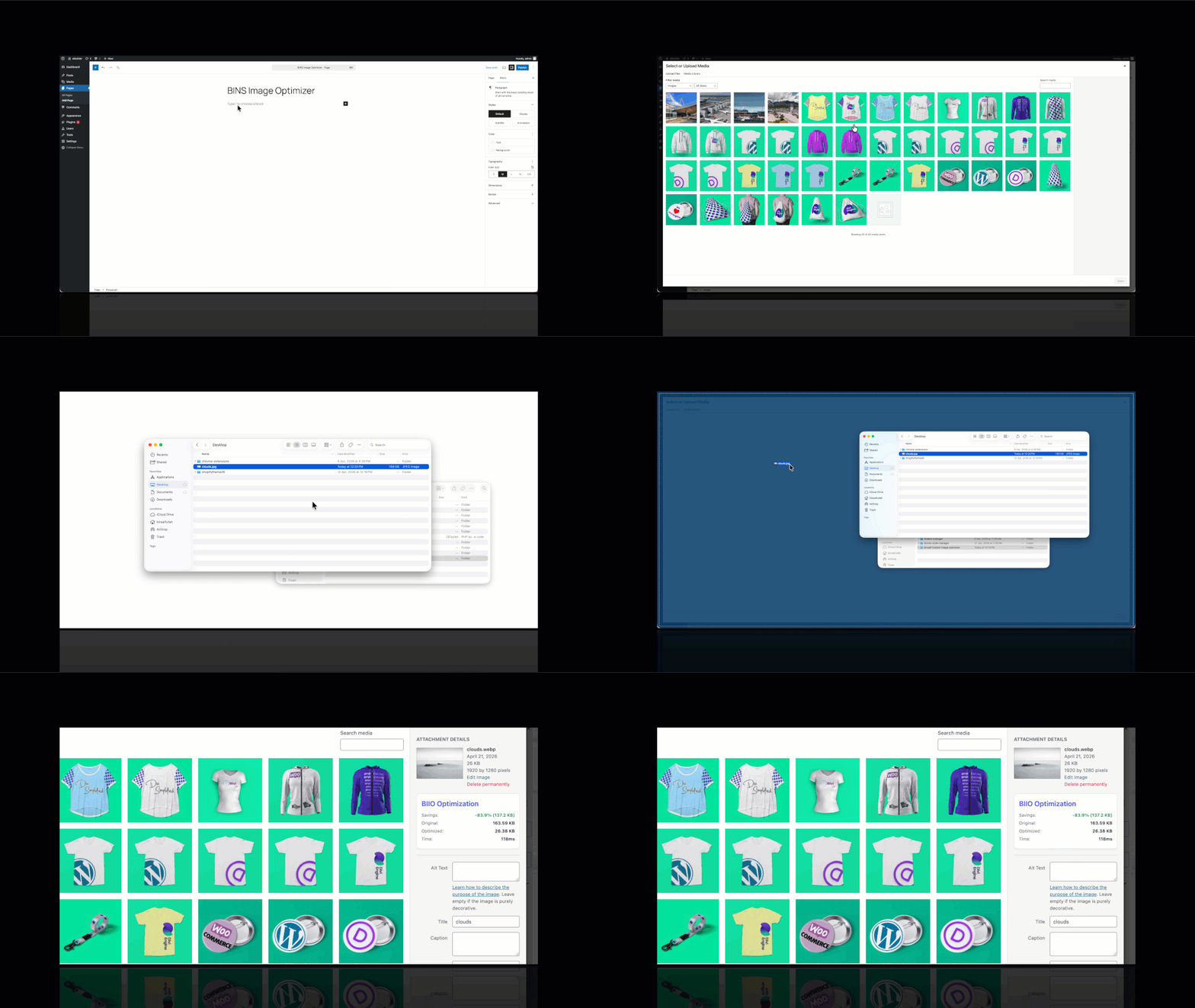
BinsOptimizer is the fastest, most private way to optimize images in WordPress. Unlike cloud-based image optimizers, BinsOptimizer converts and compresses your images directly in the browser — before they ever hit your server. No API keys, no monthly fees, no privacy risks.
Every JPEG and PNG you upload is automatically converted to WebP — the modern image format recommended by Google — and resized to your chosen maximum dimension. The result is smaller file sizes, faster page loads, and better Core Web Vitals scores, all without touching your server resources.
Why choose BinsOptimizer over other image optimizer plugins?
Most WordPress image optimization plugins send your images to external cloud servers for processing, which is slow, costs money, and raises data privacy concerns. BinsOptimizer does everything on the user’s own machine using modern browser APIs, making it instant, free, and completely private.
Video Tutorial
Key Features
- Automatic WebP Conversion: Convert JPEG, PNG, and SVGs (if you allow) images to WebP on upload for up to 80% smaller file sizes and better Google PageSpeed scores.
- Client-Side Image Compression: All image processing happens in the browser — zero server load, zero cloud costs.
- Smart Image Resizing: Automatically downscale oversized images to your chosen maximum width or height during upload.
- No API Key Required: Fully self-contained. No third-party services, no subscriptions, no limits.
- 100% Private: Your images are never sent to an external server. Everything stays on your machine until the optimized file is uploaded.
- Zero Queue, Instant Results: Optimization happens in real time as you upload — no background jobs or waiting.
- Media Library Integration: View compression savings, original vs. optimized file sizes, and conversion time directly in the WordPress Media Library.
- Works Everywhere in WordPress: Compatible with the Block Editor (Gutenberg), Classic Editor, drag-and-drop uploads, and featured image pickers.
- SVGs Upload: Allow to upload SVGs file securely and if you want you can optimize and convert them on upload.
- Bulk Optimize Your Existing Library: Convert images you uploaded before installing the plugin, one batch at a time, straight from your browser.
- Links Updated Automatically: Optimizing a published image changes its URL. BinsOptimizer rewrites those URLs across your posts, page-builder content, widgets and theme options, so pages already using the image keep working.
- Restorable Originals: Keep a copy of every original before it is replaced, and undo a whole bulk run with one click if you change your mind.
- WebP Delivery Check: Confirms your server actually serves
.webpfiles before a bulk run starts — some security plugins and host firewalls block them, which would otherwise leave your optimized images unreachable.