


Bikram Appointment Scheduler
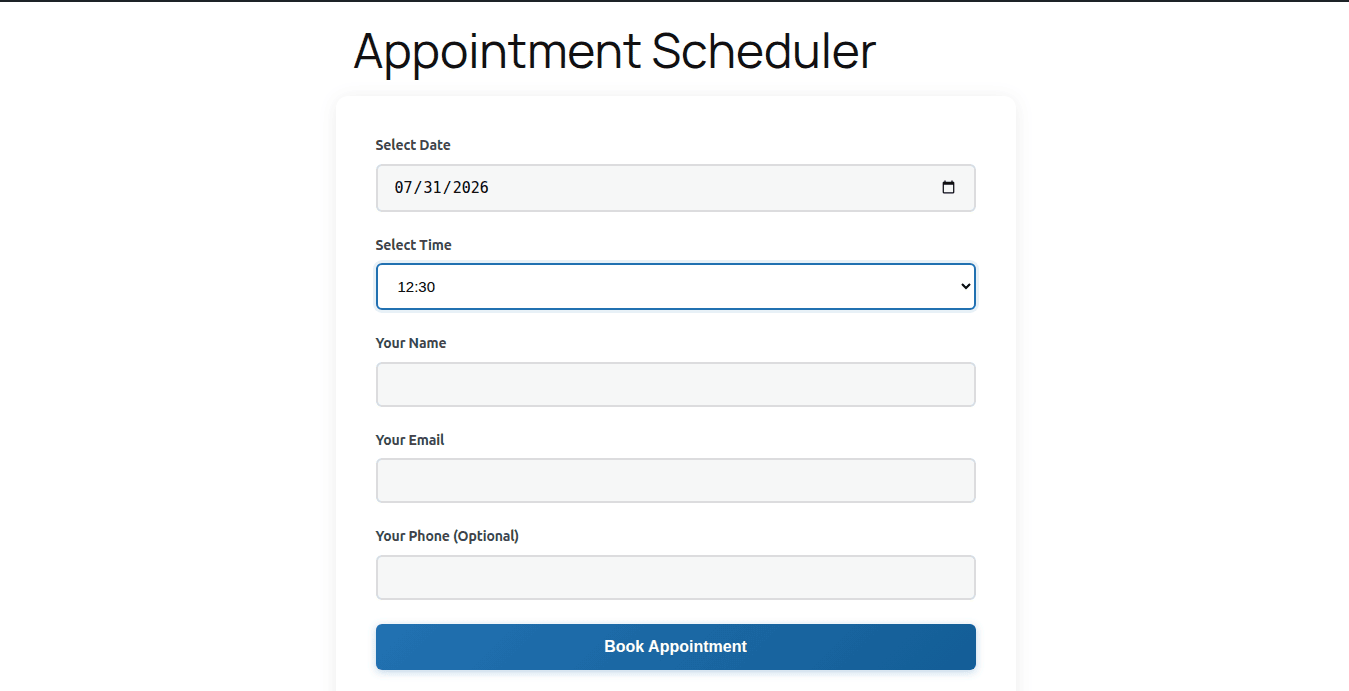
Frontend booking form with date and time selection.
Bikram Appointment Scheduler is a lightweight, fast, and simple plugin designed to make it easy to accept and manage appointment bookings on your WordPress website. Perfect for salons, consultants, healthcare providers, service businesses, and any professional who needs to schedule appointments with clients.
Key Features:
- Frontend Booking Form – Accept appointments via a simple, mobile-friendly booking form using the
[bapsc_calendar]shortcode - Staff Management – Add and manage staff members with individual profiles
- Business Hours – Set your business hours for each day of the week
- Time Slot Control – Configure appointment duration and buffer times between bookings
- Real-time Availability – Automatically prevent double-booking with intelligent slot checking
- Email Notifications – Automatic confirmation emails to clients and admin, plus status update emails when appointments are confirmed or cancelled
- Appointment Management – View, edit, confirm, or cancel appointments from the WordPress admin
- CSV Export – Export all appointments to CSV for reporting or backup
- Status Tracking – Track appointments as Pending, Confirmed, Cancelled, or Completed
- Mobile Responsive – Booking form works perfectly on all devices
Perfect For:
- Hair salons and barbershops
- Medical and dental clinics
- Consultants and coaches
- Fitness trainers and yoga studios
- Legal and financial services
- Home service providers
- And much more!
Bikram Appointment Scheduler is designed to be simple, fast, and easy to use. No complicated setup, no external dependencies – just install and start accepting appointments!
How to Use
Step 1: Configure Business Hours
1. Navigate to Appointments > Settings.
2. Under Business Hours, check the “Open” box for each day you operate.
3. Set your opening and closing times for each day.
4. Under General Settings, configure your Time Slot Duration (e.g., 30 mins), Buffer Time (e.g., 15 mins), and Max Days in Advance to Book.
5. Click Save Settings.
Step 2: Add Staff Members
1. Go to Appointments > All Staff Members and click Add New Staff Member.
2. Enter the staff member’s name, email, phone, and bio.
3. Click Publish. (Note: You must have at least one staff member for the booking form to work).
Step 3: Create Your Booking Page
1. Go to Pages > Add New.
2. Add a Shortcode block and type: [bapsc_calendar].
3. Click Publish.
Step 4: Manage Appointments
1. Go to Appointments > All Appointments to view all bookings.
2. Use the Quick Actions to Confirm or Cancel an appointment (this automatically emails the client).
3. Click on an appointment title to edit details, change the assigned staff member, or update the status manually.
4. Click Export to CSV at the top right to download your booking data.