


Better Click To Share – Shareable Quote Boxes for X (Twitter)
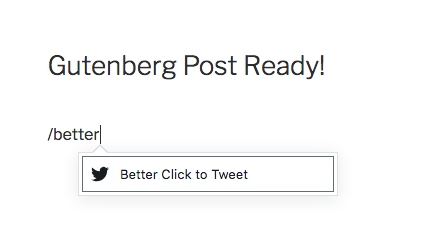
Add a shareable quote block with the slash command in the block editor — one-click share on X for your readers.
Want more of your content shared on X? Better Click To Share turns your best quotes into one-click share boxes so readers can post them to X (formerly Twitter) without copying, pasting, or trimming — and you get a link back to your post every time.
Why use a shareable quote plugin for X?
Most readers won’t bother to copy a quote, open a social media site, and paste. Give them a single click: your quote plus a link to your post are pre-filled. You grow reach and engagement; they share in seconds. No coding, no design work — add a block or shortcode and you’re done.
What you get with Better Click To Share
- One-click share on X — Readers see a styled quote box; one click opens X with your quote and your post link ready to post.
- More engagement — Make your best lines easy to share so your content spreads further and drives traffic back to your site.
- Block editor + shortcode — Use the “Better Click To Share” block (slash command
/tweet) or the classic[bctt]shortcode in any post or page (full shortcode support keeps BCTS compatible with things like Elementor, Divi, and even WP Bakery!). - Smart character count — Stays within X’s limits and accounts for your “via @username” and link so shares never get cut off.
- Optional AI suggestions — With WordPress Connectors, get draft share text suggested from your content (usage charges apply per your provider). You can turn this off in settings.
- Premium styles and add-ons — Premium Styles let you pick different looks without touching CSS; Power User Guide and custom CSS options for developers.
Developer or designer? We welcome PRs and feature requests: GitHub repository. Translations: WordPress.org translation project.