


Beardo Multisite Site Reports
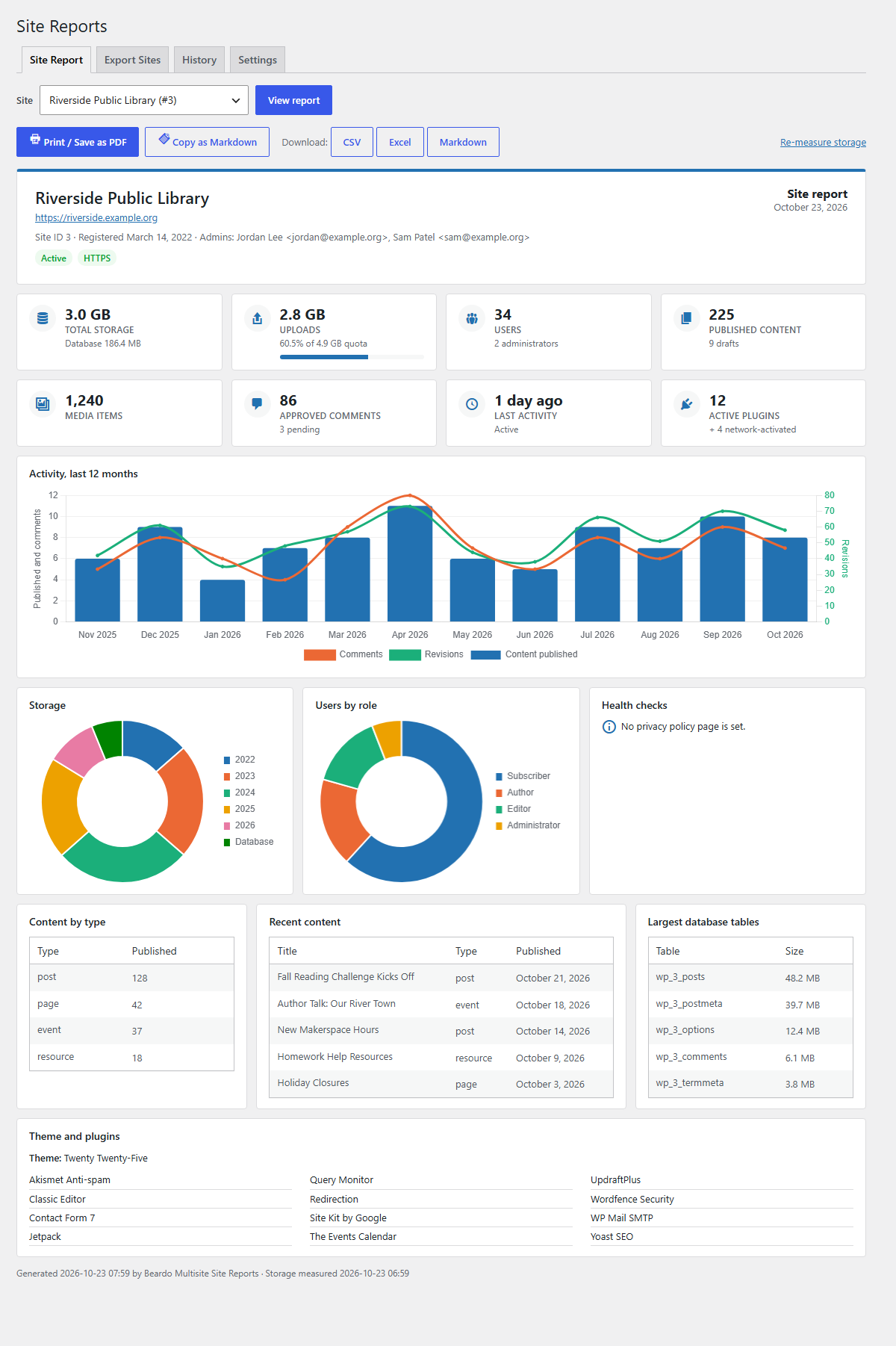
The one-page site report.
Know what is happening on every site in your network.
Beardo Multisite Site Reports gives network admins a one-page report for any site (activity, storage, users, content, configuration, and health) that prints cleanly or saves as a PDF. It also exports the whole network to a spreadsheet so you can sort, filter, and clean up.
Everything runs inside your own WordPress installation. There is no account, no API key, and no third-party service. The plugin makes no external requests.
The one-page site report
Pick a site and see:
- Key numbers: total storage, uploads (with a quota bar when quotas are on), users, published content, media, comments, last activity, and active plugins.
- Activity chart: content published, comments approved, and revisions saved per month for the last 12 months.
- Storage chart: uploads by year plus the database.
- Users by role chart.
- Health checks: nearly-full upload quota, no HTTPS, large autoloaded options, hidden from search engines, no privacy policy page, dormant or never used, archived/spam/deleted.
- Tables: content by type, recent content, the largest database tables, and the active theme and plugins.
Then Print / Save as PDF, Copy as Markdown, or download the report as CSV, Excel, or Markdown. Choose which panels appear in Settings.
Export every site
Choose from more than 40 columns in six groups (identity and status, users, content, activity, storage, configuration) and filter by site status, registration date, days inactive, and storage used.
- CSV with a UTF-8 BOM and protection against spreadsheet formula injection.
- Excel (.xlsx) with a Sites sheet and a Summary sheet (totals, averages, and sites per activity status). Numbers are real numbers, so you can sort and sum. Built in, with no extra library.
- Markdown as one table or as a section per site, ready for documentation, tickets, or an AI assistant.
Sites are collected in batches with a progress bar, so exports work on networks with hundreds of sites.
Activity status
Every site is labelled Active, Quiet, Dormant, or Never used from the most recent of: last published content, last content edit, last approved comment, and (on multisite) the site’s last-updated date. You set the Quiet and Dormant thresholds.
Single sites
Install it on a regular WordPress site and you get the same report for that site under Dashboard > Site Report, with CSV, Excel, and Markdown downloads. Multisite-only details (site ID, status flags, upload quota) are hidden.
Security
- Network admins only on multisite (
manage_network); administrators only on a single site (manage_options). - Every action checks the capability first, then a nonce.
- Every option, column, format, and filter is checked against an allowlist.
- All database queries use prepared statements.
- Export jobs belong to the user who started them and expire after an hour.
- Every export and report download is logged on the History tab.