


Beardo Multisite Analytics for GA4
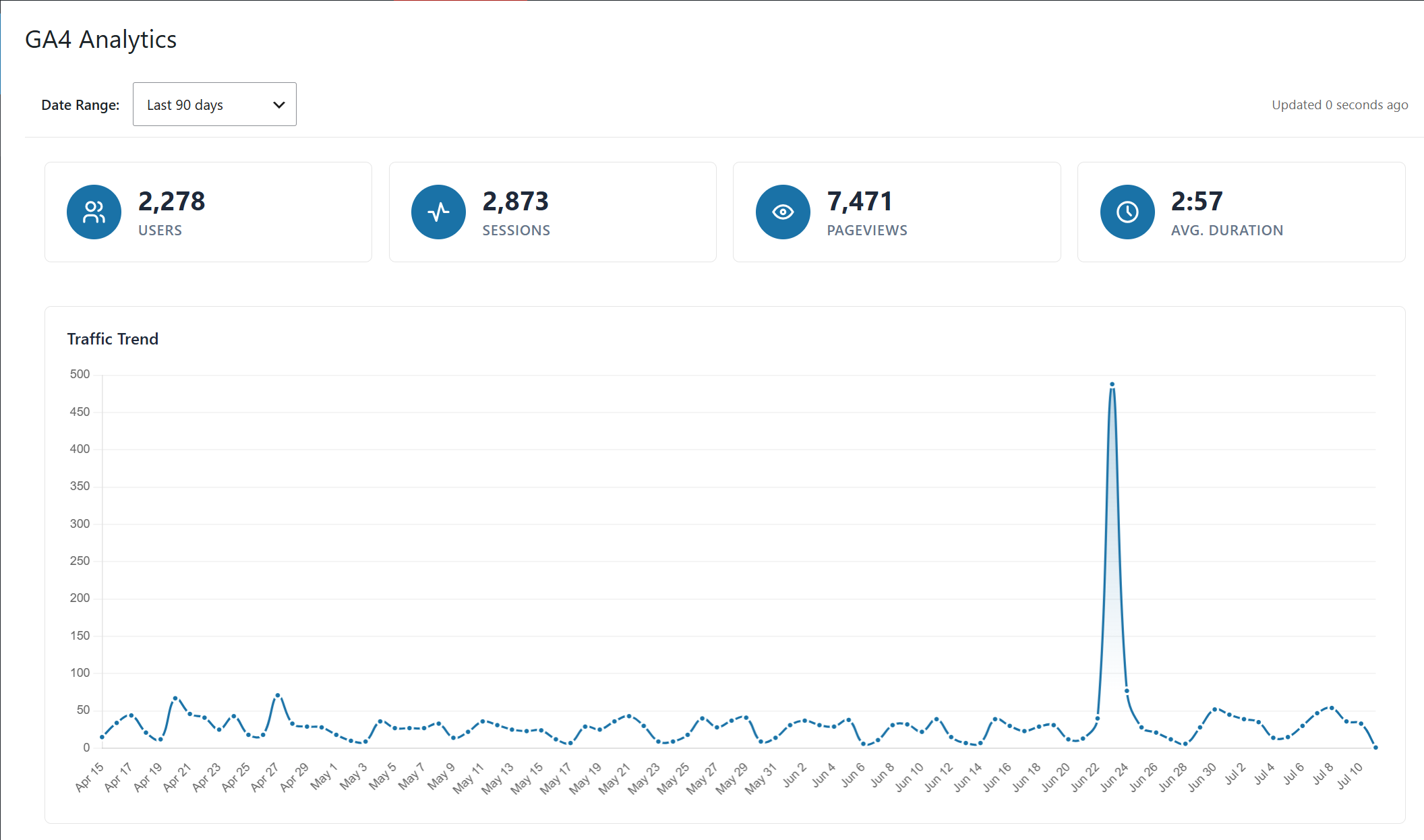
Main dashboard — summary metrics (Users, Sessions, Pageviews, Avg. Duration) and Traffic Trend chart
Beardo Multisite Analytics for GA4 brings your Google Analytics 4 data directly into the WordPress admin — without touching your site’s tracking setup.
Unlike most GA4 plugins, this one does not add any tracking code or scripts to your site. It is a pure reporting dashboard. If you already have GA4 running via Site Kit, Google Tag Manager, a page builder integration, or manual gtag — this plugin works alongside all of it, no conflict, no duplication.
What You See at a Glance
- Users, Sessions, Pageviews, and Average Session Duration
- Traffic Trend chart — visualize traffic patterns over time
- Top 5 Pages by views
- Traffic Sources breakdown — Direct, Organic Search, Referral, Organic Social, and more
- Active Users by Device — desktop, mobile, and tablet
- Active Users by Operating System — Windows, iOS, macOS, Android, Linux, Chrome OS
- Date range selector — Last 7, 30, and 90 days
- Switchable chart types — Ring, Pie, Bar, and Polar views for device and OS data
- AJAX data refresh — charts and metrics update without a page reload
- WCAG 2.1 AA accessible updates
Network Admin Interface
- Tabbed interface — Properties, Subsites, Settings, Instructions
- Properties tab — searchable, sortable, paginated list of all GA4 properties in your Google account, with Re-sync and Export CSV
- Subsites tab — shows every subsite with its mapped GA4 property, domain, and a direct Login link; exportable to CSV
- Settings tab — configure cache duration (12 or 24 hours), error notification email addresses, API request logging, and uninstall behavior (preserve or purge all plugin data on removal)
Single Site
Each site administrator connects their own Google account and selects the GA4 property for their site. Analytics data is scoped to that property only.
WordPress Multisite — Network Activated
When network activated, a single Google account connection at the network level gives the super admin access to all GA4 properties associated with that account. Each subsite can be mapped to its own property. Subsite administrators see only the data for their own site.
Why Not Just Use Google Analytics Directly?
You could — but staying in WordPress admin means your team doesn’t need Google Analytics access or training. Site owners, editors, and clients get the numbers they actually need without logging into a separate platform.
No Bloat. No Tracking. No Upsell.
This is a free, open-source plugin with no premium tier, no license keys, and no persistent upgrade prompts. It does one thing — surfaces GA4 data inside WordPress — and does it cleanly.
Support & Documentation
- For support, visit help.beardo.tools
- Publisher site: beardo.tools
Third-Party Libraries
This plugin bundles the following open-source library. The minified copy shipped with the plugin is built from the developer source linked below:
- Chart.js v4.5.1 (MIT License) — used for dashboard charts. Source: https://github.com/chartjs/Chart.js/tree/v4.5.1
Credits
Thank you to Paul Goodchild and the team at Shield Security for contributing an initial security review of this plugin.
External Services
This plugin connects to Google APIs to fetch analytics reports and list available GA4 properties.
It sends data only when an administrator explicitly connects Google OAuth, tests connection, refreshes properties, or when a user views dashboard analytics data.
Service used:
- Google Analytics Data API (reporting)
- Google Analytics Admin API (property discovery)
- Google OAuth 2.0 endpoints (authentication/token refresh)
Data sent to Google may include:
- Your site’s OAuth redirect URI
- OAuth client credentials configured by the administrator
- Selected GA4 property ID
- Requested date range and report dimensions/metrics
Google service documentation and policies: