
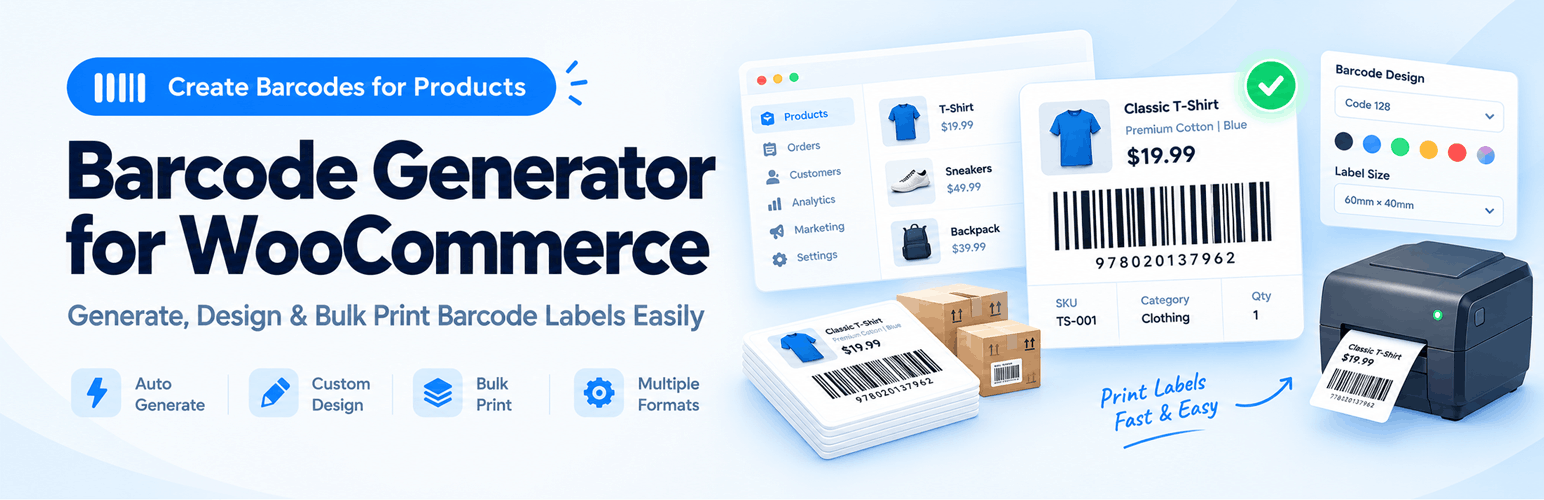

Barcode Generator for WooCommerce – Create & Print Barcodes Easily
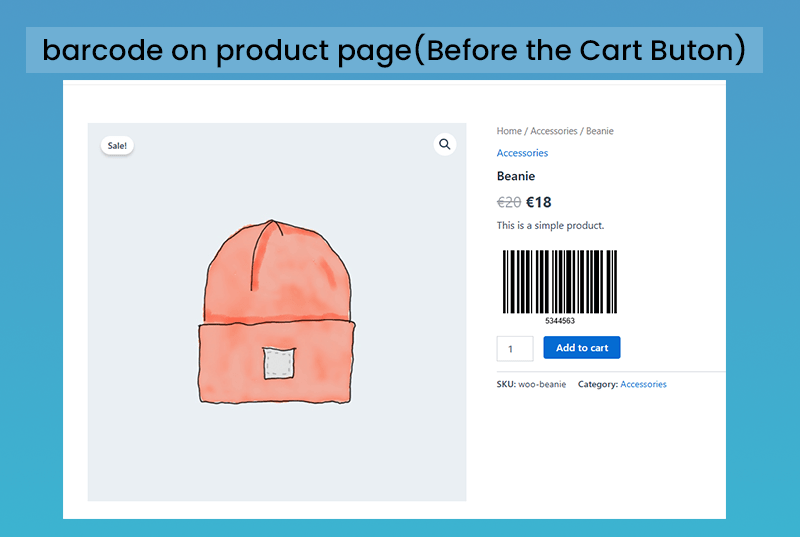
barcode on product page - loaction 1
Looking for an easy way to create and print barcodes for your WooCommerce store?
Barcode Generator for WooCommerce helps you automatically generate unique product barcodes, print labels, and manage your store inventory without any extra hassle.
Whether you want to create barcodes using SKU, Auto-generated numbers, or official product identifiers like GTIN, UPC, EAN, and ISBN, this plugin handles everything smoothly.
🌟 Key Features
- Automatic Barcode Generation: Instantly creates a unique barcode for every product in your store.
- Barcode from Product SKU: Generates barcodes directly from your SKU values and updates them automatically whenever the SKU changes.
- GTIN, UPC, EAN & ISBN Support: Use WooCommerce native product identifiers to create accurate barcodes.
- Popular Barcode Formats: Supports EAN-13, EAN-8, UPC-A, and Code128 barcode types.
- Print Barcode Labels: Easily print individual or bulk barcode labels for your physical inventory.
- Central Download Center: Search, filter, and download all product barcodes from one clean page.
- Flexible Product Page Display: Show barcodes on product pages using custom display positions or simple shortcodes.
- Translation Ready: Fully compatible with WPML, Loco Translate, and multilingual WooCommerce setups.
💡 How This Plugin Helps Your Business
- Faster Checkout & Scanning: Scan products quickly using standard barcode scanners.
- Error-Free Inventory: Reduce manual counting mistakes in your warehouse or retail shop.
- Easy Label Printing: Print stickers directly for product packaging, shelves, or boxes.
- Seamless Setup: Works right out of the box with zero coding required.
🛒 Upgrade to Pro
Need more powerful features like order barcodes, invoice barcodes, advanced label design, or POS-style scanning?
🔗 Live Demos
👉 Upgrade to Premium Version: https://sharabindu.com/plugins/woocommerce-barcode-generator/
📘 Documentation
👉https://woocommercebarcode.com/docs/installation/
Use Cases
- Retail stores
- Warehouses
- Online shops
- Logistics & packaging
- Invoice-based businesses
🔥 Powerful Pro Features
Unlock advanced tools to scale your business
Variable Product Support: The premium plugin help to generates product barcodes for both variable parent and variable child products.
Add product price and product name to barcode label: In the Pro version, USers can add product price and product name to the barcode sticker.
Barcode Sticker design: 100 types of barcode stickers can be designed by customizing the barcode label, custom text, price, and product name.
Add Custom text on barcode sticker: Custom text or Custom number can be added to barcode stickers. The plugin allows two fields where custom text or numbers can be added to the barcode sticker. For example, you can input the country name and brand name on the product’s barcode sticker.
GTIN, UPC, EAN, or ISBN Supported: In the premium version, product barcodes can be generated using the product’s GTIN, UPC, EAN, or ISBN value. WooCommerce added this field in its 9.3.0 version.
EAN for the WooCommerce Plugin Supported: Existing users of the EAN for WooCommerce plugin can generate product barcodes from EAN values.
WooCommerce Order barcode:The premium plugin allows you to create order barcodes for each order on your WooCommerce website. The order barcode value is generated from the order number or transaction number. You can view the order barcodes on the WooCommerce order dashboard page. It also creates barcodes for products on the order dashboard page.
Order Barcode on WooCommerce Order email: When an order is created, an order barcode is generated and this barcode will be displayed in all order emails in WooCommerce. In order emails, the item barcode can be displayed in addition to the order barcode.
WooCommerce Order Barcode in PDF Invoices: The Barcode Generator Pro plugin is integrated with three (3) WooCommerce PDF Invoice plugins. So, you can add order barcodes and item barcodes to the PDF plugins below.
- PDF invoices and packing slips plugin.
- Print Invoice & Delivery Notes for WooCommerce
- WooCommerce PDF Invoices – Web Toffee
Advanced Bulk Print Tools: Print unlimited barcode stickers with category filters, variable product support, and page layout controls (A4, thermal label printers, etc.).
Scan and Search Orders (POS System Integration):
Instantly find orders by scanning:
Order ID
Order Barcode
Use any barcode scanner to instantly search WooCommerce orders — just like a professional POS system.
✅ Auto-Generate EAN13, EAN8, UPC-A, and Custom-Digit Product Barcodes:
Generate valid global barcode formats instantly for all products.
✅ Auto-Generate EAN13, EAN8, UPC-A, Order ID, Order Number & Custom-Digit Order Barcodes:
Every WooCommerce order gets a barcode automatically.
✅ Order Dashboard Custom Barcode Field:
Create or edit a custom barcode for any order directly from the WooCommerce Order Page.
Language support
- Chinese (China)
- Dutch
- French (France)
- Russian
- Spanish (Spain)
Privacy
This plugin does not connect to any third-party applications. It does not collect or store any user information. This plugin only generates barcode image.
Feedback
Any suggestions or feedback are welcome, thank you for using or trying my plugin. Please let me know about your experience and rate this plugin.