

Banner Management For WooCommerce
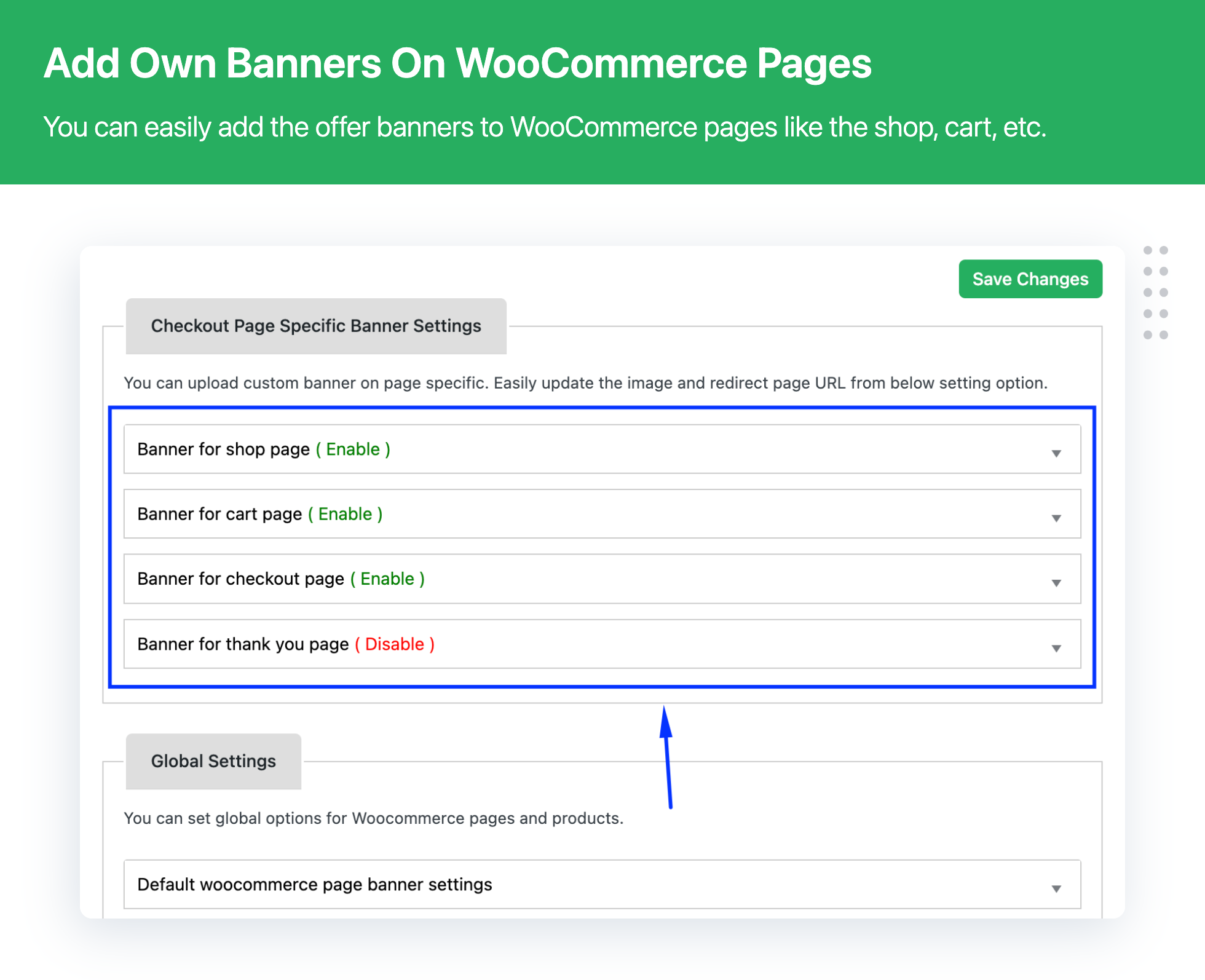
Banner Management For WooCommerce plugin allows you to add or upload banner/carousel sliders on category or Woocommerce pages in your WooCommerce stores like the Product, Category, Shop, Cart , Checkout or Thank you pages.
We can also set a common offer banner for all the products using our global settings.
Plugin – VIEW LIVE DEMO
Free plugin: Need Technical Help? – Click here
Pro Plugin: PRE-SALE Questions – Click here or Review Help Document
Plugin Functionality:
- Easy to use
- Add Banner for cateogry archive Page
- Add Banner for product Page
- Add Banner for Shop Page
- Add Banner for Cart Page
- Add Banner for Checkout Page
- Add Banner for Thank you page
- you can add Banner URL/LINK for a particular banner .
- Fully tested with latest version of WooCommerce.
- Enable and disable banner for particular page, category
- you can Manage Page, Product and Category Specific Banner
- Display sliders on any device like a standard desktop and mobile.
- Add Product and Category sliders using shortcode
📽 HOW TO ADD BANNER ON SHOP PAGE? CHECK BELOW VIDEO
💁 Here are the Featured Customer Reviews
🎉 ” Great support and patience! Highly recommended! “
🎉 ” Good Service. Good Plugin. “
🎉 ” Great support thank you, Quick, effective support “
🎉 ” Customization and Awesome plugin and support, Thanks support you are awesome. “
🎉 ” I had an issue with the Category Banner being displayed after the sidebar in Astra theme. Both the DotStore and Astra gave me a workable solution. For the Astra users, you’ll need to enter this CSS into your Customizer (or your preferred CSS file): .wbm_banner_image { order: 1;} “
🎉 ” So Many Options-Love It, Simple to install and use. I love the options to use different banners/headers for different pages in the store. Exactly what I was looking for! “
🎉 ” Such a wonderful and helpful plugin for a store owner to advertise an upcoming sale or discount using an image on any page. Very Nice keep up Good Work 🙂 “
➡️ Read All Review ⬅️
👉 Difference Between Lite and Pro Version
Check the detailed difference between Pro and Lite version – Click here
📣 BANNER AND CAROUSEL SLIDER FEATURES – UPGRADE NOW
Need even more features? upgrade the premium plugin version to get all the advanced features.
- Easy to use
- Set carousel slider for category and page
- Enable and disable banner for a specific page, category
- Manage Page-specific banner and Slider
- Manage Product-specific banner and Slider
- Manage Category-specific banner and Slider
- Add Shop-page banner or slider
- Add Cart-page banner or slider
- Add Checkout-page banner or slider
- Add Thank-you-page banner or slider
- Auto scheduling slider for page and category
- Schedule banner with start and end of a banner
- Random or Multiple Banner Slider
- Add custom URL on banner images
- Preview custom banner or slider
- Enable and disable banner navigation
- Show a specific category or page in the slider
- Display carousel sliders on any device like Standard Desktop and mobile device
💁 Contact Us
EXPLORE OUR OTHER PLUGINS TO SUPERCHARGE YOUR WEBSITE:
👉 Premium WooCommerce Plugins list
- WPBricks Manager – Readymade Custom Gutenberg Blocks
- Flat-rate shipping plugins for WooCommerce
- WooCommerce Extra Fees Plugin
- Hide Shipping Method For WooCommerce
- Product Attachment For WooCommerce
- Blocker – Prevent Fake Orders And Blacklist Fraud Customers for WooCommerce
- Enhanced Ecommerce Google Analytics for WooCommerce
- Product Finder For WooCommerce
- Mass Pages Posts Creator For WordPress
- Conditional Discount Rules For WooCommerce Checkout
- WooCommerce Checkout For Digital Goods
- Advance Menu Manager For WordPress