


Bang! Cart – Standalone Stripe Shopping Cart & Buy Buttons
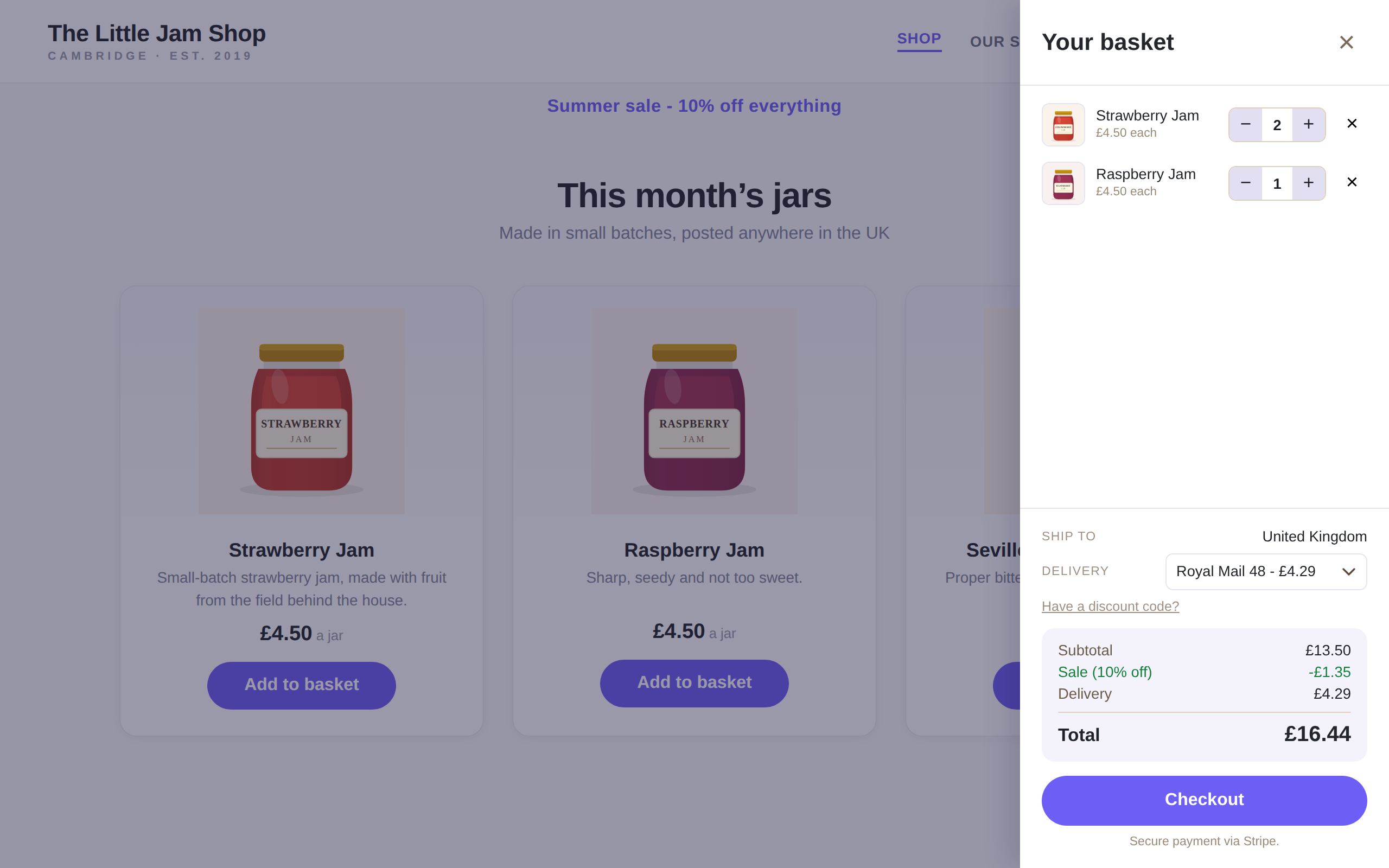
The shopping cart basket, open in your theme.
Bang! Cart for Stripe gives every product a buy button you place exactly where you want it – any page, any post, with a shortcode. Customers fill a fast, polished basket that matches your theme, and pay on Stripe’s own checkout page.
Your pages stay yours: the plugin adds no pages, no templates and no database tables of its own. Stripe holds the card details and the order history – this plugin never sees a card number and keeps no order records of its own.
What it does
- Add-to-basket buttons for your Stripe products, or for products you add here.
- A basket that works on a phone, in your theme, with your fonts and colours.
- Delivery zones of your chosen countries – as many zones as you need, each with a flat rate per service, or first item plus each additional – with collection in person.
- Free postage over a spend or a number of items.
- A shop-wide sale percentage.
- Discount codes, fixed or percentage, with a use limit and an expiry.
- Stock counts, with low-stock and sold-out messages you write yourself.
- Reservations, so two people cannot buy the same last item.
- Confirmation emails to your customer and to you, in your own words.
- A PDF receipt the plugin makes itself, attached to both order emails – switch it on under Invoice / receipt document on the Emails tab (a fresh install sends no document until you choose one).
- Delayed bank payments handled properly – stock is not released while a Bacs payment settles.
How your customers can pay
Checkout happens on Stripe’s own payment page, so your shop offers whatever payment methods your Stripe account has switched on – cards, Apple Pay, Google Pay and Link out of the box, and methods like Klarna, iDEAL, Bancontact or Bacs Direct Debit where your country and your customer’s support them. Strong Customer Authentication (3-D Secure) is handled there too, automatically. None of it is configured in this plugin: you switch methods on in Stripe, and your checkout follows. Stripe ships new payment methods, and your shop simply has them.
What it deliberately does not do
- It does not store card details. Payment happens on Stripe’s page.
- It does not keep a copy of your orders. Stripe already has them, and one truth beats two.
- It does not do subscriptions, tax tables, or a hundred payment gateways.
Who it suits
Makers, artists, food producers, small-batch and craft shops – anyone selling a focused range of products from a site that is more than just a shop. If your products live on pages you designed, and you want a buy button on each and a shopping cart that follows your customer around the site, this is built for you.
You will need
A Stripe account and a secret key. Test mode works exactly like live mode, so you can try the whole thing before taking a real payment.
Documentation, with screenshots of every step, lives at bangplugins.com/docs/cart.
External services
This plugin connects to Stripe to take payments. Stripe is the only external service it uses.
When a customer checks out, the plugin creates a Stripe Checkout session through the Stripe API (api.stripe.com) and sends the customer to Stripe’s secure page to pay. It also receives payment confirmations back from Stripe by webhook, and in the admin it reads your products and prices from your Stripe account.
Data sent to Stripe: the items and amounts in the basket, the chosen delivery option and cost, and – entered by the customer on Stripe’s own page – their email and delivery or billing address. The plugin never sees or stores card numbers; Stripe handles those entirely. This happens only when you or a customer does something that needs Stripe: loading products, taking a payment, or verifying the webhook.
Stripe is provided by Stripe, Inc. Your use of it is subject to their terms and privacy policy:
- Stripe Terms: https://stripe.com/legal
- Stripe Privacy Policy: https://stripe.com/privacy