

BalticXML
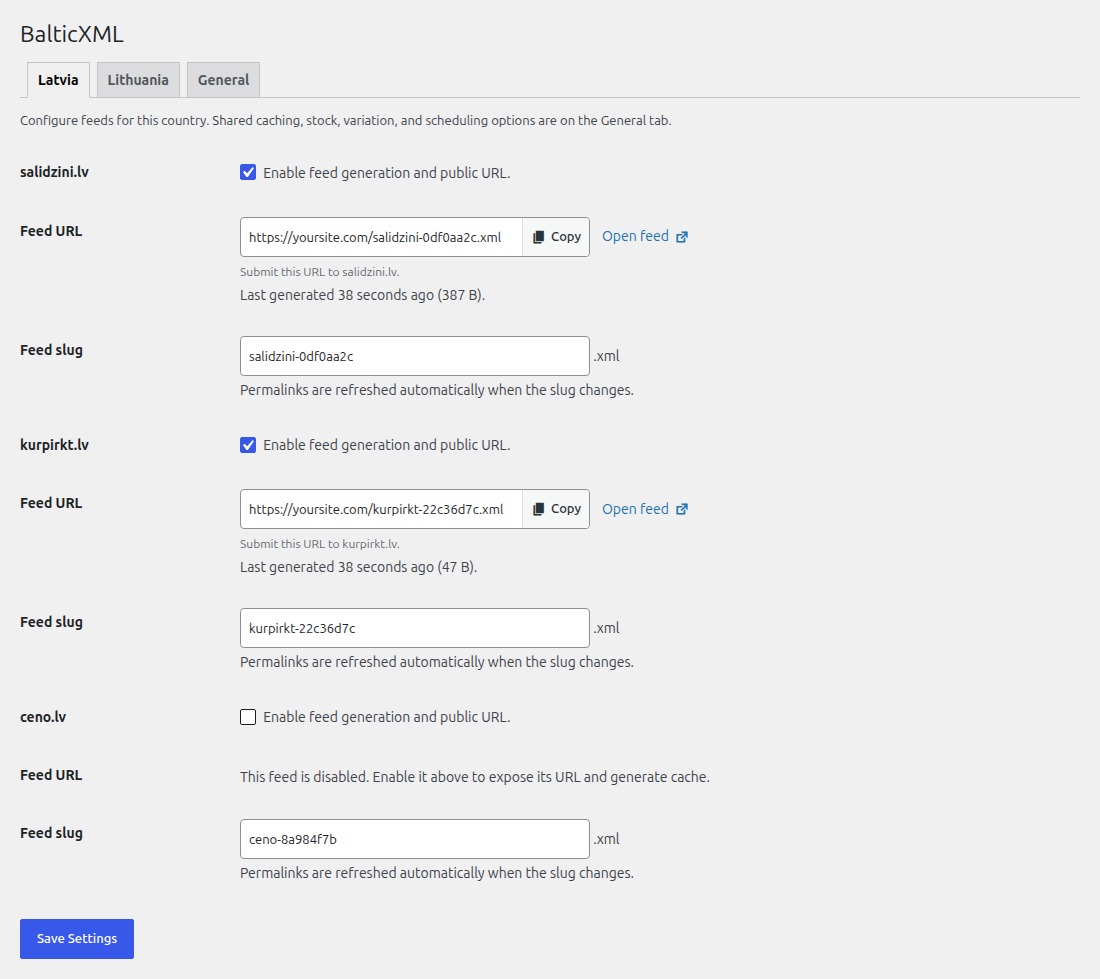
BalticXML settings with country tabs and feed URL controls
BalticXML creates WooCommerce product feeds for price comparison sites in Latvia and Lithuania. Choose the sites you use, save your settings, and submit each site’s XML feed URL.
Supported sites
- Latvia: salidzini.lv, kurpirkt.lv, ceno.lv
- Lithuania: Kaina24.lt, Kainos.lt, Pricer.lt
Each site gets its own feed in the format it needs. BalticXML uses your existing product information, including prices, images, categories, brands and barcodes.
Features
- XML product feeds for six Latvian and Lithuanian price comparison sites
- Support for simple, variable and external WooCommerce products, including individual variation offers
- Product prices, images, category hierarchies, brands, models and EAN/GTIN barcodes in supported feed formats
- Scheduled feed updates and caching for fast feed delivery
- Out-of-stock product filtering
- Product data validation with instructions for fixing missing required and recommended fields
- Reports showing excluded products, missing information and links to edit affected products
- Independent feeds with customizable URLs for each comparison site
- WooCommerce HPOS compatibility
- Translation ready
Get started
Open BalticXML in your WordPress admin, choose Latvia or Lithuania, enable the feeds you need, and save. Copy each feed URL and submit it to the corresponding price comparison site. Set your update schedule and other shared options on the General tab.
Use the BalticXML – Feed readiness panel when editing products to check whether their information is complete for your enabled feeds.